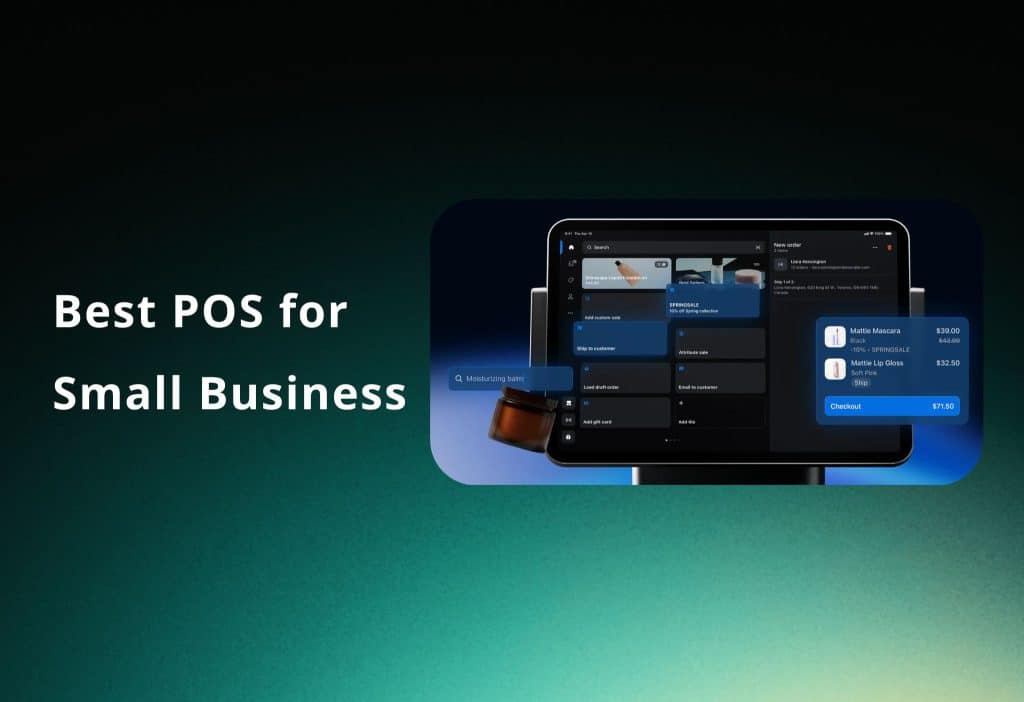
Choosing the right point-of-sale (POS) for small business owners system is critical. The right system balances upfront cost, ongoing fees, features, and integration with your online store. This guide compares the top POS systems for 2026 and shows how Orichi apps can help maximize Shopify POS performance.
What To Look for in a POS for small business
The wrong POS choice can cost more to switch away from than selecting correctly upfront. Evaluate these five criteria:
- Payment Processor Flexibility: Ability to switch processors for lower rates
- Contract Terms: Month-to-month vs long-term, beware early termination fees
- Offline Capability: Avoid POS systems that require constant internet
- eCommerce Sync: Inventory and sales integration with your online store
- Support Quality: Test responsiveness, especially during peak hours
Red Flags: Countertop systems with fixed leases (e.g., $500 terminal on 48-month lease = $2,352) and multi-year contracts.
The Real Cost of a POS System: Software + Processing Fees
Monthly software fees are minor compared to payment processing costs.
Example: $30,000/month card sales — the difference between the most and least expensive processor = $9,720/year.
Processing Rates:
- Square: 2.6% + $0.10 per transaction
- Shopify Payments: 2.4–2.6%
- Clover: varies by processor
- Toast: 2.49% + $0.15
Formula: Monthly software + (monthly card volume × processing rate) + hardware amortization.
Insight: Hidden processing fees can significantly impact total cost of ownership.
Galaxy Access POS — Best for Nail Salon Pos System Managing Appointments, Technicians & Payments
Galaxy Access is designed for nail salons that need more than a basic payment terminal. It connects daily salon operations, including appointments, technician workflow, customer information, services, and checkout.
-
Workflow: Connects customer appointments, technician assignments, services, and payments in one salon-focused system
-
Features: Includes client management, appointment scheduling, technician workflow, POS checkout, and operational reporting
-
Language Support: Supports both English and Vietnamese to help salon owners and staff use the system more comfortably
-
Best For: Nail salons and beauty businesses that need an integrated POS solution for managing technicians, appointments, and customer operations
-
Limitation: Best suited for businesses looking for a salon-focused platform rather than a simple standalone payment solution
Shopify POS — Best for Omnichannel Small Businesses
Shopify POS is ideal for merchants selling both online and in-person:
- Integration: Inventory, customer data, and sales reports update in real-time across channels
- Pricing: POS Lite included in all Shopify plans ($39–$399/month); POS Pro $89/month per location
- Processing: Shopify Payments 2.4–2.6% in-person; optional third-party processors with 0.5–2% fee
- Best For: Retailers with online stores, pop-ups, Instagram/TikTok sales
- Limitation: Not ideal for pure restaurants or brick-and-mortar without online sales.
Square POS — Best Free Option for New Businesses
- Plan: Free plan includes POS software, basic inventory, online store, and sales reporting
- Paid Plans: Plus $49/month, Premium $149/month for advanced features
- Processing: 2.6% + $0.10 per transaction (flat rate, no volume discount)
- Hardware: Free card reader; $799 Square Register available
- Limitation: Account can be frozen unexpectedly; no dedicated account manager
- Best For: New businesses, service providers, farmers market vendors, low-volume retail
Clover POS — Best for Flexible Payment Processing
- Hardware: Clover Station (countertop), Mini (compact), Flex (handheld), Go (mobile)
- Pricing: Starter $14.95/month; other tiers vary by reseller
- Advantage: Works with third-party processors → negotiate lower rates as volume grows
- App Ecosystem: 300+ apps for industry-specific features
- Limitation: Pricing varies; harder to get transparent quotes
- Best For: Established small businesses, multi-format retail, service providers
Toast POS — Best for Restaurants
- Features: Kitchen display, table management, online ordering with zero commission, alcohol age verification
- Pricing: $69–$165/month plans with 2-year contracts
- Processing: 2.49% + $0.15 in-person
- Limitation: Expensive for low-volume cafes, overkill for retail
- Best For: Sit-down restaurants, fast casual, cafés needing commission-free online ordering
Lightspeed POS — Best for Inventory-Heavy Retail
- Features: Tracks variants, serial numbers, purchase orders, multi-location inventory sync, vendor management, advanced reporting
- Pricing: Plus plan $289/month with API access and custom reporting
- Processing: 2.6% + $0.10 in-person via Lightspeed Payments
- Limitation: Pricier, no free plan, less suitable for new businesses
- Best For: Complex retailers, multiple locations, inventory-intensive operations
Which POS Is Right for Your Small Business
Decision framework based on business needs:
- Sell online + in-person → Shopify POS
- Just starting, need free option → Square
- Restaurant/food service → Toast
- Complex inventory, multi-location → Lightspeed
- Processor flexibility, hardware variety → Clover
Migration Tip: Export all data before switching POS — customer lists, sales history, inventory.
How To Get More Revenue From Your Shopify POS Setup
| Gap | Business Impact | App |
| No Cross-Channel Ad Attribution | Cannot connect Facebook/TikTok ads to in-store sales | OC Meta Pixel |
| Low AOV at Checkout | Single-item purchases limit revenue | Orichi Combo Bundle |
| No Bulk Pricing for Wholesale | Missed B2B or event sales | Quantity Breaks App |
Insight: Closing these gaps in the first 60 days increases revenue and customer retention.
FAQ
What is the cheapest POS system for a small business? Galaxyaccess free plan for software + basic inventory.
Does Shopify POS work without internet? Yes, offline mode allows transactions; data syncs when reconnected.
Can I use Galaxyaccess and Shopify together? Yes, but inventory and sales data won’t integrate; dual management required.
What POS system does not charge monthly fees? Galaxyaccess free plan; other systems charge software subscription.
Is Shopify POS good for restaurants? Better for omnichannel retail; pure restaurant features may require Toast POS.
what is the best overall salon pos system? Galaxyaccess is the best choice POS in 2026 for all in one
Read more: 6 Shopify Tips To Scale Your Business