A Shopify collection is a group of products on your store. When customers visit your store, they browse collections to find what they want. If your collections are messy, hard to search, or show the wrong products first, customers leave without buying.
Managing collections by hand takes a lot of time. You need to sort products, move out-of-stock items to the bottom, import and export lists, and update rules as your inventory changes. Doing all of this manually every day is not practical for a growing store.
Collection manager apps do this work for you. They sort products automatically, push sold-out items down, help you import and export data in bulk, and use sales data to show your best products first.
In this guide, we reviewed 10 of the best Shopify collection manager apps for 2026. We looked at features, pricing, ratings, and what kind of store each app works best for.
What Does a Collection Manager App Do?
Before picking an app, it helps to understand what these tools actually do. Here are the main jobs a collection manager app handles:
- Product sorting: Arrange products in a collection by sales, views, price, inventory, or custom rules
- Out-of-stock management: Automatically push sold-out products to the bottom of the collection so in-stock items show first
- Bulk import and export: Move collection data between stores using CSV or Excel files
- Automated scheduling: Set sorting rules to run every hour, daily, or weekly without you doing anything
- AI-powered ranking: Use sales and browsing data to decide which products should appear first
- Analytics: See which collections get the most views, add-to-carts, and revenue
| App Name | Rating | Free Plan | Starting Price | Best For |
| Sort’d Merchandiser | 5.0 / 5 | Yes | Free plan available | Visual and automated merchandising with analytics |
| Collection Page and Product Sort | 5.0 / 5 | No | $19 / month | AI sorting, A/B testing, personalization |
| Collection Page Merchandising | 5.0 / 5 | Yes | Free plan available | Data-driven automated sorting |
| Ultimate Collection Manager | 5.0 / 5 | No | $4.99 / month | Creating and managing collections with analytics |
| Ablestar Bulk Product Editor | 5.0 / 5 | Yes | Free plan available | Bulk editing products and collections via CSV |
| AP: Collection Import Export | 4.1 / 5 | Yes | Free plan available | Importing and exporting collections in bulk |
| Collections Add to Cart Button | 4.8 / 5 | No | $3.99 / month | Adding buy buttons directly on collection pages |
| Push Down and Hide Out of Stock | 5.0 / 5 | Yes | Free plan available | Hiding or moving sold-out products automatically |
| AI Collection Merchandiser | 5.0 / 5 | Yes | Free to install | AI-powered product ranking every 2 hours |
| Collection Sort | 4.5 / 5 | No | $4.99 / month | 50 sort types with Google Analytics connection |
Note: Prices shown are as of Q1 2026. Always check the Shopify App Store for current pricing before installing.
1. Sort’d Merchandiser
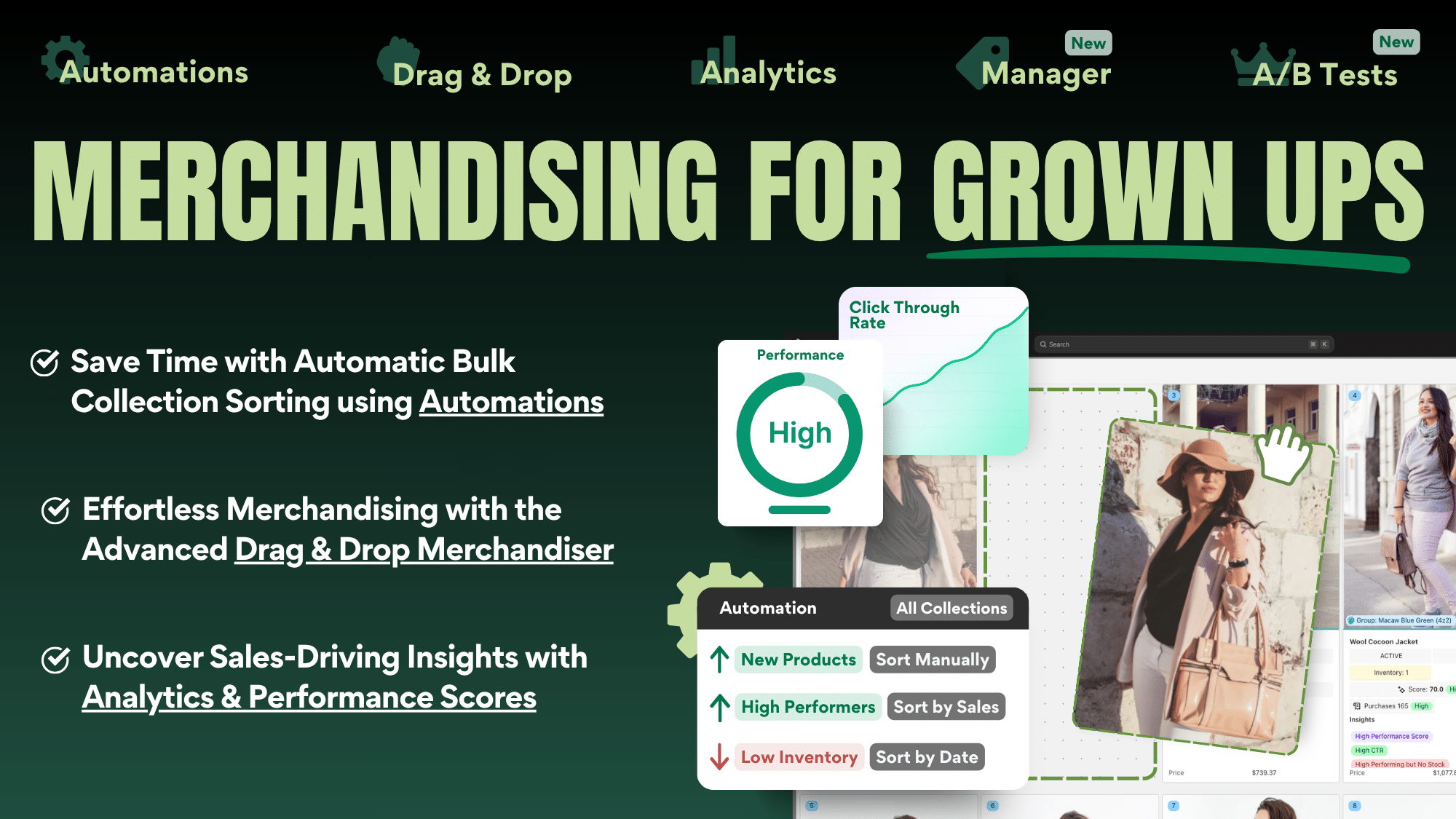
Sort’d Merchandiser combines hands-on visual merchandising with fully automated collection sorting. Merchants can arrange entire collections using a large drag-and-drop grid or create repeatable Automations based on sales, product performance, inventory, newness, color, style, metafields, and other product data. It also includes merchandising analytics, actionable insights, product Performance Scores, A/B testing, and a Product Tag Manager.
Key Features
- Visual drag-and-drop merchandising: View and arrange every product in a collection using a large visual grid
- Automated sorting: Create rules that sort multiple collections automatically or run on a schedule
- Advanced merchandising rules: Promote new arrivals and best sellers, demote underperforming or out-of-stock products, and account for broken size availability
- Product pinning and grouping: Fix important products in place and group products into rows by color, style, product type, or other characteristics
- Merchandising analytics: Track product and collection performance using sales, views, add-to-carts, purchases, and Performance Scores
- A/B testing: Compare two merchandising strategies to see which produces better results
- Product Tag Manager: Create and manage product tags in bulk
- Metafield sorting: View metafield data in the merchandiser and use it within sorting strategies
- Multi-collection and multi-store syncing: Apply the same merchandising strategy across related collections or stores
Pricing
- Free plan available with unlimited drag-and-drop merchandising and limited Automations
- Premium costs $29 per month and includes unlimited Automations, analytics, insights, Performance Scores, metafields, automated grouping, and syncing
- Premium Pro starts at $70 per month and adds collection merchandising A/B testing
- 7-day free trial available on paid plans
Good Points
- Combines full visual control and algorithmic merchandising in one app
- Merchants can automate repetitive work without giving up manual pinning, grouping, or product placement
- Analytics, insights, and A/B testing help teams measure and improve their merchandising decisions
- Free plan includes unlimited drag-and-drop merchandising
- Excellent 5.0 rating from more than 140 Shopify merchants
- Built to handle large collections and catalogs
Weak Points
- Analytics and the more advanced automation features require the $29 Premium plan
- A/B testing is only available on the higher-priced Premium Pro plan
- The number of merchandising options may take some time to explore if you only need a basic sorting rule
2. Kimonix – KX AI Collections
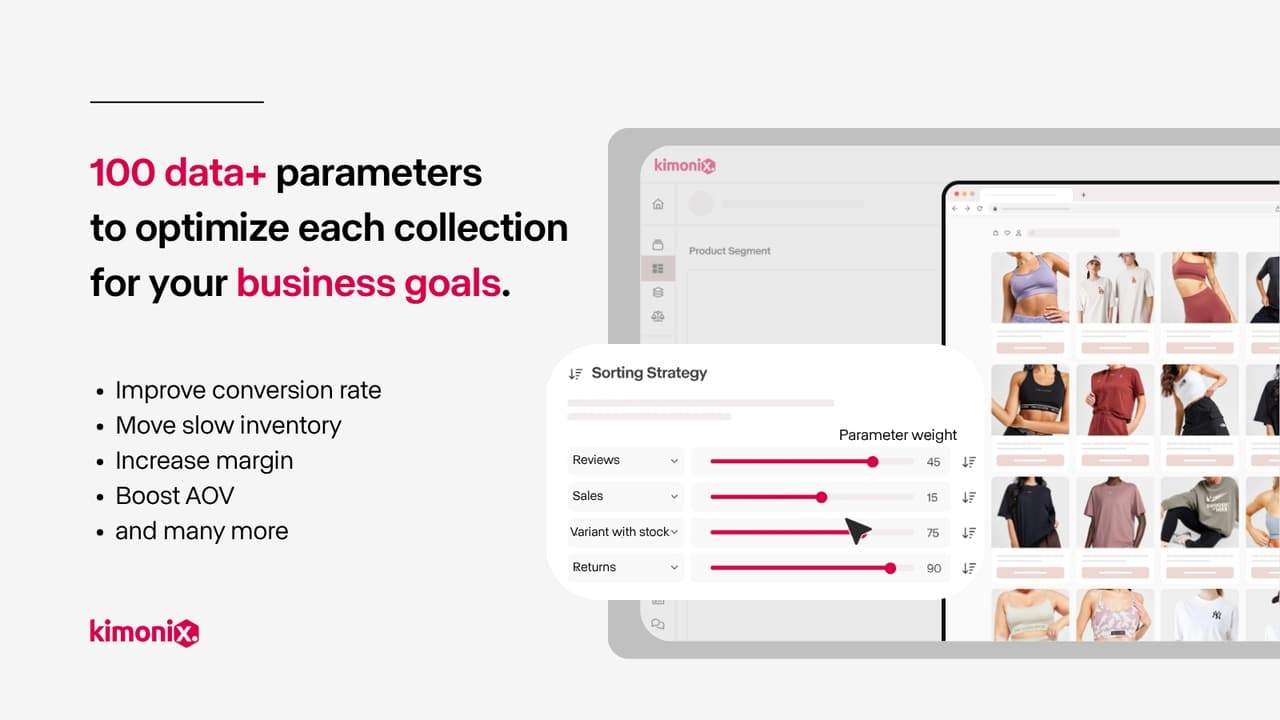
Kimonix is the most advanced merchandising app in this list. It goes far beyond basic sorting. It uses AI and real-time visitor data to create personalized collection pages for each shopper. It also allows A/B testing so you can compare two sorting strategies and find which one earns more money.
Key Features
- AI personalization: Shows different product orders to each visitor based on their real-time browsing behavior on your site
- Multi-segment collections: Divide a single collection page into different sections, each sorted by different rules
- Advanced sort parameters: Sort by conversion rate, margin, real margin after discounts, days until stock runs out, variant stock ratio, days since back in stock, and more
- A/B testing: Test two different sorting strategies on the same collection to see which one drives more sales
- Product grouping: Keep certain products always displayed next to each other regardless of other sort rules
- Email marketing collections: Create a unique product collection for each customer in your email campaigns
- Analytics dashboard: View detailed data by store, collection, and individual product
- No code needed: Works without any theme changes unless you use the personalization feature
Pricing
- Starts at $19 per month
- 14-day free trial available
Good Points
- The most powerful sorting and personalization tool in this list
- A/B testing is a unique feature not available in most other collection apps
- AI personalization can significantly increase conversion rates for large stores
- No code changes required for most features
Weak Points
- Most expensive option in this list
- May be too complex for small stores with simple needs
- Getting the most out of this app takes time to learn and set up
3. ST: Product & Collection Sort
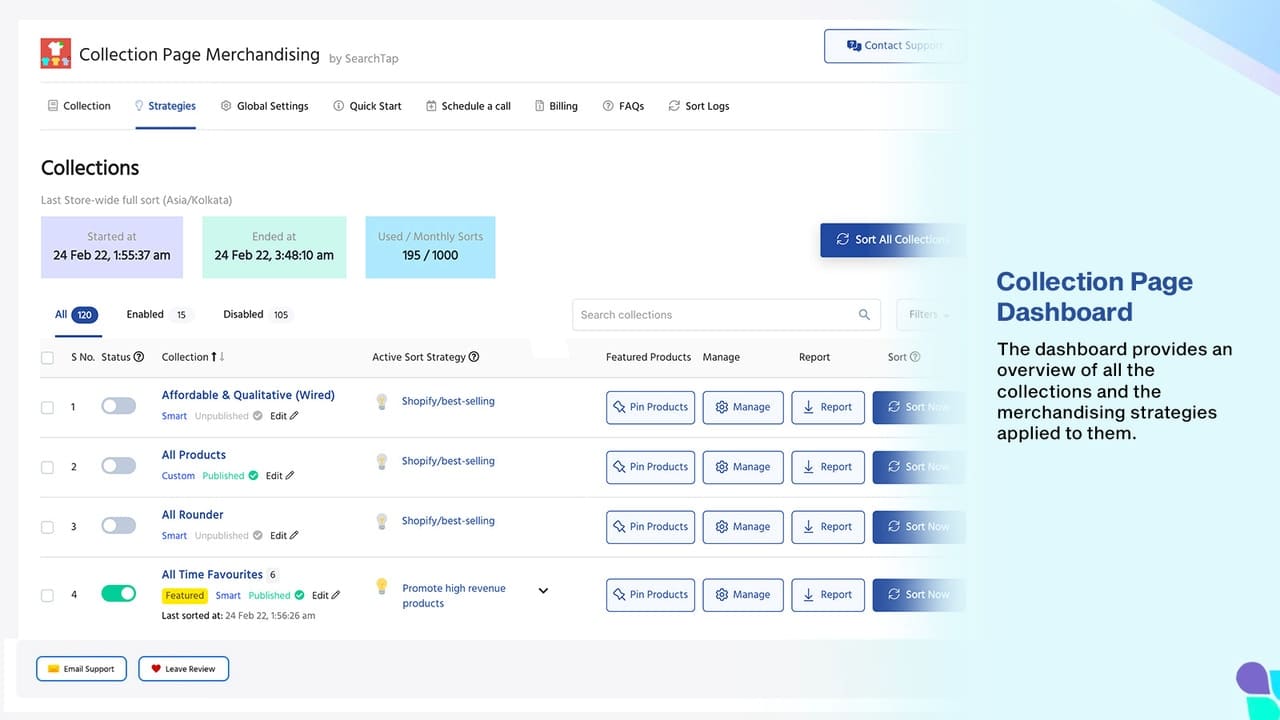
ST focuses on one clear goal: use past sales data to automatically sort your collection pages in a way that increases revenue. It removes the need to manually decide which products go where.
Key Features
- Data-driven sorting: Ranks products using revenue, sales quantity, views, add-to-carts, and inventory data from recent history
- Flexible scheduling: Run sorting automatically on a schedule you choose, such as daily or every few hours, or run it manually with one click
- Multi-segment sort: Group products by rules within one collection, for example show high-stock best sellers first then new arrivals
- Pin featured products: Lock any number of products to the top of a collection using a drag and drop editor
- Promote new arrivals: Keep new products at the top of a collection for a set number of days
- Push out-of-stock items down: Sold-out products automatically move to the bottom
- Daily deals support: Sort sale or clearance collections with the best discounts shown first
- Custom rules: Create rules based on product title, tags, vendor, product type, price, discount, or days since creation
Pricing
- Free plan available
- 14-day free trial on paid plans
- Additional charges may apply for higher usage
Good Points
- Free plan makes it accessible to all store sizes
- Wide range of sort types covers most merchandising needs
- Pinning and multi-segment sorting give you manual control when you need it
- Very high rating of 5.0 out of 5
Weak Points
- No AI personalization based on individual visitor behavior
- Advanced features may require reading the documentation before setup
4. Ultimate Collection Manager
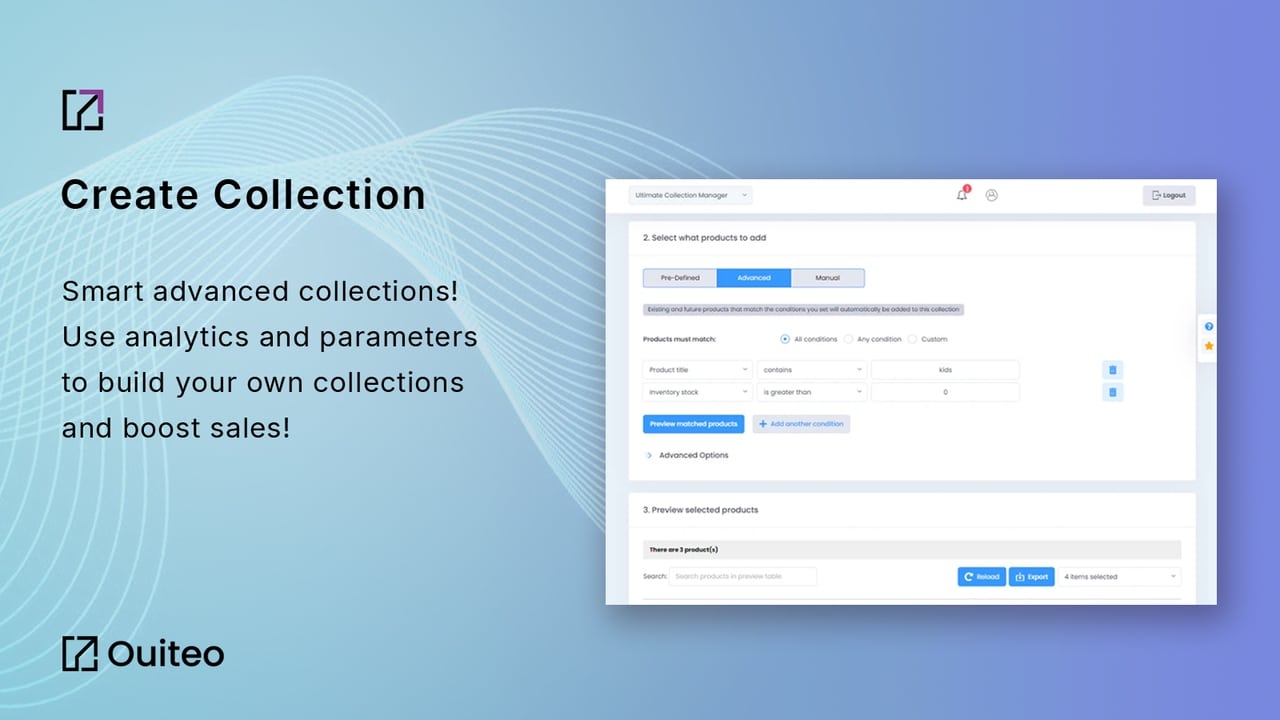
This app combines collection creation, sorting, and analytics in one place. It is good for store owners who want to build smart collections with advanced conditions and also want to track how those collections perform over time.
Key Features
- Pre-defined collection types: Choose from 36 ready-made collection types including best sellers, new arrivals, back in stock, highest add-to-carts, most views, and random
- Advanced conditions: Build collections based on multiple conditions at once, such as best sellers for a specific country with a certain product type
- Auto-update scheduling: Set collections to update every 2 hours, 4 hours, daily, weekly, bi-weekly, or monthly
- Hide out-of-stock products: Automatically remove sold-out items from a collection until they are back in stock
- Product groups: Group similar products together to improve cross-sell opportunities within a collection
- Bulk export and import: Export collections to CSV, make changes in Excel, then import back
- Duplicate collections: Copy a collection including its description, rules, template, and image
- Analytics dashboard: View performance trends over 90 days for your top 5 collections
Pricing
- Starts at $4.99 per month
- 7-day free trial available
Good Points
- 36 pre-defined collection types save a lot of setup time
- Good combination of automation and analytics in one affordable app
- Works well for stores with a large catalog and many collections to manage
Weak Points
- No free plan, only a trial
- No AI personalization or A/B testing
5. Ablestar Bulk Product Editor
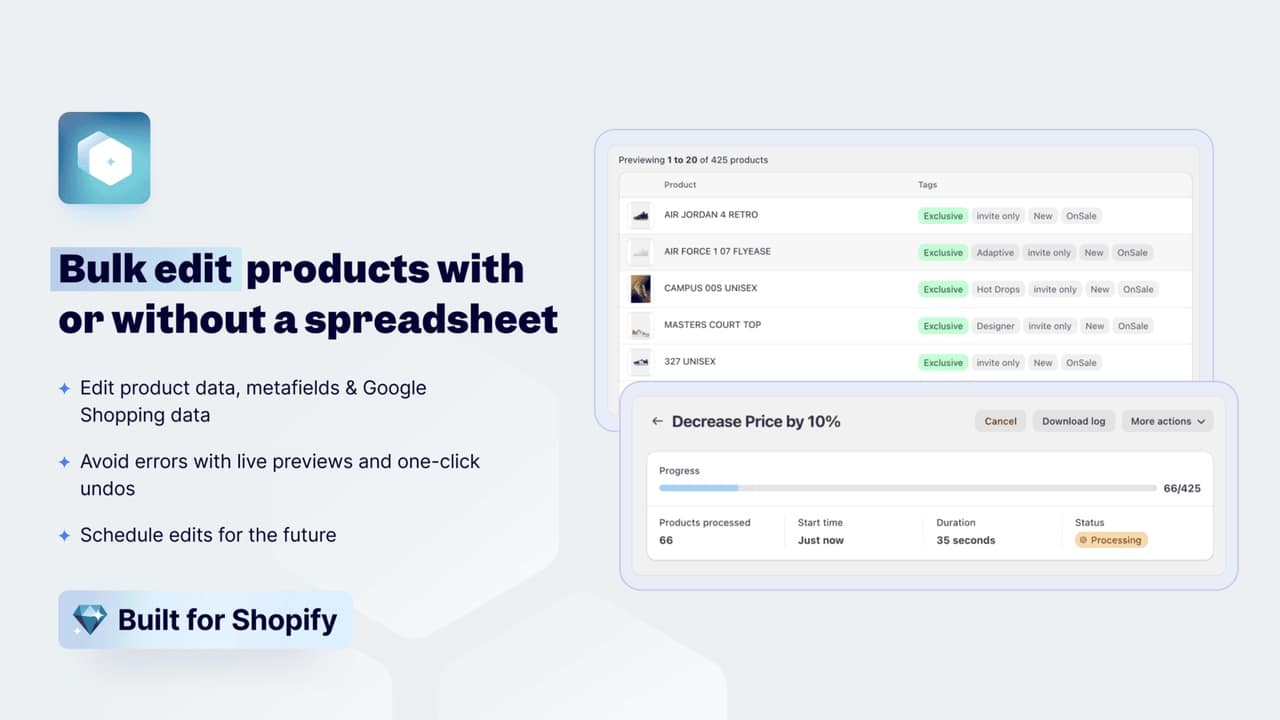
Ablestar is not a collection-only app. It is a full product editor that also handles collection management. Its main strength is bulk editing. You can update thousands of products or collection assignments at once using filters, spreadsheet uploads, or scheduled rules.
Key Features
- Bulk edits: Change prices, tags, titles, descriptions, or collection assignments for many products at once
- Add or remove from collections in bulk: Apply a filter and then add or remove all matching products from a collection in one action
- CSV and Excel upload: Upload a spreadsheet with the values you want to change and the app updates all products automatically
- Scheduled edits: Set an edit to run at a future date and then revert it after a set time, useful for sales and promotions
- Automatic product rules: Create a rule like set products priced at zero to draft status and have it run automatically in real time
- Search and replace: Find specific text in product titles or descriptions and replace it across all matching products
- Google Shopping fields: Update Google product category, Google Shopping titles, and other feed fields in bulk
- Export to CSV: Export your product list for analysis or backup
Pricing
- Free plan available
- Paid plans available for higher volume and advanced features
Good Points
- Best app for stores that need to manage large product catalogs efficiently
- Scheduled edits are excellent for managing seasonal sales without manual work
- Very high rating of 5.0 out of 5 with nearly 300 reviews
- Free plan is available
Weak Points
- Focused on bulk editing, not on automated sorting or AI merchandising
- If you only need sorting automation, this app has more features than you need
6. Collections Import Export Pro, dev Aperitive
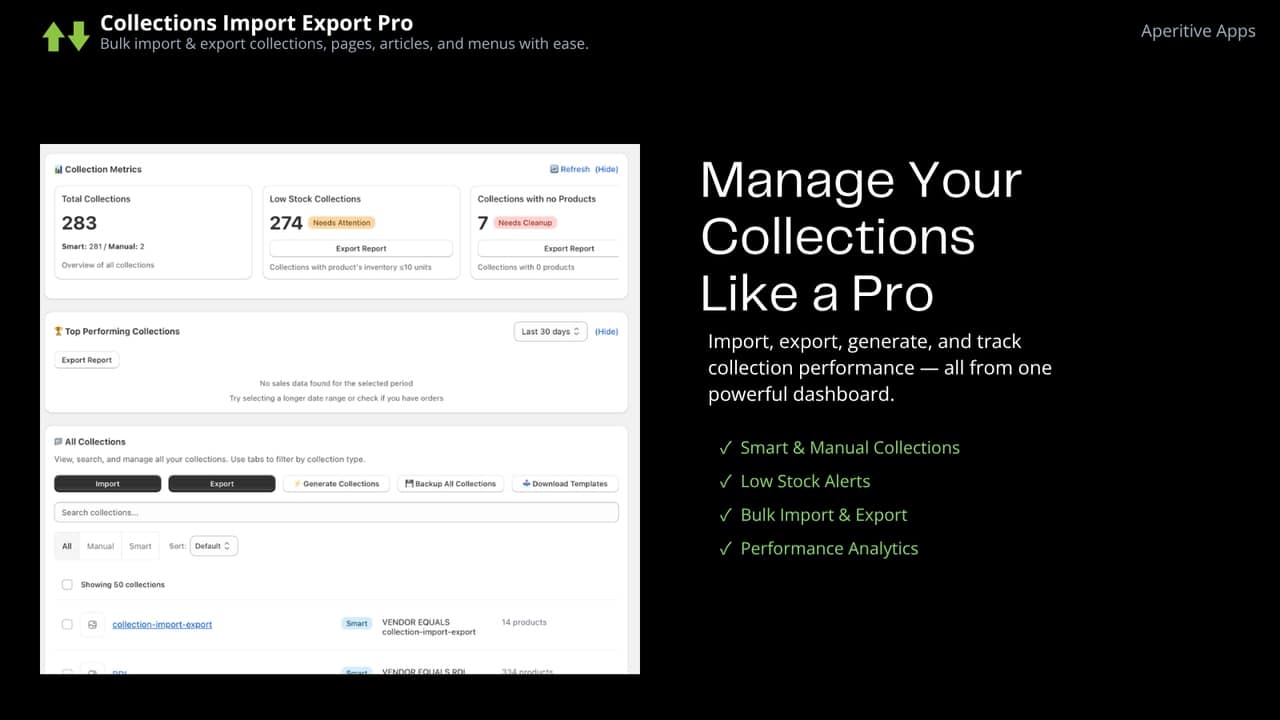
This app solves a specific problem: Shopify does not have a built-in way to import or export collections. If you are setting up a new store, migrating from one store to another, or need to manage collections in bulk from a spreadsheet, this app fills that gap.
Key Features
- Import collections: Upload a CSV file to create or update collections in bulk
- Export collections: Download all your collection data to a CSV file for review or editing
- Handle large files: Supports files with 7000 or more rows, no need to split into multiple uploads
- Generate smart collections automatically: Create smart collections for all your product vendors or product types with one click
- SEO metadata export: Export collection SEO title and description data for optimization
- Support for both collection types: Works with both smart collections and manual collections
- Update existing collections: Import changes to collections that already exist in your store
Pricing
- Free plan available
- Paid plans for higher volume use
Good Points
- Solves a real gap in Shopify’s default functionality
- Handles very large imports without needing to split files
- Auto-generate collections from vendors and types saves a lot of setup time
- Good for agencies setting up multiple client stores
Weak Points
- Lower rating of 4.1 out of 5 compared to others in this list
- Limited features beyond import and export
- Does not include sorting, analytics, or AI features
7. Carty – Add To Cart Button
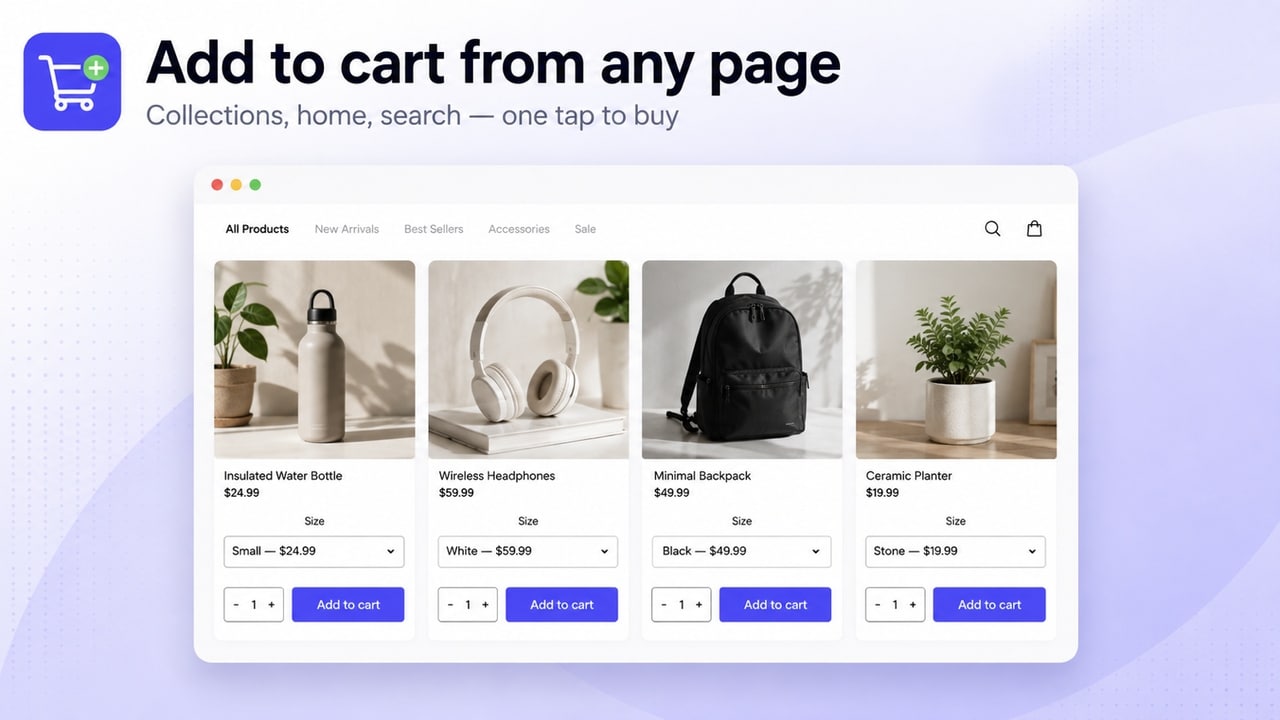
This app is different from the others. It does not manage or sort collections. Instead, it adds an Add to Cart button directly on your collection pages so customers can buy without clicking into the product page. This reduces the number of steps to purchase and can increase conversion rates.
Key Features
- Add to Cart button on collection pages: Customers can add products to their cart directly from collection and search result pages
- Quantity selector: Customers can choose how many units to add without going to the product page
- Variant selector: For products with multiple options like size or color, customers can pick their variant directly on the collection page
- Style customization: Change button colors, size, and style to match your store theme
- Exclude products or collections: Hide the button for specific products or entire collections where you do not want it
- Drawer cart integration: Works with the built-in slide cart for popular Shopify themes
- Fast load speed: Lightweight code does not slow down your pages
- No coding needed: Plug and play installation with no theme changes required
Pricing
- $3.99 per month
- 30-day free trial available (longest trial in this list)
Good Points
- Very affordable with the longest free trial of any app in this list
- Simple to install and works immediately
- High rating of 4.8 out of 5
- Can noticeably improve conversion rates on collection pages
Weak Points
- Only solves one specific use case: adding a buy button to collections
- Does not help with sorting, analytics, or collection organization
8. Push Down and Hide Out of Stock
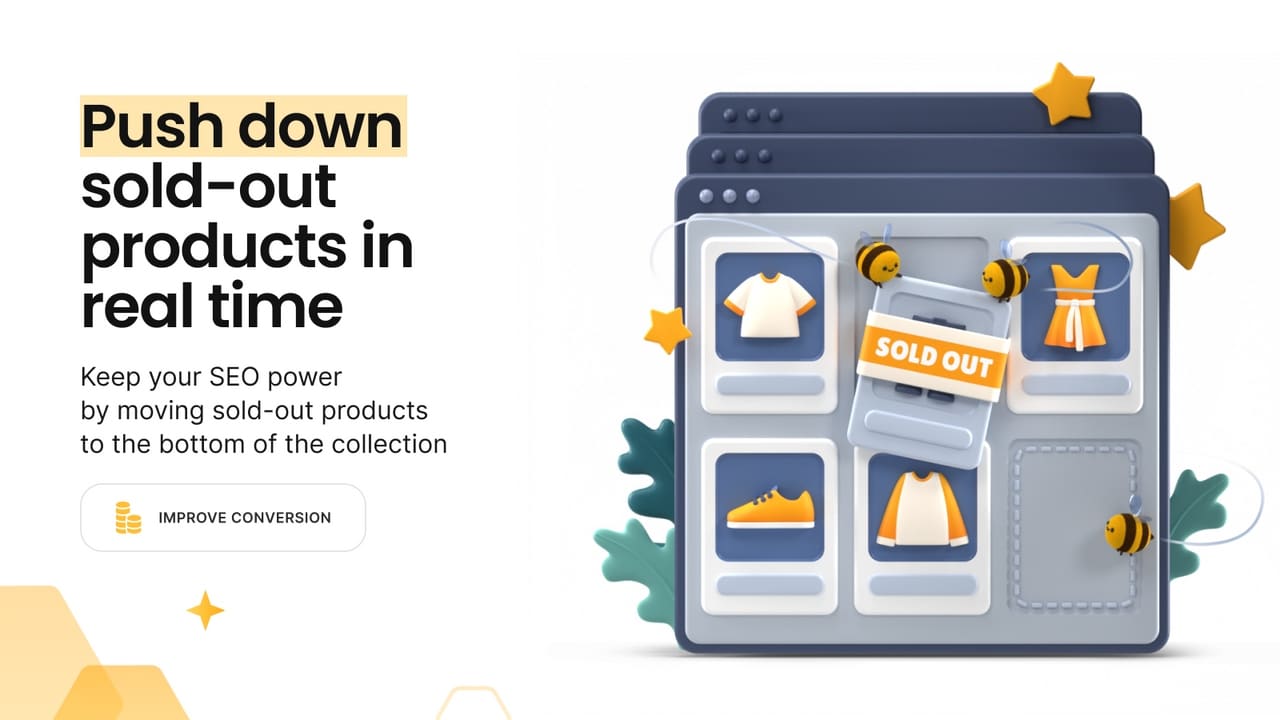
This app does one job very well: it manages out-of-stock products automatically. As soon as an item sells out, the app pushes it to the bottom of the collection or hides it completely. When it comes back in stock, the app moves it back to its original position. All of this happens in real time without you doing anything.
Key Features
- Push down: Move out-of-stock products to the bottom of the collection the moment inventory reaches zero
- Hide: Remove out-of-stock products from your collection pages entirely if you do not want customers to see them
- Unhide automatically: When a product comes back in stock, it becomes visible again and returns to its original position
- Redirect hidden products: If a customer clicks a hidden product from a search engine, redirect them to a related collection or page
- Sort in-stock products by: Best selling, product title, price, creation date, published date, or manual order
- No coding required: Set up in seconds with no theme changes needed
Pricing
- Free plan available
- 7-day free trial on paid plans
Good Points
- Works in real time, no waiting for a scheduled update
- Free plan is available
- Very high rating of 5.0 out of 5
- Simple and focused, does exactly what it says
Weak Points
- Only handles out-of-stock products, no other sorting or analytics
- If a customer changes the sort filter in your store, the push-down sorting may not apply
Note: If customers in your store can change the sort order using a filter dropdown, the push-down effect from this app will not apply when they do that. The app works on the default collection sort order set by the store owner.
9. AI Collection Merchandiser (Entaice)
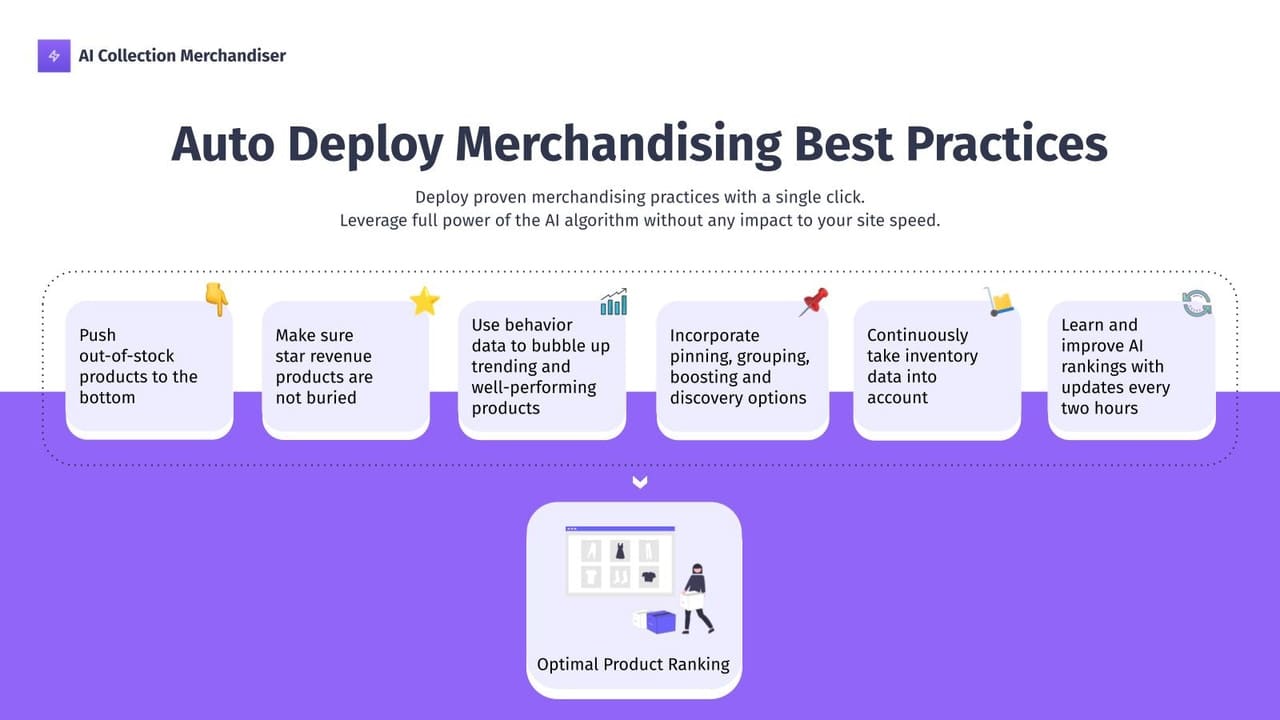
Entaice is an AI-powered app that learns from your customer behavior and updates product rankings in your collections every two hours. It uses browsing and buying habits to decide which products should appear first, without you needing to set any manual rules.
Key Features
- AI ranking every 2 hours: The app automatically updates product order using the latest performance and inventory data
- Out-of-stock detection: Sold-out products are moved to the end of the collection automatically
- Product grouping: Group products by color, brand, type, or tags so visually similar items always appear next to each other
- Pin products: Lock specific products to the top of a collection for promotions or launches, overriding the AI
- Boost new products: Automatically push new items to the top of a collection for 1 to 2 weeks after they are published
- Performance data: View views, orders, revenue, and conversion rate for the top 100 products in each collection
- CSV export: Download product performance data for further analysis
- Works directly inside Shopify: Manage everything from your Shopify admin with no separate dashboard
Pricing
- Free to install
- Additional charges may apply based on usage or store size
Good Points
- AI does the work automatically, no sorting rules to set up
- Updates every 2 hours keeps collections fresh and relevant
- Product grouping for visual appeal is a useful feature not found in many other apps
- New product boosting is great for stores that launch new items regularly
Weak Points
- Free to install but check what costs apply for your store size before committing
- Less manual control compared to apps that let you set detailed custom rules
10. OT | Collection Sort & Manage
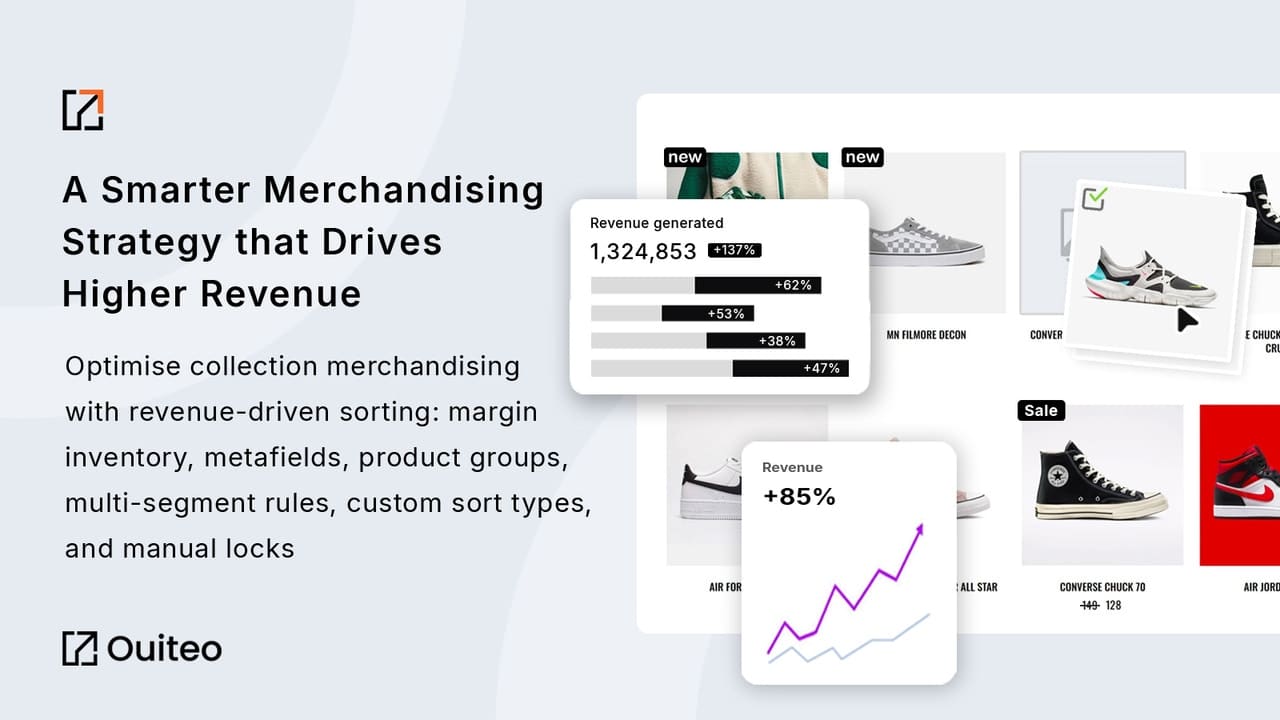
OT is a flexible automation app that offers 50 different sort types. You can combine multiple sort rules in one collection, schedule them to run automatically, and connect your Google Analytics account to use even more advanced data for sorting decisions.
Key Features
- 50 sort types: Sort by revenue, add-to-carts, views, conversion rate, margin, true margin, inventory, variant stock ratio, tags, random, and many more
- Custom sort types: Create your own unique sort rule by combining multiple criteria and giving each one a different weight
- Scheduling: Set sorting to run hourly, daily, weekly, bi-weekly, or monthly for any or all collections
- Mass update: Update sort settings for all your collections at once with one click
- Push down out-of-stock: Automatically move sold-out products to the bottom
- Push up restocked products: Move items back to the top when they come back in stock
- Lock positions: Keep featured products in a fixed spot while the rest of the collection sorts automatically
- Grid view sorting: Manually drag and drop products in a visual grid view
- Product groups: Always show certain products next to each other no matter what sort rule is active
- Google Analytics connection: Use conversion rate and page view data from Google Analytics to improve sorting
- Export and import sort order: Save your sort order to a file and import it back when needed
- Analytics dashboard: Track performance trends over 90 days for your top collections
Pricing
- Starts at $4.99 per month
- 7-day free trial available
Good Points
- Most flexible sort options of any app in this list with 50 sort types
- Google Analytics integration adds valuable real-world conversion data to sorting decisions
- Mass update feature is a big time saver for stores with many collections
- Affordable price for the number of features included
Weak Points
- No free plan after the trial ends
- May be overwhelming for small stores that only need simple sorting
Which App Should You Choose?
Here is a simple guide to help you pick the right app based on what your store needs:
| Your Main Need | Best App to Use |
| You want visual merchandising and advanced automated sorting in one app | Sort’d – Prime Collection Sort |
| You want to test and measure different collection merchandising strategies | Sort’d – Prime Collection Sort or Collection Page and Product Sort |
| You are on a tight budget and want a free option | Sort’d, Collection Page Merchandising, Ablestar, or Push Down and Hide |
| You need to import and export collections between stores | Meet Collections Import Export or AP: Collection Import Export |
| You want to duplicate collections and sort them visually | Collection Manager |
| You need to bulk edit products and collection assignments | Ablestar Bulk Product Editor |
| You only need out-of-stock products pushed down automatically | Push Down and Hide Out of Stock |
| You want to add a buy button directly on collection pages | Collections Add to Cart Button |
| You want to create, manage, and track collections in one place | Ultimate Collection Manager |
| You are on a tight budget and want a free option | Collection Page Merchandising, Ablestar, or Push Down and Hide |
What to Look for When Choosing a Collection Manager App
Before you install any app, check these things:
- Does it have a free plan or a long free trial? Most stores should test an app before paying. A 7-day trial is short. A 14-day or 30-day trial gives you more time to see real results.
- Does it support automation? If you have more than 50 products, doing sorting by hand every day is not realistic. Look for apps that run on a schedule automatically.
- Does it connect with your analytics? Apps that use Google Analytics or Shopify sales data to make sorting decisions will give you better results than apps that sort by simple rules alone.
- Does it handle out-of-stock products? This is one of the most common problems. A good collection manager should push sold-out items to the bottom automatically.
- Is it easy to set up? Read the recent reviews on the Shopify App Store. Look for comments about how long setup took and how good the support team is.
Tip: Start with a free plan or trial first. Install the app, let it run for at least one week, and then check if your collection pages look better and if conversion rates have improved before you decide to pay.
Frequently Asked Questions
What is a Shopify collection manager app?
A Shopify collection manager app is a tool that helps you organize, sort, and manage the groups of products on your store. It automates tasks like moving out-of-stock items to the bottom, sorting products by sales data, and importing or exporting collections in bulk.
Can I manage Shopify collections for free?
Yes. Several apps in this list have a free plan including Collection Page Merchandising, Ablestar Bulk Product Editor, AP: Collection Import Export, Push Down and Hide Out of Stock, and AI Collection Merchandiser. The features on free plans are more limited than paid plans, but they are a good starting point.
What is the difference between a smart collection and a custom collection in Shopify?
A smart collection in Shopify automatically adds products that match rules you set. For example, you can create a smart collection that includes all products tagged as sale. A custom collection is one where you manually choose which products to include. Most collection manager apps support both types.
How do I move out-of-stock products to the bottom of my collection?
The easiest way is to use an app that does this automatically. Push Down and Hide Out of Stock handles this in real time the moment a product sells out. Apps like Collection Page Merchandising, Collection Sort, and Entaice also include this feature as part of their sorting rules.
Which collection manager app is best for a large store with thousands of products?
For large stores, Collection Page and Product Sort or Collection Sort are the strongest options because they support complex multi-segment sorting rules and can handle many collections at once. Ablestar Bulk Product Editor is also helpful for large stores that need to update product data in bulk. If you want AI to do the work for you, Entaice updates rankings every 2 hours automatically.
Do collection manager apps slow down my Shopify store?
Most modern apps are built to load efficiently and should not slow down your store noticeably. However, every app adds some code to your store. If you are concerned about speed, check the app description for mentions of lightweight or fast load speed. The Collections Add to Cart Button app specifically highlights fast page load as one of its main features.
Final Thoughts
Managing Shopify collections well is one of the most direct ways to increase sales. When the right products show at the top, customers find what they want faster, and they are more likely to buy.
For most stores, the best starting point is an app that automatically pushes out-of-stock products down and sorts the rest by sales data. Collection Page Merchandising has a free plan and does both of these things well.
If you want AI to handle everything automatically, Entaice is the best hands-off option. If you want the most control with the most sort types, Collection Sort gives you 50 different ways to organize your products.
If you manage multiple stores or regularly migrate collections, Meet Collections Import Export or AP: Collection Import Export are the tools you need.
Tip: Do not install more than one or two collection apps at the same time. Apps that both try to control product sort order may conflict with each other. Pick one sorting app and stick with it.
Read more: