The top OpenAI Ads pixel apps for Shopify in 2026 are Orichi OpenAI Ads ‑ ChatGPT Ads, ChatGPT Ads by OpenAI, Aimerce.ai, Product Feed for ChatGPT Ads by Inmediato and ChatGPT Ads Feed Sync by dofollow. An OpenAI Ads app connects a Shopify store to ChatGPT Ads: a pixel and the Conversions API send store events such as purchases to OpenAI, and a product feed sends your catalog so ChatGPT can build sponsored product cards, a campaign type OpenAI added on May 12, 2026. Orichi OpenAI Ads covers the pixel, Conversions API, feed, ROAS reports and customer lists in one free app rated 5.0 from 13 reviews. OpenAI’s own app is free and US-first but rated 2.4 from 19 reviews. Aimerce pairs server-side tracking with an SFTP feed, while Inmediato and dofollow handle the feed only. This guide first explains what an OpenAI Ads app does, then reviews the five apps with their features, prices and limits, and compares them in one table. Next, it shows how to choose by tracking needs, market, profit reporting, audiences and budget, and gives five setup tips, such as turning on the Conversions API and preparing the 100-product sample OpenAI asks for. It ends with answers to common questions and a short guide to which app fits which store.
These are 5 Shopify apps that connect a store to OpenAI Ads in October 2026: Orichi OpenAI Ads ‑ ChatGPT Ads (pixel, Conversions API, feed and ROAS reports in one free app), ChatGPT Ads by OpenAI (the official app), Aimerce.ai (tracking plus feed), Product Feed for ChatGPT Ads by Inmediato (feed only) and ChatGPT Ads Feed Sync by dofollow (free feed per country). Ratings and prices come from each Shopify App Store listing on October 8, 2026.
1. Orichi OpenAI Ads ‑ ChatGPT Ads

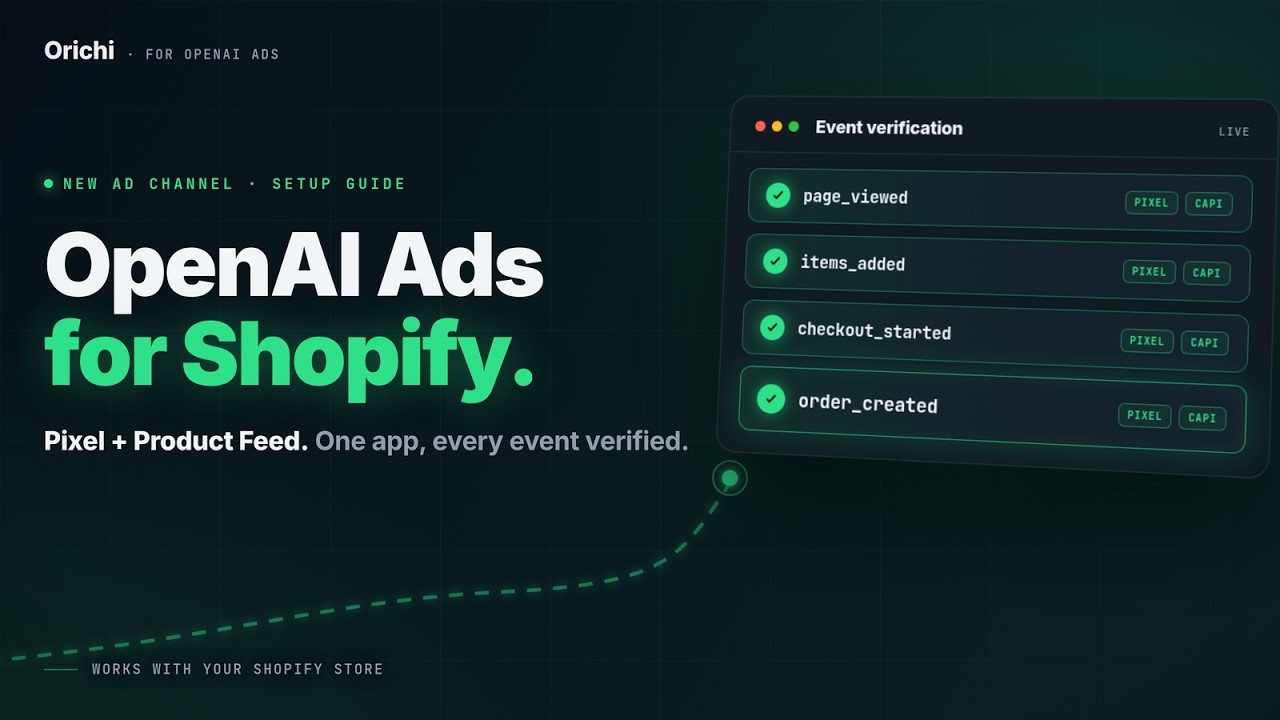
Orichi OpenAI Ads ‑ ChatGPT Ads is a free Shopify app that sets up the OpenAI Ads pixel, server-side Conversions API, product feed, ROAS reports and customer lists from one dashboard, with no code. It holds a 5.0 rating from 13 reviews (100% five-star), launched on August 3, 2026, and its interface comes in 12 languages, including English, Spanish, French, German, Japanese and Vietnamese.
Key features:
- Multiple OpenAI and ChatGPT Ads pixels, installed in one click.
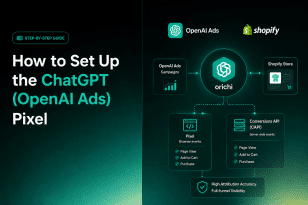
- Server-side Conversions API with automatic deduplication through shared event IDs, so a sale is counted once even when the browser pixel and the server both report it.
- Product feed sync from Shopify to ChatGPT Ads over SFTP or a hosted URL.
- Revenue, ROAS and CPA per campaign and per product, calculated from your own Shopify orders once you connect your Advertiser API key.
- Customer lists built from Shopify segments, SHA-256 hashed and ready to upload to Ads Manager.
Pricing: free.
Good fit for: stores that want tracking, feed and reporting in one free app. Keep in mind: it is a newer app, so it has fewer reviews than long-standing ad apps. Reviewers mention support helping them through setup.
Install Orichi OpenAI Ads ‑ ChatGPT Ads free on the Shopify App Store
2. ChatGPT Ads by OpenAI

ChatGPT Ads is OpenAI’s own Shopify app. It connects or creates an Ads Manager account, installs the OpenAI pixel with a server pixel, syncs your catalog into a ChatGPT Ads product feed and lets you build campaigns inside Shopify. The app is free; you pay only for ad spend.
It launched on September 3, 2026 for US merchants, and OpenAI said it would open in other ChatGPT Ads markets from September 23. It is rated 2.4 from 19 reviews, with 68% at one star, mostly about failed connections and products not syncing. Budgets set inside Shopify move in steps of $25.
Good fit for: US stores that want to create campaigns without opening Ads Manager. Keep in mind: early reviews report setup problems, and its listing names no ROAS-by-product report or feed editing tools.
3. Aimerce.ai

Aimerce.ai sends seven standard conversion events to OpenAI’s Conversions API from the server and syncs your Shopify catalog to OpenAI’s product feed over SFTP. Pricing: $299/month .
Good fit for: brands that want a wider customer-data platform beyond ChatGPT Ads. Keep in mind: it is a broader platform, not a simple OpenAI Ads app.
4. Product Feed for ChatGPT Ads

Product Feed for ChatGPT Ads handles the feed only: it maps every variant to OpenAI’s format, checks each OpenAI rule and shows a delivery history. It also writes AI product descriptions. It has 4.2 stars from 11 reviews and launched on July 9, 2026.
Pricing: Free (500 items, manual sync only) · Pro $9.90/month (5,000 items, nightly and on-change sync) · Scale $19.90/month (50,000 items) · Max $34.90 · Unlimited $49.90 (500,000 items).
Good fit for: large catalogs that already track conversions elsewhere. Keep in mind: no pixel or Conversions API, and automatic sync is paid.
5. ChatGPT Ads Feed Sync

ChatGPT Ads Feed Sync builds one OpenAI feed per country with each Shopify Market’s prices and translated titles, and refreshes every hour and after product changes. It is free, launched on September 11, 2026 and has one review (5.0).
Good fit for: multi-country stores that only need a free feed. Keep in mind: no pixel or Conversions API, and very few reviews so far.
What does an OpenAI Ads app for Shopify do?
An OpenAI Ads app connects your Shopify store to ChatGPT Ads so you can track sales from your ads and show your products in ChatGPT, without code. It handles two jobs: it sends store events (product views, add to cart, purchases) to OpenAI through a pixel, and it sends your product catalog to OpenAI as a product feed.
- Pixel and Conversions API. The pixel records what shoppers do on your site. The Conversions API sends the same events from the server, so sales still count when a browser blocks the pixel. OpenAI added its conversion pixel in spring 2026, around the time it opened cost-per-click bidding on May 5, 2026.
- Product feed. Since May 12, 2026, ChatGPT can build ads straight from your catalog: you connect a feed, choose which products can run, and ChatGPT writes each ad from product names, images, prices and attributes. Without an app you build a CSV and upload it over SFTP by hand.
The ads show as one sponsored card below ChatGPT’s answer. Only logged-in adults on the Free and Go plans see them; Plus, Pro, Business and Enterprise users never do.
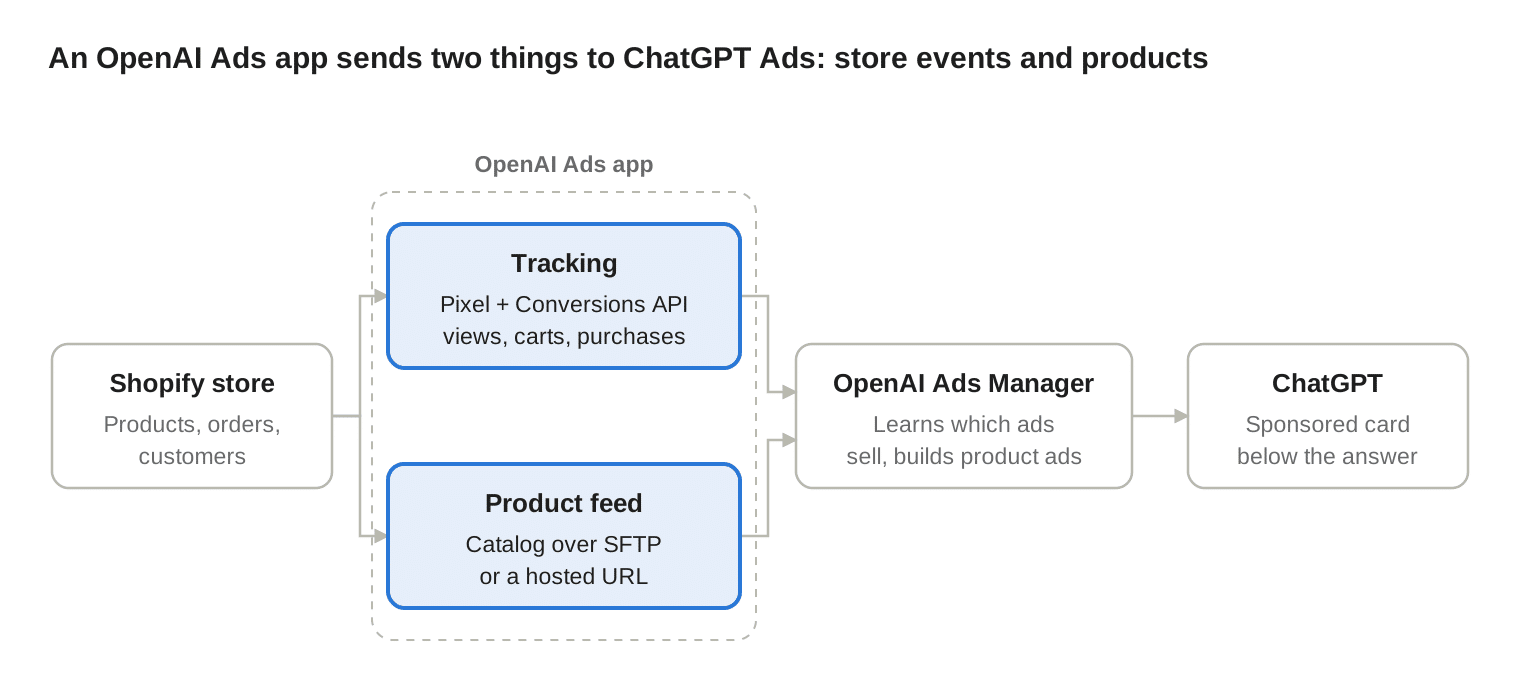
Apps that handle both jobs give OpenAI your sales and your products; feed-only apps cover the lower path only.
How to choose an OpenAI Ads app for your store
Pick the app by checking five things: whether you need tracking, a feed or both, where you sell, how you measure profit, whether you want audiences, and what you can pay.
- Tracking, feed or both. A feed puts products into ChatGPT; a pixel with Conversions API tells OpenAI which ads sell. If you need both, choose Orichi OpenAI Ads, OpenAI’s app or Aimerce. If tracking already runs elsewhere, a feed-only app is enough.
- Where you sell. ChatGPT Ads opened to all US businesses on May 5, 2026 (PPC Land) and reached the EEA and Switzerland in August 2026 (Automated Commerce). OpenAI’s own Shopify app started in the US first.
- How you measure profit. Ads Manager reports your ad results. To see net revenue and ROAS per product from your real Shopify orders, you need an app that reads your orders, such as Orichi OpenAI Ads.
- Audiences. To retarget past buyers or exclude them, pick an app that turns Shopify segments into customer lists for Ads Manager.
- Budget. Orichi OpenAI Ads, OpenAI’s app and dofollow are free; Inmediato’s automatic feed sync starts at $9.90 a month.
5 setup tips for better ChatGPT Ads results
The app moves your data; the quality of that data decides how your ads run. These five tips cover tracking and the feed.
- Turn on the Conversions API, not only the pixel. Server events still reach OpenAI when a browser blocks the pixel. Use one shared event ID so each sale counts once.
- Use one pixel setup only. If you install two ChatGPT pixel apps, check that they do not report the same purchases twice before you trust your conversion numbers (Novoads).
- Start from a clean Google Shopping feed. ChatGPT reuses the Google Shopping feed format, so weak titles or missing categories there become weak ChatGPT ads (Stellagent).
- Prepare your best 100 products first. OpenAI asks new merchants for a 100-product sample before it accepts the full catalog (Paz.ai).
- Fix your product photos. In a feed ad, the product image from your feed is the ad image, so a cluttered photo becomes a cluttered ad (Novoads).
FAQ
Here are short answers to the four questions Shopify merchants ask most: whether OpenAI has its own app, why the Conversions API matters, whether you need a feed, and what it costs.
Is there an official OpenAI Ads app for Shopify?
Yes. OpenAI’s ChatGPT Ads app launched in the Shopify App Store on September 3, 2026. It is free and covers the pixel, feed and campaign setup, but it is rated 2.4 from 19 reviews, mostly over connection and sync problems.
Why do I need the Conversions API if I have the pixel?
The pixel runs in the shopper’s browser, so ad blockers and browser limits can stop it. The Conversions API sends the same events from the server, so OpenAI sees more of your real sales and can show your ads to people more likely to buy.
Do I need a product feed to run ChatGPT Ads?
Only for product feed campaigns, where ChatGPT builds ads from your catalog. You can still run ads you build by hand without a feed, but a feed lets you advertise every product at once (Shopifreaks).
How much does an OpenAI Ads app cost?
From $0. Orichi OpenAI Ads, OpenAI’s app and dofollow are free; Inmediato’s feed app runs from $9.90 to $49.90 a month. Ad spend is billed separately by OpenAI.
Conclusion: which OpenAI Ads app fits your store?
Choose by what you are missing. If you need tracking, a product feed and profit reports together, Orichi OpenAI Ads ‑ ChatGPT Ads covers all three for free. If you sell in the US and want to launch campaigns inside Shopify, try OpenAI’s own app. If tracking already runs elsewhere, a feed-only app such as Inmediato or dofollow is enough. Whatever you pick, set up the Conversions API and clean your product data first: they decide how well ChatGPT Ads can find buyers.