OpenAI opened its self-serve Ads Manager in beta on May 5, 2026. Five weeks later, on June 11, it added product feed campaigns – advertisers upload a catalog, and Ads Manager generates sponsored placements from the product data itself.
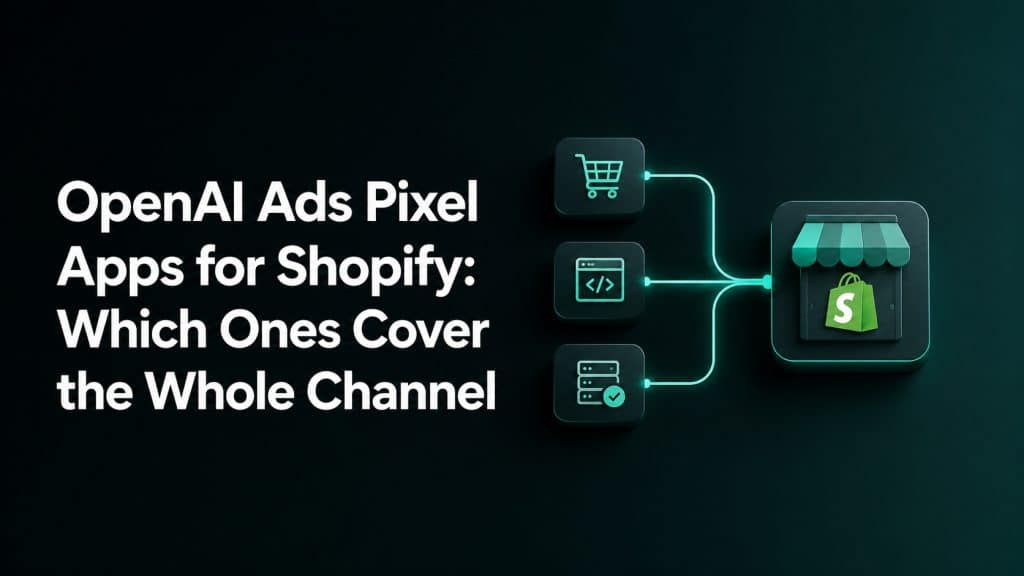
That second launch changed what “setting up OpenAI Ads on Shopify” means. The channel now runs on four inputs, not one:
- Conversion data — a pixel plus server-side Conversions API delivery, so OpenAI’s bidder learns from real purchases instead of the fraction a browser pixel survives with.
- A product feed — a structured catalog delivered over SFTP, formatted to OpenAI’s spec, kept current as prices and stock change.
- Performance data — net revenue, ROAS and CPA per campaign and per product, reconciled against real orders.
- Audiences — hashed customer lists pushed to Ads Manager for targeting and exclusion.
Almost every Shopify app in this category covers one of the four. That is the most useful thing to know before you install anything, and it is the axis this comparison is built on.
Six Criteria That Matter More Than a Long Feature List
The question is not how many features an app lists. It is whether the app covers the parts of the OpenAI Ads workflow your store actually needs, and whether you can verify that the data arrives correctly.
1. Server-Side Delivery, Not Just a Browser Pixel
Browser events can be affected by ad blockers, Safari storage limits, consent settings and in-app browsing conditions. OpenAI supports the Pixel, the Conversions API, or both, but its Conversions API documentation describes server-to-server delivery as more reliable than the pixel alone.
For a Shopify store optimizing toward purchases, the practical baseline is the browser Pixel plus CAPI rather than a browser-only setup. The browser supplies click context, while the server can still send the order event after checkout. If you want the implementation steps, see how to set up the OpenAI Ads pixel on Shopify.
2. Deduplication Through a Shared Event ID
When the same order is sent from the browser and the server, both copies need the same identifier. OpenAI expects the API id and pixel event_id to match, together with the same Pixel ID and event name.
Without this shared ID, the platform may treat the two copies as separate conversions. That inflates reported purchases, ROAS and the signals used for campaign decisions.
3. oppref Capture and Forwarding
OpenAI’s browser pixel captures the oppref attribution identifier automatically. The Conversions API does not. The identifier has to be captured on the storefront, preserved through redirects and navigation, stored, and attached to each server-side event by the app.
An app can deliver an order_created event successfully while still omitting the click reference that connects it to the original ad visit. That weakens deterministic click matching and can leave conversions that OpenAI cannot tie directly back to a click.
OpenAI may also use eligible advanced matching information or modeled measurement where available. Those methods are useful fallbacks, but they are not a reason to discard oppref. When comparing apps, ask whether the app captures the original value without changing it and sends it with CAPI events whenever it is available.
4. Product Feed Coverage
OpenAI product-feed campaigns need a catalog with current titles, descriptions, images, prices, availability and destination URLs. For automated delivery, check whether the app can keep that catalog synced to the SFTP location provided by Ads Manager.
The feed should use OpenAI’s Google-compatible schema and mark advertised products with the canonical is_ads_eligible field. It should also catch empty descriptions, invalid price formatting and stale stock before those issues block individual products. If the tracking app does not cover the feed, the merchant needs a second app or a separate feed workflow.
Paid product-feed campaigns are separate from organic product discovery in ChatGPT. A catalog prepared for organic discovery should not be assumed to be connected to an OpenAI Ads campaign.
5. Hashing, Consent and Privacy
Conversion events and audience uploads use first-party customer identifiers in different ways. OpenAI’s conversion schema accepts hashed fields such as emails_sha256 and external_ids_sha256. For audience files, an email should be trimmed, converted to lowercase and then hashed with SHA-256; phone numbers should first be normalized to E.164.
The app should also respect the consent state exposed through Shopify’s Customer Privacy API and send data only when the merchant has the necessary rights, notices and consent. A promise that data is “hashed” is not enough if the app does not explain what it collects and when it sends it.
6. Visible Delivery Status
A new channel should not require blind trust. The merchant should be able to see whether events are firing, whether OpenAI accepts them, which Pixel ID is active and when the last successful event arrived.
Some apps add a live event stream, health score, delivery trend or a comparison between tracked conversions and real Shopify orders. These tools make setup errors visible before the merchant spends heavily.
Do not block
OAI-AdsBot. It is OpenAI’s advertising crawler and is separate fromGPTBot,OAI-SearchBotandChatGPT-User. OpenAI uses it to validate ad landing pages for safety and may use page content to judge relevance. Ifrobots.txt, Cloudflare or another security layer blocks it, OpenAI may be unable to validate the landing page before conversion tracking even becomes relevant.
Four Groups of OpenAI Ads Apps for Shopify
The clearest way to compare the current options is by the part of the channel they are designed to cover. This is a coverage comparison, not a rating of overall product quality.
| Group | Covers | Apps |
|---|---|---|
| Pixel-only | Tracking | Reach, Count, ChatGPT Ads Pixel, Comercio, Infinite |
| Feed-only | Feed | Product Feed for ChatGPT Ads, IndexNow, EZ Exporter, Feedoptimise |
| Multi-channel platforms | Tracking and reporting across channels | Aimerce, WeltPixel, Elevar, Triple Whale |
| Full OpenAI Ads stack | All four | Orichi |
Some products inside the first two groups now extend beyond their original scope. A tracking app may add revenue reporting, while a feed app may add conversion tracking or LLMs.txt support. Read the current listing before installing, but keep the main job of the app clear.
If you install from the first group, you will be back in the App Store within a week looking for something from the second. That is not a knock on those apps — several are well built — it is a scoping decision they made. Just know it before you install.
When a Multi-Channel Platform Makes More Sense
Aimerce, WeltPixel, Elevar and Triple Whale belong in a different buying decision. They are designed for merchants who already need server-side tracking, attribution or reporting across several channels, not only OpenAI Ads.
That wider scope can be valuable when OpenAI Ads is the fourth or fifth paid channel in the account. The team can compare ChatGPT Ads with Meta, Google and TikTok using the same reporting process instead of creating another isolated dashboard.
The tradeoff is weight. You may be buying a larger data platform to solve a smaller OpenAI-specific setup problem. Confirm that the OpenAI connector is available in the product and plan you use, then map which events are already firing before adding anything else.
If you already run a multi-channel server-side tracking app, add OpenAI Ads inside it. Do not stack a second pixel app on top — you will double-fire events and spend a week debugging attribution that was never broken.
Which Type of App Should You Pick?
Your store does not need every layer on the same day. Choose according to the gap in your current workflow.
Pick a Pixel-Only App If You Do Not Have a Product Catalog
A lead-generation or service business may need page_viewed, lead_created, registration_completed or appointment_scheduled events, but no retail feed. A focused pixel and CAPI app can cover that job without adding catalog tools the business will not use.
Prioritize reliable delivery, shared event IDs, oppref handling and a status screen. For this store type, tracking quality matters more than feed coverage.
Pick a Feed-Only App If Tracking Is Already Solved
A feed-focused app makes sense when a developer, agency or existing server-side platform already sends clean OpenAI conversion events. The missing job is keeping the catalog valid and current.
Check whether the app supports automated sync, product exclusions, is_ads_eligible, variant data, validation errors and stock updates. A generic export tool is only useful if its output and delivery method meet OpenAI’s current requirements.
Pick a Multi-Channel Platform If You Need One Reporting System
This route fits a larger store that already measures Meta, Google, TikTok and other channels in one platform. Adding OpenAI Ads inside the same system keeps the data model and reporting workflow consistent.
Before choosing it, confirm the exact OpenAI coverage. Tracking and attribution support do not automatically mean the platform also manages product feeds or customer audiences.
Pick Orichi If You Want the Four Layers in One Shopify App
Orichi is built around the complete Shopify-to-OpenAI workflow described in this article. Its current Shopify listing includes browser Pixel and CAPI delivery with shared event IDs, product-feed sync over SFTP, campaign and product reporting against Shopify orders, and SHA-256 hashed customer-list exports.
That makes it a practical fit when you do not already pay for a larger data platform and do not want separate tracking and feed apps while the channel is still in beta. The app is currently free, although pricing and listed capabilities should always be checked again before installation.
Do Not Pick Orichi If Verification Is Your Main Requirement
Our verification tooling is thinner than some pixel-only apps. If you want a live health panel that scores match quality and reconciles tracked conversions against your actual Shopify orders before you spend, an app built around that specific job will serve you better today. We are building it; it is not shipped yet.
That limitation matters. An app covering more of the channel is not automatically the right choice if the job you care about most is proving that every event is accepted and reconciled.
Choose Coverage Before You Choose an App
Start by marking which of the four jobs your store already has: tracking, feed, performance reporting and audiences. Then choose the app that fills the missing jobs without duplicating tools you already run.
For stores starting from zero, Orichi puts the four layers in one Shopify workflow. Install Orichi OpenAI Ads Pixel & Feed and connect the parts your campaign needs.
If you need a broader introduction before installing anything, read how OpenAI Ads works for Shopify stores.
Frequently Asked Questions
Is OpenAI Ads the Same as ChatGPT Ads?
OpenAI Ads is the advertising platform and Ads Manager used by advertisers. ChatGPT Ads describes the sponsored placements people see inside ChatGPT. In practice, app listings often use both names for the same tracking connection.
Do I Need OpenAI Ads Access Before Installing a Pixel App?
You can install an app first, but you need access to Ads Manager to obtain the Pixel ID and Conversions API key required to complete tracking setup. Product-feed connections also require the feed details created inside Ads Manager.
Can I Install the Pixel If OpenAI Ads Is Not Live in My Market Yet?
Yes, you can prepare the Shopify integration, but creating an account does not give you campaign access before your market is supported. Self-service access is currently available in the United States, Canada, Australia, New Zealand, the United Kingdom, Mexico, Brazil, Japan and Korea. Check OpenAI’s current country list because rollout status can change.
What Events Does OpenAI Ads Track?
Common Shopify events include page_viewed, contents_viewed, items_added, checkout_started and order_created. OpenAI also supports events for leads, registrations, appointments, subscriptions, trials and custom actions. The app should map Shopify actions to OpenAI’s exact event names.
Do I Need Shopify Plus?
No. A Shopify app can use Shopify storefront events, checkout integrations and order webhooks without requiring Shopify Plus. Check the individual app’s compatibility listing before installing it on your store.
What Is oppref and Why Does It Matter?
oppref is the OpenAI click reference appended to an ad landing-page URL. The browser Pixel can capture it automatically, but a server-side integration must preserve and include it with CAPI events when available. It gives OpenAI a direct signal for connecting a conversion to an eligible ad click.