Best Shopify apps for the OpenAI Ads pixel are tracking and feed apps for ChatGPT Ads: a pixel plus server-side Conversions API for ads shown inside ChatGPT, with browser and server events sent under a shared ID so conversions are not counted twice.
This page reviews the 5 apps one by one, with features, price and weak points, and explains what an OpenAI Ads app does. It then covers seven checks before installing, from tracking accuracy and store speed to where you sell and what you can pay, and five setup tips, from turning on the Conversions API to preparing your best 100 products. It ends with answers on whether OpenAI has its own app, why the Conversions API matters, whether you need a feed, and what it costs.
For full details on what criteria to use: What to Look For in an OpenAI Ads App for Shopify
1. Orichi OpenAI Ads ‑ ChatGPT Ads

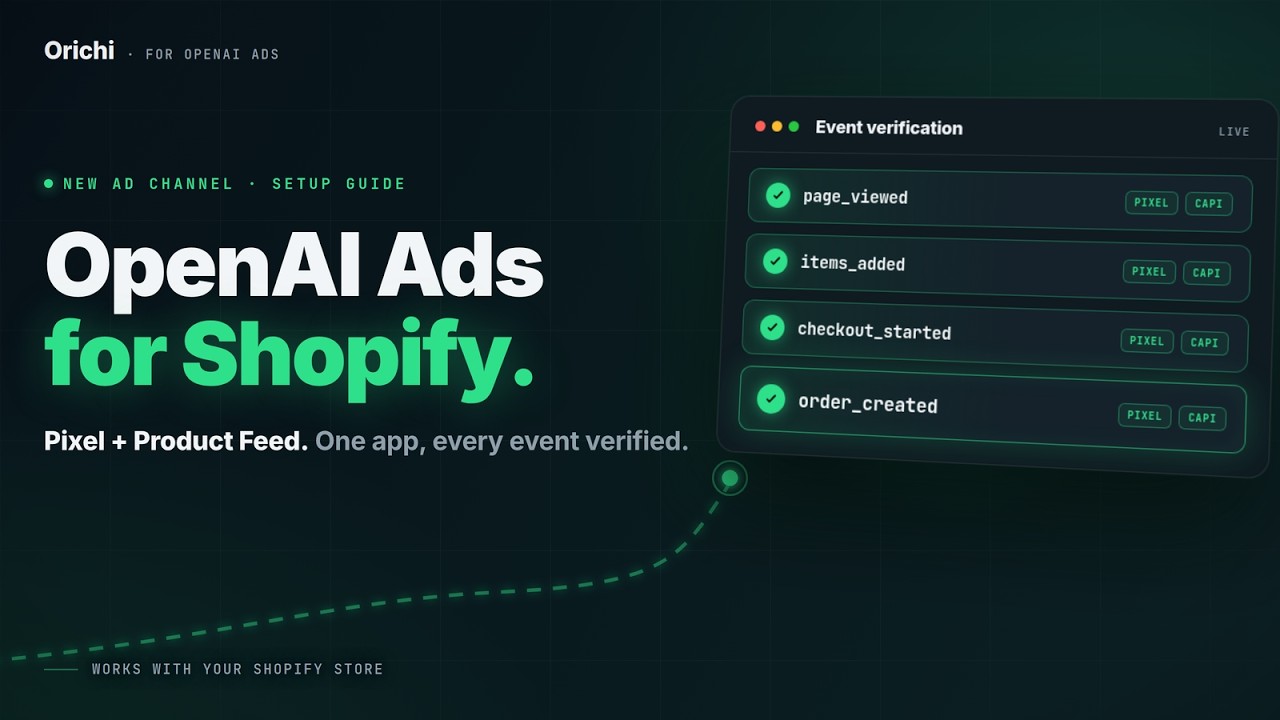
Orichi OpenAI Ads ‑ ChatGPT Ads is a free Shopify app that sets up the OpenAI Ads pixel, server-side Conversions API, product feed, ROAS reports and customer lists from one dashboard, with no code. It holds a 5.0 rating from 26 reviews and the Built for Shopify badge. It launched on August 3, 2026, and its interface comes in 12 languages, including English, Spanish, French, German, Japanese and Vietnamese.
Key features:
- Multiple OpenAI and ChatGPT Ads pixels, installed in one click.
- Server-side Conversions API with automatic deduplication through shared event IDs, so a sale is counted once even when the browser pixel and the server both report it.
- Product feed sync from Shopify to ChatGPT Ads over SFTP or a hosted URL.
- Revenue, ROAS and CPA per campaign and per product, calculated from your own Shopify orders once you connect your Advertiser API key.
- Customer lists built from Shopify segments, SHA-256 hashed and ready to upload to Ads Manager.
- Built for Shopify: meets Shopify’s performance standards, so it does not slow down your storefront or checkout.
Pricing: free.
Good fit for: stores that want tracking, feed and reporting in one free app.
Install Orichi OpenAI Ads ‑ ChatGPT Ads free on the Shopify App Store
2. ChatGPT Ads by OpenAI

ChatGPT Ads is OpenAI’s own Shopify app. It connects or creates an Ads Manager account, installs the OpenAI pixel with a server pixel, syncs your catalog into a ChatGPT Ads product feed and lets you build campaigns inside Shopify. The app is free; you pay only for ad spend.
It launched on September 3, 2026 for US merchants, and OpenAI said it would open in other ChatGPT Ads markets from September 23. It is rated 2.3 from 19 reviews, with 68% at one star. Budgets set inside Shopify move in steps of $25.
Good fit for: US stores that want to create campaigns without opening Ads Manager. Keep in mind:
- Tracking depends on a setup that often fails. Most one-star reviews report connections and product syncs that do not work. Until the connection works, no conversions reach Ads Manager.
- Limited targeting. One reviewer reports that ads cannot target regions inside the US, only the whole country.
- Missing tools. Its listing names no ROAS-by-product report, no support for multiple pixels and no feed editing tools.
- No Built for Shopify badge.
3. Aimerce.ai

Aimerce.ai sends seven standard conversion events to OpenAI’s Conversions API from the server and syncs your Shopify catalog to OpenAI’s product feed over SFTP. Pricing: $299/month, with a 30-day free trial.
Good fit for: brands that want a wider customer-data platform beyond ChatGPT Ads. Keep in mind: it is built mainly for Meta, Google and Klaviyo tracking, not as a simple OpenAI Ads app, and it costs far more than the other four apps.
4. Product Feed for ChatGPT Ads

Product Feed for ChatGPT Ads, made by Inmediato LLC, handles the feed only. It maps every variant to OpenAI’s format, checks each OpenAI rule and shows a delivery history. It also writes AI product descriptions. It has 4.3 stars from 12 reviews and launched on July 9, 2026.
Pricing: Free (500 items, manual sync only) · Pro $9.90/month (5,000 items, nightly and on-change sync) · Scale $19.90/month (50,000 items) · Max $34.90/month (150,000 items) · Unlimited $49.90/month (500,000 items).
Good fit for: large catalogs that already track conversions elsewhere. Keep in mind:
- No tracking. It has no pixel or Conversions API, so it cannot report which ads lead to sales.
- Stability. One one-star review calls the app unstable, with many loading issues, and says there is no documentation for connecting pixels with third-party checkout apps.
- Key features are paid. Automatic sync, plus rules to include or exclude products, need the Pro plan.
5. ChatGPT Ads Feed Sync

ChatGPT Ads Feed Sync, made by dofollow, builds one OpenAI feed per country with each Shopify Market’s prices and translated titles. It refreshes every hour and after product changes. It is free, launched on September 11, 2026 and has one review (5.0).
Good fit for: multi-country stores that only need a free feed. Keep in mind:
- No tracking. It has no pixel or Conversions API. Its only reviewer had to build pixel-to-CAPI deduplication by hand.
- Very few reviews so far.
What does an OpenAI Ads app for Shopify do?
An OpenAI Ads app connects your Shopify store to ChatGPT Ads so you can track sales from your ads and show your products in ChatGPT, without code. It handles two jobs: it sends store events (product views, add to cart, purchases) to OpenAI through a pixel, and it sends your product catalog to OpenAI as a product feed.
- Pixel and Conversions API. The pixel records what shoppers do on your site. The Conversions API sends the same events from the server, so sales still count when a browser blocks the pixel. OpenAI added its conversion pixel in spring 2026, around the time it opened cost-per-click bidding on May 5, 2026.
- Product feed. Since May 12, 2026, ChatGPT can build ads straight from your catalog: you connect a feed, choose which products can run, and ChatGPT writes each ad from product names, images, prices and attributes. Without an app you build a CSV and upload it over SFTP by hand.
The ads show as one sponsored card below ChatGPT’s answer. Only logged-in adults on the Free and Go plans see them; Plus, Pro, Business and Enterprise users never do.
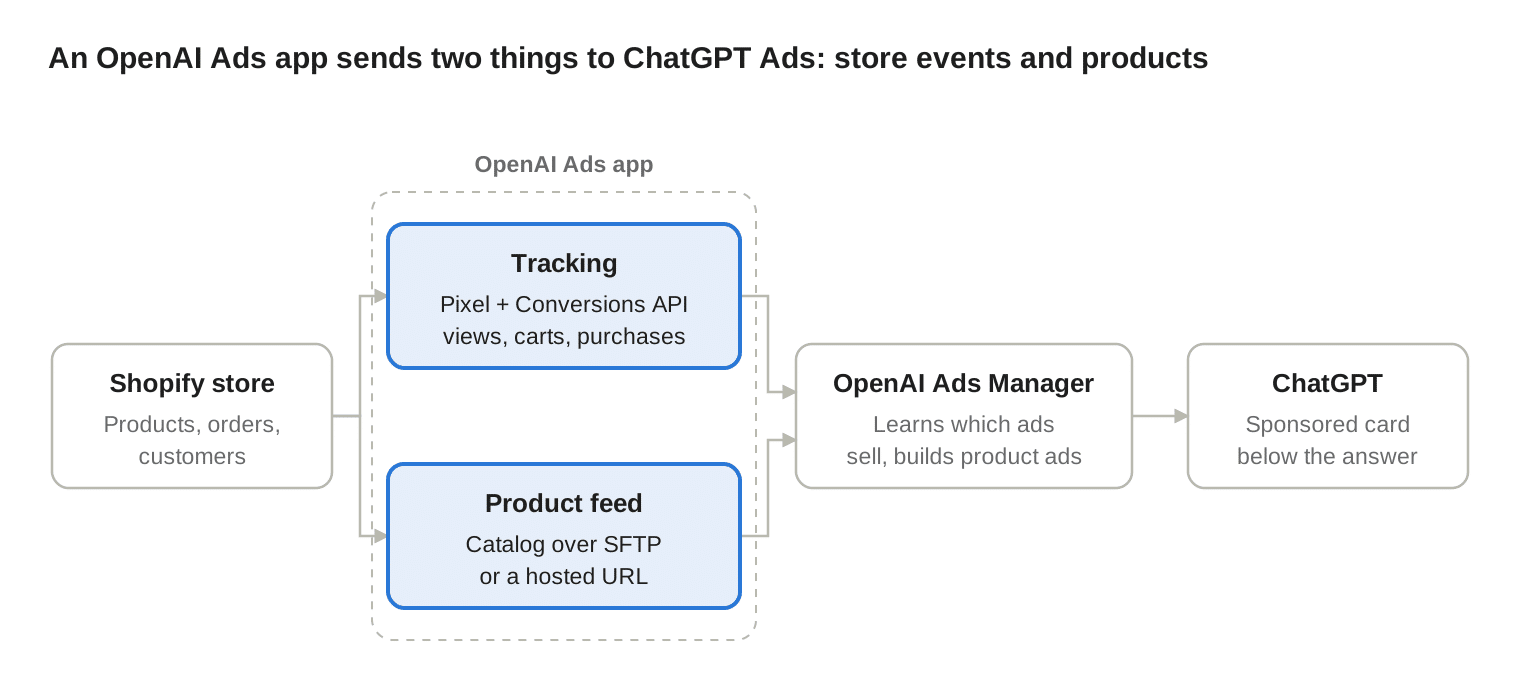
Apps that handle both jobs give OpenAI your sales and your products; feed-only apps cover the lower path only.
How to choose an OpenAI Ads app for your store
Pick the app by checking seven things: whether you need tracking, a feed or both, how accurately it tracks, whether it slows your store, where you sell, how you measure profit, whether you want audiences, and what you can pay.
- Tracking, feed or both. A feed puts products into ChatGPT; a pixel with Conversions API tells OpenAI which ads sell. If you need both, choose Orichi OpenAI Ads, OpenAI’s app or Aimerce. If tracking already runs elsewhere, a feed-only app is enough.
- Tracking accuracy. Check that the app sends events from both the browser and the server, and matches them with one shared event ID so each sale counts once. Double-counted sales make ChatGPT Ads look more profitable than it is. Orichi deduplicates automatically. OpenAI’s app reports many failed connections. The two feed-only apps send no conversion events at all.
- Store speed. A tracking app loads code on your storefront, so check that it does not slow your pages. The Built for Shopify badge is the simplest proof: Shopify only gives it to apps that do not slow down the storefront or checkout. Among these five apps, only Orichi OpenAI Ads holds it.
- Where you sell. ChatGPT Ads opened to all US businesses on May 5, 2026 (PPC Land) and reached the EEA and Switzerland in August 2026 (Automated Commerce). OpenAI’s own Shopify app started in the US first.
- How you measure profit. Ads Manager reports your ad results. To see net revenue and ROAS per product from your real Shopify orders, you need an app that reads your orders, such as Orichi OpenAI Ads.
- Audiences. To retarget past buyers or exclude them, pick an app that turns Shopify segments into customer lists for Ads Manager.
- Budget. Orichi OpenAI Ads, OpenAI’s app and ChatGPT Ads Feed Sync are free. Product Feed for ChatGPT Ads charges from $9.90 a month for automatic sync, and Aimerce costs $299 a month.
5 setup tips for better ChatGPT Ads results
Five tips decide how well your ads run: turn on the Conversions API, keep one pixel setup, start from a clean Google Shopping feed, prepare your best 100 products and fix your product photos. The app moves your data; the quality of that data decides the results.
- Turn on the Conversions API, not only the pixel. Server events still reach OpenAI when a browser blocks the pixel. Use one shared event ID so each sale counts once.
- Use one pixel setup only. If you install two ChatGPT pixel apps, check that they do not report the same purchases twice before you trust your conversion numbers (Novoads).
- Start from a clean Google Shopping feed. ChatGPT reuses the Google Shopping feed format, so weak titles or missing categories there become weak ChatGPT ads (Stellagent).
- Prepare your best 100 products first. OpenAI asks new merchants for a 100-product sample before it accepts the full catalog (Paz.ai).
- Fix your product photos. In a feed ad, the product image from your feed is the ad image, so a cluttered photo becomes a cluttered ad (Novoads).
FAQ
Here are short answers to the four questions Shopify merchants ask most: whether OpenAI has its own app, why the Conversions API matters, whether you need a feed, and what it costs.
Is there an official OpenAI Ads app for Shopify?
Yes. OpenAI’s ChatGPT Ads app launched in the Shopify App Store on September 3, 2026. It is free and covers the pixel, feed and campaign setup, but it is rated 2.3 from 19 reviews, mostly over connection and sync problems.
Why do I need the Conversions API if I have the pixel?
The Conversions API catches sales the pixel misses. The pixel runs in the shopper’s browser, so ad blockers and browser limits can stop it. The Conversions API sends the same events from the server, so OpenAI sees more of your real sales and can show your ads to people more likely to buy.
Do I need a product feed to run ChatGPT Ads?
Only for product feed campaigns, where ChatGPT builds ads from your catalog. You can still run ads you build by hand without a feed, but a feed lets you advertise every product at once (Shopifreaks).
How much does an OpenAI Ads app cost?
From $0. Orichi OpenAI Ads, OpenAI’s app and ChatGPT Ads Feed Sync are free. Product Feed for ChatGPT Ads runs from $9.90 to $49.90 a month for automatic sync, and Aimerce costs $299 a month. OpenAI bills ad spend separately.
Conclusion: which OpenAI Ads app fits your store?
Choose by what you are missing. If you need accurate tracking, a product feed and profit reports in one app that does not slow your store, Orichi OpenAI Ads ‑ ChatGPT Ads covers all of it for free. If you sell in the US and want to launch campaigns inside Shopify, try OpenAI’s own app, but test that events reach Ads Manager first. If tracking already runs elsewhere, a feed-only app such as Product Feed for ChatGPT Ads or ChatGPT Ads Feed Sync is enough. Whatever you pick, set up the Conversions API and clean your product data first: they decide how well ChatGPT Ads can find buyers.