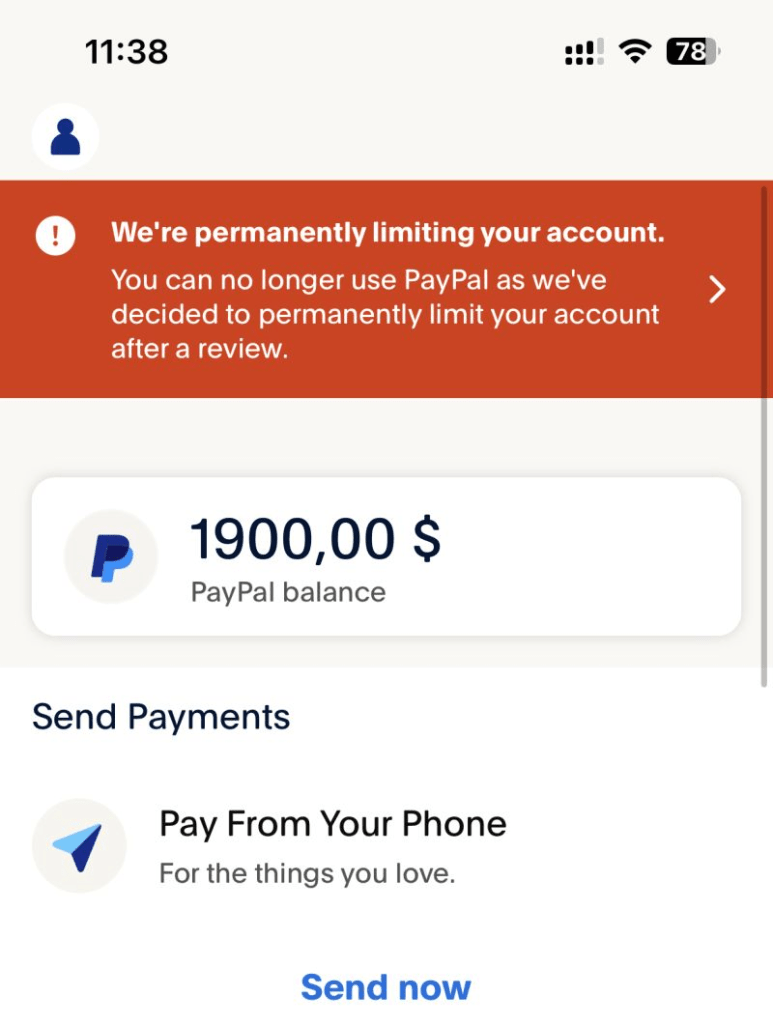
For online sellers, PayPal is more than a payment method. It’s a key part of running a smooth store. But few things are as stressful as logging in and seeing: “Your account has been limited.” Suddenly your funds are frozen, payments are restricted, and orders may go unfilled.
PayPal limitations can hurt your cash flow, delay orders, damage your reputation, and in the worst cases stop you from selling. The good news: most limitations can be prevented. This guide explains why PayPal limits accounts and 12 practical ways to avoid it.
Why Does PayPal Limit Accounts?
PayPal limits accounts to:
- Detect and prevent fraud
- Follow legal and financial rules (for example, anti-money laundering laws)
- Reduce disputes, chargebacks, and unhappy buyers
- Look into suspicious or unusual account activity
- Enforce its Acceptable Use Policy (AUP)
If your account raises a red flag, PayPal may limit it right away to review your activity, usually without warning. Until you fix the issue, some or all features may be locked, including sending money, withdrawing funds, or receiving payments.
12 Proven Ways to Avoid PayPal Limitations
1. Fully Verify Your PayPal Account
PayPal trusts verified users more. Unverified accounts are treated as higher risk. Make sure you:
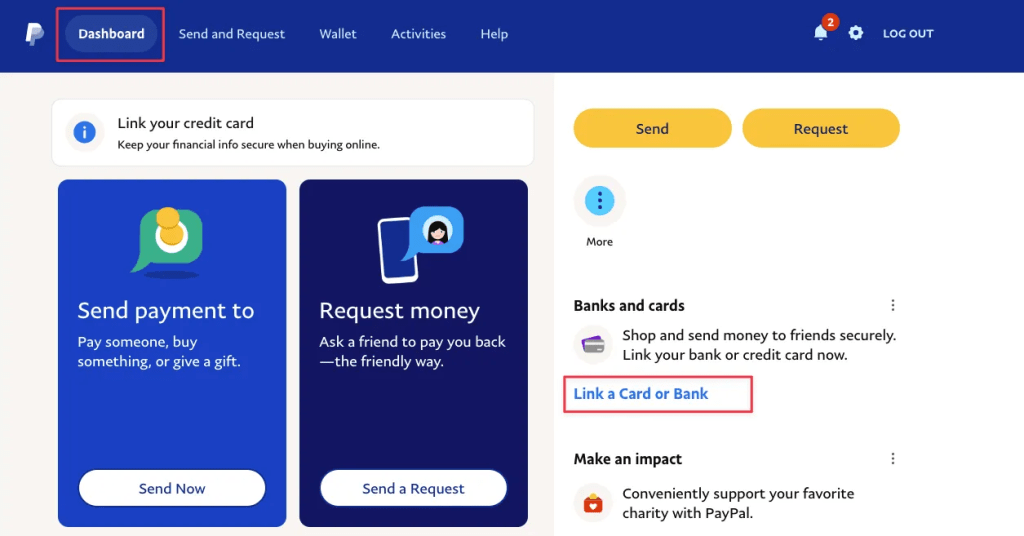
- Confirm your email address
- Link and verify your bank account
- Add and confirm a credit or debit card
- Add your business and tax details (especially for Business accounts)
Pro tip: If you sell products or services, use a PayPal Business account. It gives you more tools, better reports, and more trust.
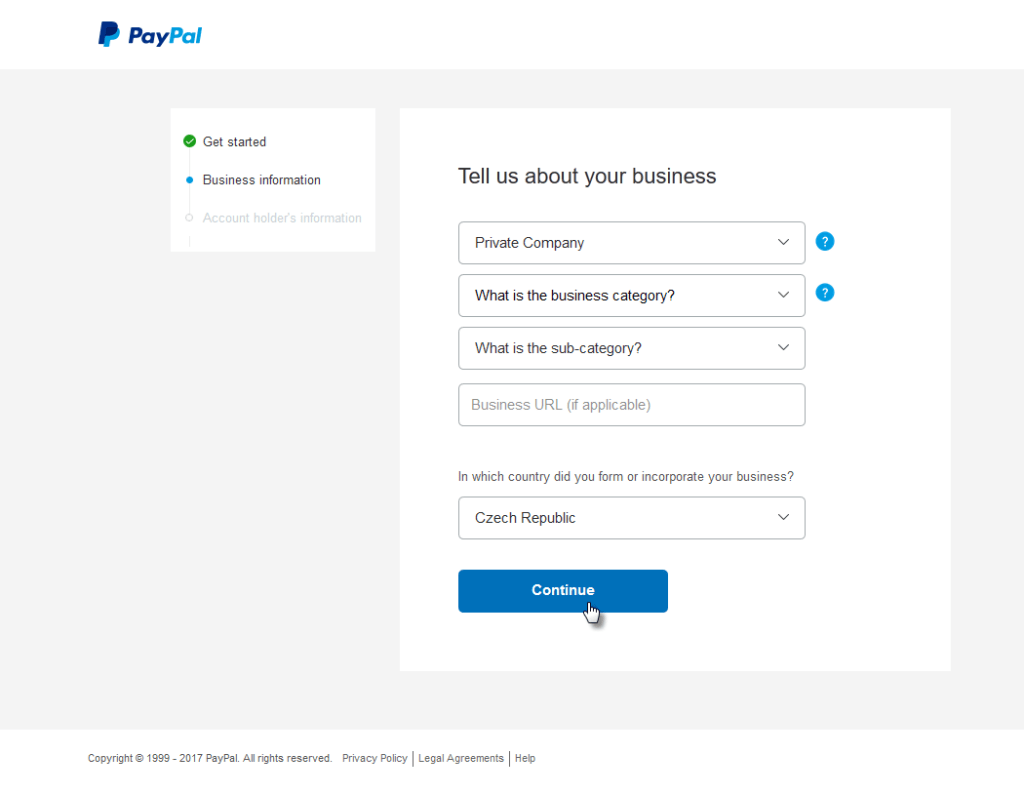
2. Use Consistent and Accurate Business Information
Mismatched business names, fake documents, or using a personal account for business sales can lead to sudden limitations.
- Use your legal name (for individuals) or your registered company name (for businesses).
- Make sure your billing address, phone number, and business name match your legal and tax documents.
- If you’re a sole proprietor, still use official contact details, not nicknames.
3. Avoid Logging In from Many Locations or VPNs
PayPal tracks IP addresses and devices to spot suspicious logins. Logging in from different countries or IPs, or through a VPN, can trigger a security lock.
Use one dedicated device for PayPal, and avoid public Wi-Fi or rotating proxies.
4. Keep Disputes, Refunds, and Chargebacks Low
Too many complaints, refunds, or chargebacks tell PayPal your business may be unreliable.
PayPal is more likely to limit your account if:
- You don’t reply to disputes quickly
- Customers escalate complaints to PayPal or their card provider
- Your refund rate is higher than about 3–5% of sales
How to reduce disputes:
- Write honest, detailed product descriptions
- Show clear shipping times
- Reply to customer questions within 24 hours
- Put your contact details on your site
Already facing a dispute? See our guide to resolving Shopify PayPal disputes.
5. Always Upload Tracking Numbers
For physical products, PayPal prefers sellers who add tracking. It’s one of the fastest ways to prove delivery, avoid disputes, and get funds released sooner.
Use well-known carriers like:
- USPS
- UPS
- FedEx
- DHL
If you sell digital products, keep screenshots, email delivery logs, or customer confirmations as proof.
How fast does PayPal check tracking once you add it? See how long PayPal takes to verify tracking.
Never forget to add tracking again
Trustio PayPal Tracking Sync sends tracking numbers to PayPal automatically each time you fulfill a Shopify order, so PayPal sees proof of shipping right away. Free on the Shopify App Store.
6. Don’t Suddenly Spike Your Sales
New or slow-moving sellers that jump from $500 to $10,000 in sales in one week often get flagged for review.
PayPal may suspect fraud, or worry you can’t handle that many orders, especially if you can’t show tracking or documents.
What to do:
- Grow steadily instead of all at once
- Tell PayPal support ahead of time if you’re planning a big promotion or flash sale
- Keep invoices, supplier details, and product listings ready in case PayPal asks
7. Avoid High-Risk or Prohibited Items
Some product types are more likely to be flagged, including:
- Electronics
- Digital products or services
- Dropshipped products
- Tickets, gift cards, or NFTs
- CBD, supplements, or tobacco
- Adult content
These products often have more disputes or sit in legal gray areas.
Tip: Always check PayPal’s Acceptable Use Policy before listing new products.
8. Reply Quickly to Resolution Center Requests
If PayPal limits your account, it will usually ask you to:
- Send your ID
- Provide invoices or proof of stock
- Verify your supplier
- Confirm shipping for specific orders
Slow replies can make the limitation last longer.
Action plan:
- Check your email and the PayPal Resolution Center every day
- Upload clear, complete documents
- If you need help, call PayPal support and explain your situation politely
9. Don’t Connect to Suspended or Limited Accounts
If your account shares details (IP, email, device, address, and so on) with an account that was suspended, PayPal may limit yours too.
Tip: Don’t open a new account to get around a limitation. PayPal can link accounts by their details and may suspend both. Fix the issue on your existing account first.
10. Use Clear Checkout and Refund Policies
Unclear return and refund policies are one of the top causes of disputes. Make sure your store shows:
- Estimated delivery time
- Refund conditions
- A support email or phone number
- Terms and conditions
11. Check Your Account Health Regularly
Log in to your PayPal dashboard at least once a week to:
- Check for alerts
- Review recent transactions
- Make sure all pending actions are done
12. Keep Customers Updated
Many buyers open disputes simply because they don’t know where their order is. Shopify’s order update emails and automated support messages can cut these disputes a lot.

What If PayPal Still Limits My Account?
Even if you do everything right, a limitation can still happen. If it does:
- Go to the Resolution Center right away.
- Send every document PayPal asks for. Don’t wait.
- Add tracking for any pending orders.
- Call PayPal support and explain your situation calmly.
- If your appeal is denied, try again with stronger documents and a clear timeline of events.
FAQs: Avoiding PayPal Limitations
How long does PayPal keep an account limited?
It depends on the case. Most limitations are lifted within 2–5 business days after you send the right documents. Serious cases can take up to 180 days.
Can I stop PayPal from holding my funds?
Often, yes. Add tracking to every order, build a strong seller record, and ask buyers to confirm delivery. PayPal may then release funds sooner.
Can I still receive money when my account is limited?
Sometimes, but you may not be able to withdraw it until the issue is fixed.
Should I open a second PayPal account?
No. Opening another account while your first one is limited can get both suspended. Fix the issue first.
Can I upload tracking to PayPal automatically from Shopify?
Yes. Trustio PayPal Tracking Sync sends the tracking number and carrier to PayPal as soon as you fulfill an order. This helps PayPal confirm delivery and release funds sooner.
Final Thoughts
PayPal limitations are frustrating, but most can be avoided. Keep your account trustworthy, clear, and within PayPal’s rules: verify everything, reply quickly, grow steadily, and treat customer service as part of your business.
Follow these 12 tips and you’ll not only avoid limitations, you’ll also get paid faster, face fewer disputes, and build better relationships with your customers.
Start with the easiest win: make sure every order’s tracking reaches PayPal on time. Trustio PayPal Tracking Sync does this for free.