Pallyy is a social media scheduling and management tool built for creators and small teams. But can one simple dashboard really replace your calendar, inbox tabs, and reporting spreadsheets?
In this article, we will show you what Pallyy is, what it does best, and how to set it up step-by-step. Hopefully, after reading, you will know which plan fits you and whether Pallyy is worth switching to.
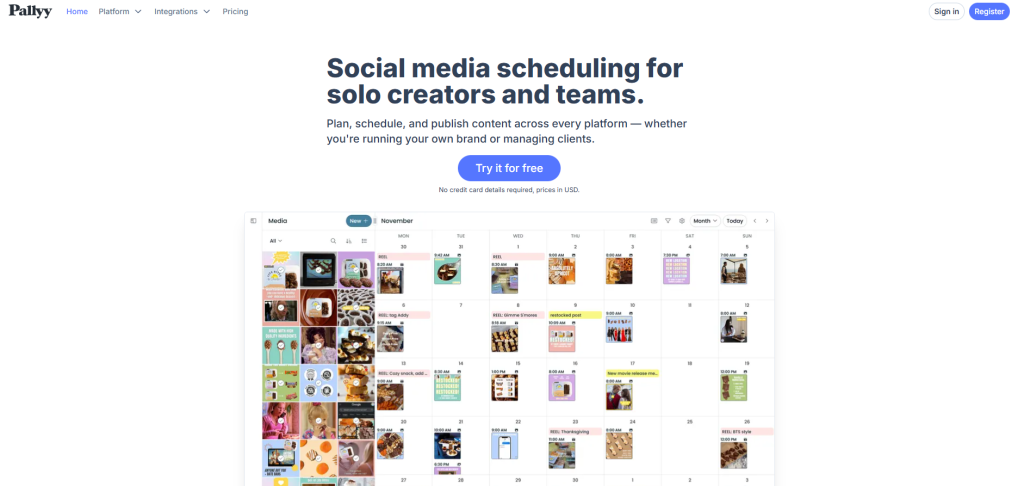
Pallyy positions itself as “social media scheduling for solo creators and teams,” with a focus on simple workflows and multi-platform publishing.
Additionally, it supports popular platforms like Instagram, Facebook, X, LinkedIn, Google Business Profile, Pinterest, TikTok, Threads, and YouTube.
Moreover, it offers a free trial with no credit card required, which makes testing easy.
What is this tool
Pallyy is an all-in-one workspace where you can draft content, schedule posts, manage replies, and produce reports. Moreover, it’s designed to keep the core loop fast: create → schedule → publish → engage → report.
Additionally, third-party company profiles commonly describe Pallyy as founded in 2019 and based in Melbourne.
Interestingly, Pallyy’s story is often linked to an earlier Instagram analytics product (ShareMyInsights). This history helps explain why Pallyy feels “Instagram-native” compared with many generic schedulers.
Moreover, some third-party tracking sources claim Pallyy crossed 100K+ users (reported as of 2025). Treat that as an external estimate, but it supports the idea that the tool is widely adopted among small brands and creators.
Features
Pallyy has many features, but the easiest way to understand them is by real tasks. Additionally, below are the features that actually affect your day-to-day workflow.
1) Social Media Scheduler
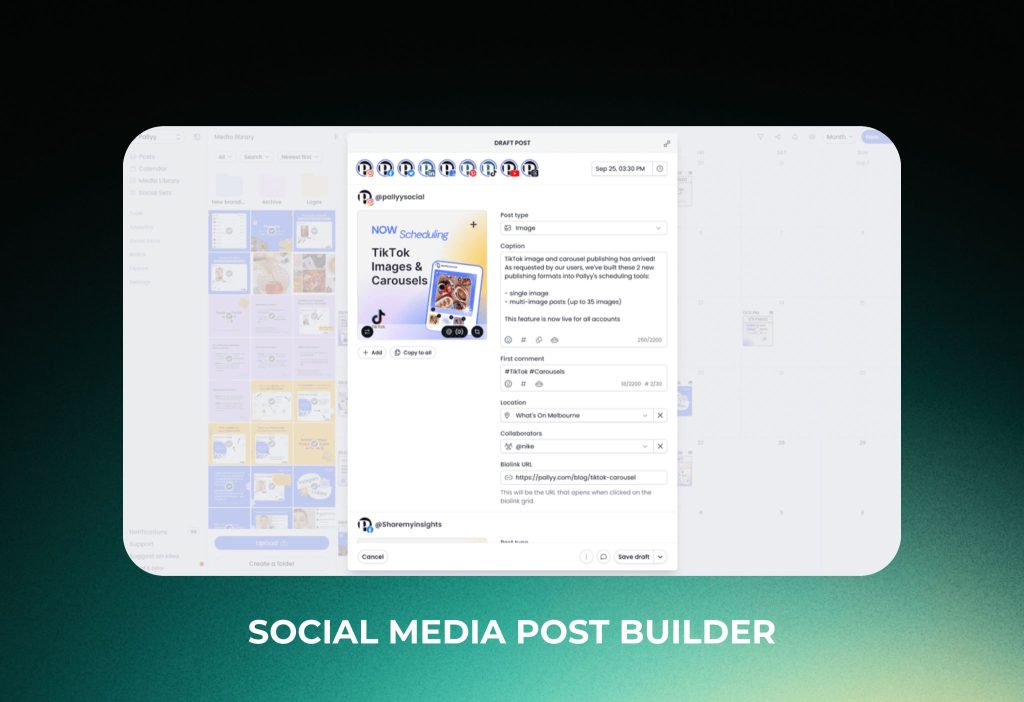
A social media scheduler is a tool that lets you draft posts now and publish them later automatically. But what if you could schedule everything in one clean calendar instead of jumping between apps?
In this section, we will show you how Pallyy’s Social Media Scheduler works, what you can schedule, and how to publish in a few clicks. Hopefully, after reading, you will be able to plan a full week of content in one sitting.
What you can do with Pallyy Scheduler? Pallyy helps you Draft → Schedule → Publish from one editor. Additionally, you can schedule to multiple platforms like Instagram, Facebook, X (Twitter), LinkedIn, Google My Business, Pinterest, TikTok, Threads, and YouTube.
Moreover, it includes practical “save-time” helpers:
- Post editor to write captions and prepare media in one spot
- Post preview to check how your content will look when published
- Image cropping for common formats (square, landscape, portrait, story, etc.)
- Queue to auto-fill posting time slots (perfect for batch scheduling)
2) Social Media Analytics
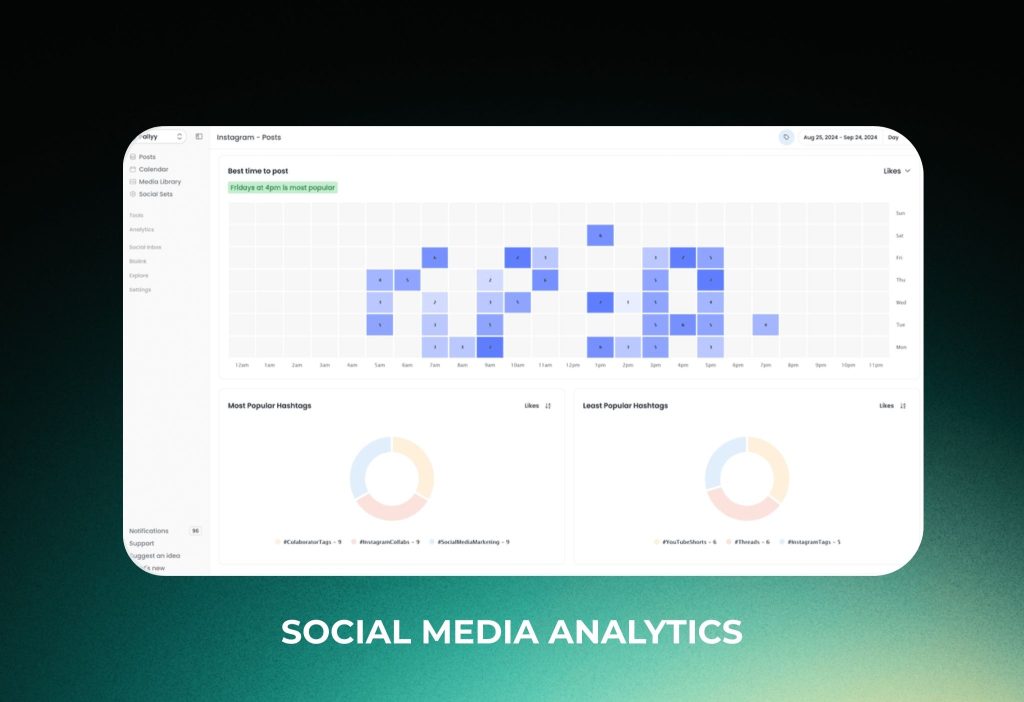
Social media analytics is a feature that helps you track results, understand what works, and prove ROI with clear numbers. But what if you could do that without messy spreadsheets or switching between platform dashboards?
In this section, we will show you what Pallyy’s Social Media Analytics can track, what insights you get, and how to turn data into simple reports. Hopefully, after reading, you will know exactly what to measure and how to improve your next posts.
What you can do with Pallyy Analytics? Pallyy helps you Track → Analyze → Report across supported platforms like Instagram, Facebook, and LinkedIn. Additionally, it keeps your metrics in one place, so you can compare performance faster.
Moreover, it includes practical analytics features that most creators actually use:
- Historical data to review performance trends over time
- Post tracking to see engagement rate, likes, comments, and more
- Custom reports with widgets you can export as a PDF
- Competitor tracking to monitor up to 10 Instagram competitors
- Demographics to understand follower gender, location, and age
Furthermore, Instagram analytics go deeper with extra insights like reach & impressions, profile clicks, best time to post, hashtag performance, and story tracking—so you can improve content based on real signals, not guesses.
3) Social Media Inbox
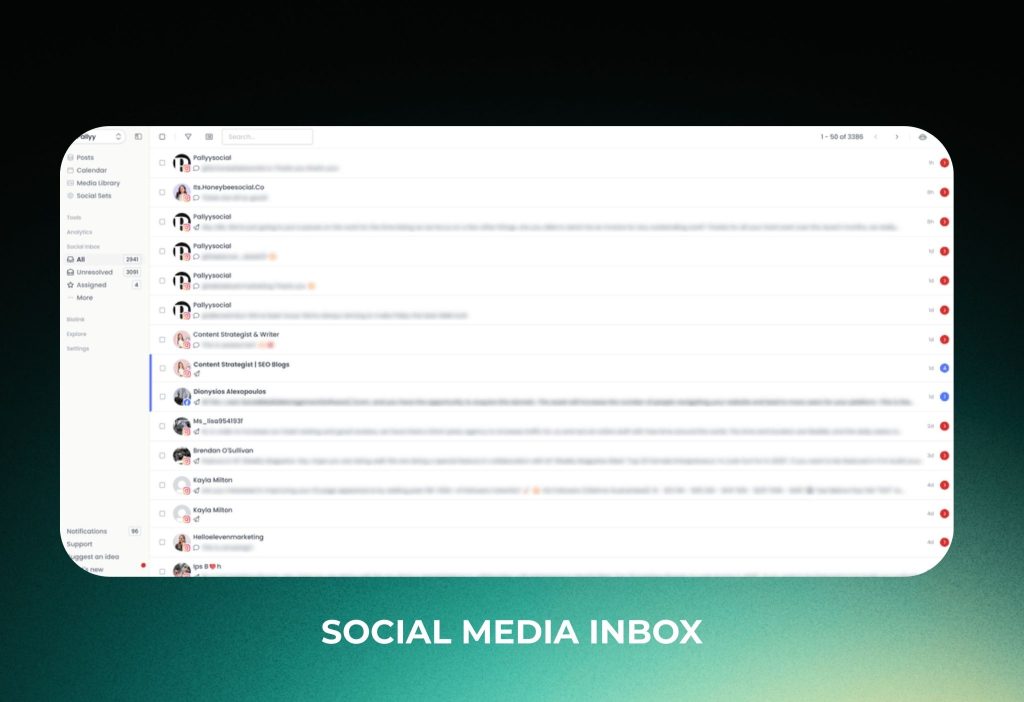
A social media inbox is a feature that helps you collect messages and comments from multiple platforms and reply in one place. But what if you could stop switching between apps just to answer the same questions all day?
In this section, we will show you how Pallyy’s Social Media Inbox works, what types of conversations it supports, and how to keep everything organized. Hopefully, after reading, you will be able to manage replies faster and never miss an important thread.
What you can do with Pallyy Inbox? Pallyy helps you Collect → Organize → Reply across supported platforms like Instagram, Facebook, Google My Business, LinkedIn, and TikTok. Additionally, it brings different message types into one dashboard, so your engagement workflow stays simple.
Moreover, it includes practical inbox tools for daily operations:
- Comments to receive and reply to post comments
- Direct messages to receive and reply to DMs
- Reviews to receive and reply to reviews (great for local businesses)
- Labels to organize threads by topic, urgency, or campaign
- Automations to auto-apply actions to incoming items (for faster triage)
- Assign team member to hand off threads to the right person
- Resolve / Un-resolve to keep your inbox clean and track what’s done
Furthermore, Instagram inbox support goes deeper with post mentions and story mentions, so you can respond to tags and shoutouts without hunting through notifications.
4) Instagram Bio Link
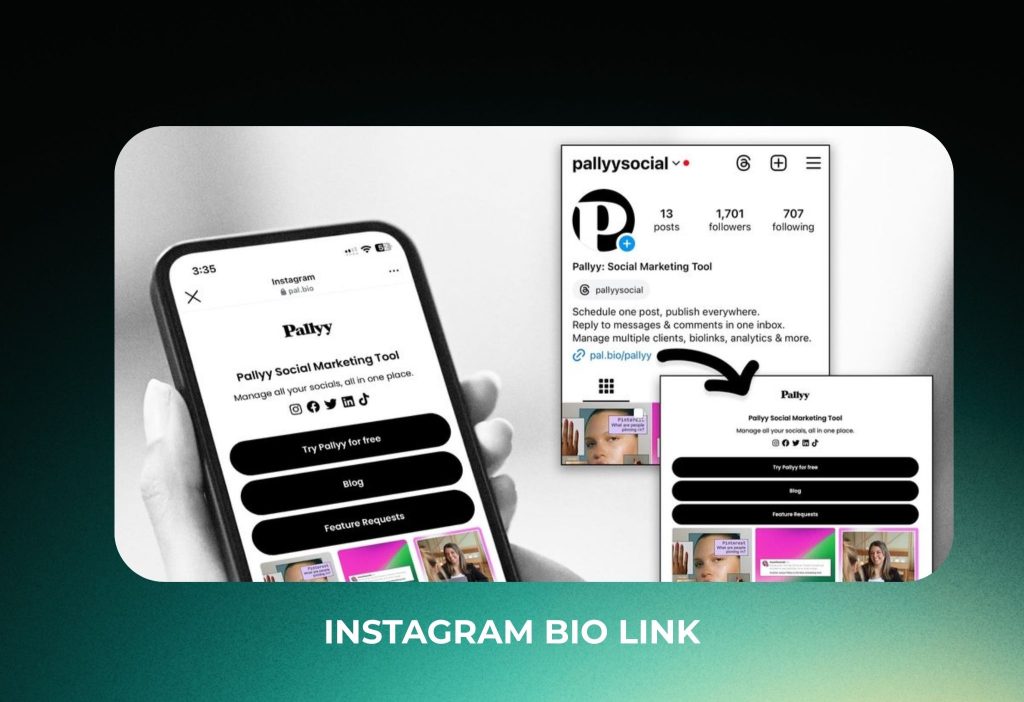
An Instagram bio link tool is a simple landing page that lets you share multiple links from one URL. But what if your “link in bio” could look like a mini website and update alongside your posts?
In this section, we will show you what Pallyy’s Instagram Bio Link can do, how it helps you drive clicks, and which features matter most. Hopefully, after reading, you will be able to build a clean bio page that converts better than a single link.
What you can do with Pallyy Bio Link? Pallyy helps you create a custom bio link landing page with buttons, images, and flexible sections. Additionally, you can use the same page for Instagram and anywhere else you share a link.
Moreover, it includes practical “growth” features that are easy to set up:
Pre-set themes to switch styles in one click without redesign work
Buttons to add key links at the top (shop, book a call, newsletter, etc.)
Instagram grid to create a clickable grid of posts or buttons
Schedule URLs by adding a link when scheduling an Instagram post
Custom URL so your page link looks branded and clean
Profile picture control (set one, change it, or remove it)
Description section to explain what the page is for in one line
Pricing
Pallyy currently offers 4 pricing plans, with monthly billing and a discounted annual option. Pricing and limits can change, so it’s best to confirm on Pallyy’s official pricing page before purchasing.
| Plan | Monthly price | Annual plan (effective / month) | Best for | What you get (high level) |
|---|---|---|---|---|
| Starter | $15 | $12 | Individuals starting out | 2 social profiles, 20 posts/month, 1 user, bio link |
| Pro | $25 | $20 | Creators/businesses posting frequently | 1 social set (10 profiles), unlimited posts, 1 user, social inbox, advanced analytics, approvals |
| Agency | $99 | $79 | Agencies managing multiple brands | 10 social sets, 3 users, custom reports, shared calendar, 20GB media storage |
| Scale | $199 | $165 | Larger teams with many clients | 30 social sets, 10 users, 50GB media storage |
Quick pick
- Choose Starter if you only need basic scheduling for a couple of profiles.
- Choose Pro if you need unlimited posting, inbox, analytics, and approval workflows.
- Choose Agency or Scale if you manage multiple brands and need more users, sets, and storage.
Pros and cons
Pros
Additionally, Pallyy is easy to learn because the UI is calendar-first.
Moreover, Instagram tools like grid preview feel purpose-built for creators.
Furthermore, inbox + scheduling reduces tab-switching and saves time daily.
Interestingly, Link in Bio and media tools can replace extra subscriptions.
Cons
Additionally, entry plans can feel limiting if you post frequently.
Moreover, teams may outgrow single-user setups quickly.
Furthermore, AI caption tools are helpful, but not a full “AI content suite.”
Surprisingly, if you need enterprise-level governance (SSO/compliance), Pallyy may not be the best fit.
Reviews and reputation
Reviews tend to highlight two things: simplicity and speed. Additionally, many users like the workflow because it’s not overloaded with complex features.
Moreover, positive feedback often mentions:
- The calendar experience
- Instagram planning (grid preview)
- Fast support and quick improvements
Furthermore, critical feedback usually focuses on:
- Plan limits (posts/users)
- Occasional platform sync issues (common in scheduling tools)
- Features that advanced teams expect (enterprise controls)
Interestingly, the most useful reviews are the “middle” ones because they reveal real friction points you might share.
What could be better
Additionally, the biggest improvement area is often scaling from solo to team workflows. One more user can change your whole process.
Moreover, some users want deeper AI features beyond caption generation. In that case, pairing Pallyy with a dedicated AI writing tool can be a better setup.
Furthermore, social scheduling tools depend on platform APIs, so occasional publishing or sync issues can happen. Building a “post verification habit” solves most pain.
Should you use it?
The answer is Yes if you are a creator, freelancer, or small team who wants a simple calendar workflow, strong Instagram planning, and an inbox to manage engagement.
The answer is No if you need enterprise-grade permissions, deep compliance controls, or a platform that focuses mainly on heavy AI content automation. Alternatively, choose an enterprise social suite, then add a separate tool for grid planning if needed.
Quick setup tutorial (10–20 minutes)
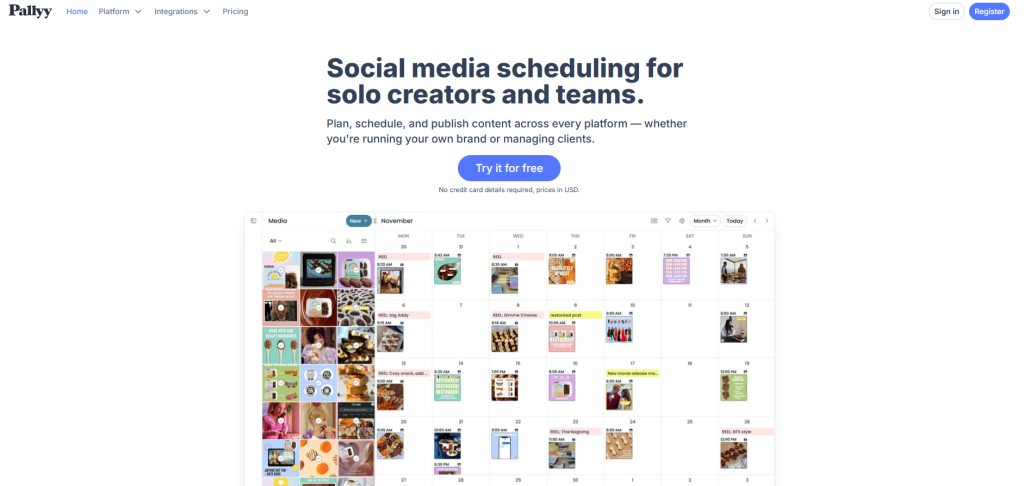
Pallyy is mainly a web app, so the fastest way to start is through the official website.: https://pallyy.com
Step 1: Create your account
- Go to Pricing
- Click Start free trial
- Choose a plan to test
- Confirm your email
You should see your main dashboard with the calendar view.
Step 2: Connect your social accounts
- Go to Settings
- Click Social Sets / Accounts
- Choose a platform (Instagram, TikTok, Pinterest, etc.)
- Tick all required permissions
You should see each account listed under your social set.
Step 3: Schedule your first post
- Go to Calendar
- Click New Post
- Upload media + write caption
- Click Schedule
You should see the post appear on your selected date and time.
Step 4: Turn on grid preview (Instagram)
- Go to Instagram
- Click Grid Preview
- Drag to rearrange upcoming posts
- Save the layout
You should see a planned feed that looks consistent.
Step 5: Set your weekly workflow
- Go to Queue (optional)
- Add time slots for your posting cadence
- Batch-create posts for the week
- Review once, then let it run
You should see your week scheduled without daily stress.
Troubleshooting
- Scheduled post didn’t publish → likely connection/permission issue → reconnect the social account, then reschedule; if it repeats, contact support. (Official link: [add official help link here])
- Inbox is missing messages → likely sync delay → wait a few minutes, refresh, then check account permissions.
- Grid preview doesn’t match your expectations → likely media sizing/crop issue → adjust the cover image or crop settings, then re-check preview.
- Team member can’t approve posts → likely role/permission settings → update their role in Settings → Team, then retry.
FAQs
Does Pallyy support a content calendar?
The answer is Yes. It includes a calendar view for planning and scheduling. Alternatively, you can use a queue workflow if you prefer fixed time slots.
Can Pallyy help with captions?
The answer is Yes. It can support caption writing with AI options (depending on your setup). Alternatively, write captions in batches in a document, then paste them into the post builder.
Does Pallyy have an inbox for comments and messages?
The answer is Yes. It offers an inbox-style workflow for managing engagement. Alternatively, you can manage engagement inside each native social app if you only run one account.
Is Pallyy good for teams?
The answer is Yes for small teams. It supports collaboration and approvals in a lightweight way. Alternatively, for large teams, consider an enterprise suite with advanced permissions.
Is Pallyy only for Instagram?
The answer is No. It’s commonly used for Instagram-first workflows, but many users manage multiple platforms. Alternatively, if your main focus is LinkedIn-only, you may prefer a simpler single-platform scheduler.
Conclusion
To sum up, Pallyy is a practical social media tool that makes planning, scheduling, and engagement easier—especially for creators and small teams.
Moreover, comment your platforms (IG/TikTok/Pinterest/LinkedIn) and your posting frequency, and I’ll suggest the best plan + a weekly workflow you can follow.