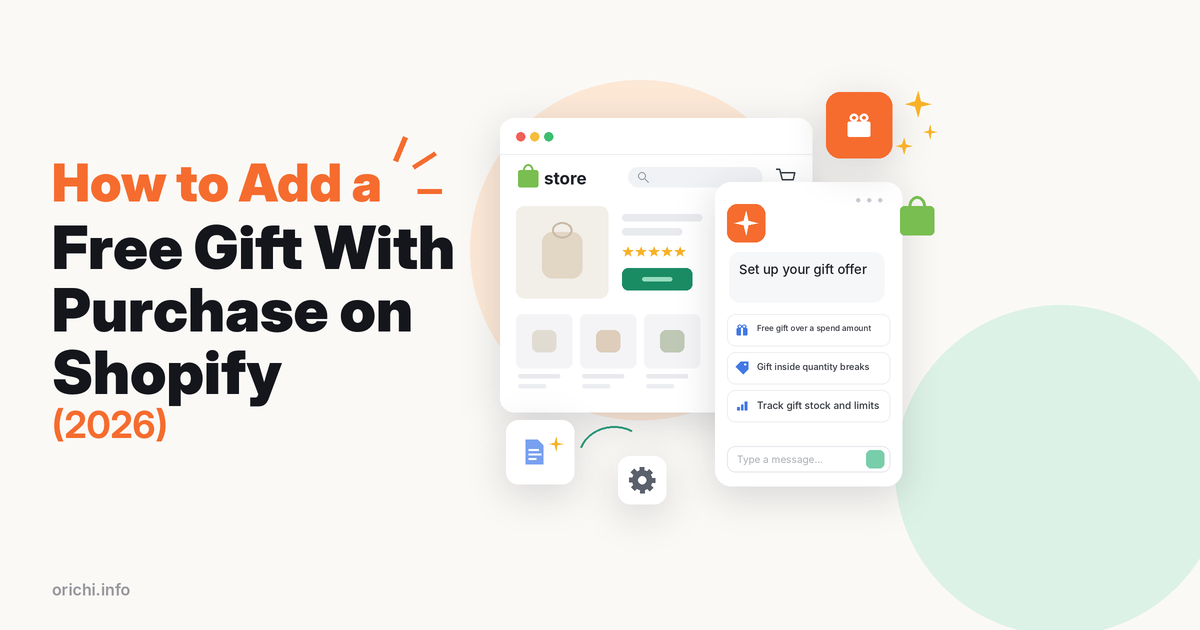
To run a Shopify free gift with purchase, create an automatic Buy X Get Y discount where the “get” item is set to Free, or install a gift app if you want the gift added to the cart for the shopper. The native way costs nothing, but Shopify never puts the gift in the cart by itself, so it works only when shoppers are told to add it.
This guide covers both routes, the limits that break most gift offers, a fix table for common problems, and the apps worth a look, starting with our OC: Volume Discount Bundle App, then BOGOS, Fokkio and Monk.
Quick answer
- One simple offer, small budget: use Shopify’s free Buy X Get Y automatic discount and add clear “add your gift” messages.
- Gift tied to quantity breaks: OC: Volume Discount Bundle App adds the gift to the cart automatically when the shopper reaches a quantity tier, on its free plan.
- Gift by spend threshold, or shoppers pick their gift: use an app that lists both on its App Store page, such as BOGOS or Fokkio.
What a free gift with purchase is (and why stores use it)
A free gift with purchase gives the shopper an extra item at no cost when the order meets a rule: a minimum spend, a minimum number of items, or a specific product. Typical examples are a free sample above a spend threshold, a free accessory with a high-priced item, or a free mini product with a launch.
Stores use it to lift order value, move slow stock without cutting the price of their main products, and make the unboxing feel generous. The trade-off is the cost of the gift, packaging and extra shipping weight (see the cost check below). If you are still deciding between a gift and a straight discount, read our comparison of free gift vs discount on Shopify first.
Option 1: Set up a free gift with Shopify’s Buy X Get Y discount
Shopify has no separate “free gift” discount type. You build it with a Buy X get Y discount where the reward value is Free.
- In Shopify admin, go to Discounts and click Create discount, then choose Buy X get Y.
- Under Method, pick Automatic discount and give it a title shoppers will see, such as “Free tote over $75”.
- Under Customer buys, choose Minimum purchase amount or Minimum quantity of items, set the threshold, and select the qualifying products or collections.
- Under Customer gets, set quantity 1, select the gift product, and choose Free under the discounted value.
- Tick Set the maximum number of uses per order and enter 1, so a large cart does not unlock several free gifts.
- Set eligibility, combinations and active dates, then click Save.
Leave the gift out of the qualifying products so its price cannot help a cart reach the threshold.
The limits you need to know
- No auto-add. Shopify says the “get” item is never added to the cart automatically. The shopper must add the gift, and only then does it turn free.
- Only product prices count. The minimum ignores shipping and tax, uses full prices before other discounts, and skips items already discounted by a combinable discount.
- Stacking rules. On stores below Shopify Plus, products in an active Buy X Get Y discount cannot take another product discount. When discounts cannot combine, Shopify applies the best one for the customer, per its discount combinations rules.
- 25 automatic discounts. A store can run up to 25 active automatic discounts, and app-based discounts count toward that cap.
- Not on the post-purchase page. Buy X Get Y discounts do not apply on the post-purchase checkout page.
- Scripts are gone. All Shopify Scripts stopped running on June 30, 2026, per the Shopify developer changelog. Custom gift logic now needs Shopify Functions or an app.
Option 2: Use a free gift app
An app is worth it when you need the gift added to the cart for the shopper, a choice of gifts, tiered gifts, or a progress message such as “Spend $12 more for your free gift”. Apps also spare you from writing theme cart code.
Setting up a gift with OC: Volume Discount Bundle App
OC: Volume Discount Bundle App is a bundle and quantity-break app. Its App Store listing includes “Volume Discount with Free Gift” and “BOGO deals within Quantity Breaks” on the free plan, which allows one campaign. The Plus plan ($7.99/month, 7-day free trial) adds unlimited campaigns and A/B testing. It carries the Built for Shopify badge.
- Install the app from the Shopify App Store and open it from your admin.
- Create a volume discount campaign and pick the products it covers.
- On the campaign’s detail screen, open the Discount setting tab and add the gift to the tier that should unlock it. Choose the gift product and variant here; shoppers cannot change it.
- Match the widget design to your theme, then publish it on your product page.
- Test that the gift is added at $0 at the tier and removed below it.
Best fit: stores that already want quantity breaks (“buy 2, save 10%”) and want a gift on top. Not the best fit if you need a gift by spend threshold or a gift picker: OC ties gifts only to quantity tiers, and you set the gift variant yourself.
Other free gift apps
- BOGOS: Free Gift Bundle Upsell lists Buy X Get Y with auto-add to cart, a gift pop-up, and checkout upsells on Shopify Plus.
- Fokkio Free Gift With Purchase auto-adds gifts by cart total, quantity, product, collection or tag, and lets shoppers choose their gift in the cart.
- Monk Free Gift with Purchase offers gifts by product or cart value ranges with a tiered progress bar.
| App | Rating | Reviews | Free tier | Paid from | Gift features on listing |
|---|---|---|---|---|---|
| OC: Volume Discount Bundle App | 5.0 | 76 | Yes, 1 campaign | $7.99/mo | Auto-added gift per quantity tier, BOGO in quantity breaks |
| BOGOS: Free Gift Bundle Upsell | 5.0 | 3,640 | 30 orders lifetime | $29.99/mo | BXGY with auto-add, gift pop-up |
| Fokkio Free Gift With Purchase | 4.8 | 81 | 10 orders/month | $6.99/mo | Auto-add, shopper picks gift, progress widgets |
| Monk Free Gift with Purchase | 4.9 | 596 | 7-day trial | See listing | Gifts by product or cart value, tiered progress bar |
Data checked 21 Oct 2026 on each app’s Shopify App Store listing. Prices in USD.
Where others are stronger: BOGOS and Fokkio support spend-threshold gifts and let shoppers choose their gift, and BOGOS has far more reviews. OC also auto-adds the gift, but only per quantity tier. OC Plus is $7.99/mo with unlimited campaigns but is built around volume discounts first; Fokkio starts at $6.99/mo for up to 50 orders a month, and BOGOS at $29.99/mo. For more bundle options, see our list of bundle apps for Shopify.
Native or app? A decision table by scenario
| Your situation | Use | Why |
|---|---|---|
| One gift above one spend level, few orders | Native Buy X Get Y | Free; banner text covers the manual add |
| Gift when buying 2+ of the same product | Quantity-break app with gift | Gift and tier price live in one widget |
| Gift must appear in the cart by itself | App that lists auto-add | Shopify never auto-adds the reward |
| Shopper picks a color or size of the gift | App with a gift picker | Native rule picks no variant for them |
| Bigger gifts at $50, $100, $150 | App with tiers | Each native tier uses one of 25 slots |
Data checked 21 Oct 2026 against Shopify Help Center pages linked above.
Common problems and fixes
| Problem | Likely cause | Fix |
|---|---|---|
| Gift not free in the cart | Gift was never added; Shopify only discounts items in the cart | Tell shoppers to add it, or use an auto-add app |
| Discount fails when the gift costs $0 | One merchant in the Shopify Community reports the rule only worked once the gift was priced at 0.01 or more | Give the gift a real price; the discount makes it free |
| Code used, gift charged full price | Discounts could not combine, so Shopify applied the better one | Allow combinations on both discounts and test with each live code |
| Offer stopped working mid-sale | Gift stock hit zero, so the item shows sold out | Track gift inventory and set a backup gift |
| Cannot create another automatic discount | 25-discount cap, app discounts included | End old automatic discounts or merge tiers into one app campaign |
Data checked 21 Oct 2026; the $0 price issue comes from a Shopify Community thread.
Check the gift cost before launch
Add up the gift’s landed cost: product cost, packaging and extra shipping weight. Then compare it with the gross margin on the extra spend you expect. Made-up example: if your average order is $60, you set the threshold at $75 and your margin is 50%, a shopper who tops up by $15 adds $7.50 of margin. A gift that costs you $5 leaves $2.50; one that costs $9 loses money on every top-up order. Pick a low-cost gift with high perceived value.
If you also sell bundles, our guide on how to create a bundle on Shopify shows how bundles and gifts can work together.
FAQ
Can Shopify add a free gift to the cart automatically without an app?
Not with discount settings alone. The Buy X Get Y reward is never added for the shopper. You need custom cart code in your theme or an app that adds gifts.
Does a free gift work on the Basic plan?
Yes. Buy X Get Y discounts are available on all plans. Shopify Plus mainly changes how product discounts can stack on the same item.
How do I stop customers getting several free gifts in one order?
Set the maximum number of uses per order to 1 in the Buy X Get Y discount, or use the per-order limit in your gift app.
Can I give a different gift at each spend level?
Natively, each level needs its own automatic discount, and all count toward the 25-discount cap. A gift app with tiers is easier.
What happens if the shopper removes items and drops below the threshold?
The native discount stops applying, so the gift is charged at full price unless the shopper removes it. Some gift apps remove it for you; OC: Volume Discount Bundle App removes the gift when the cart drops below the tier.
Want a gift that rides on your quantity breaks? Try OC: Volume Discount Bundle App on the free plan and test one campaign this week.