A social media analytics tool helps you track what’s working across platforms, then turn numbers into decisions. But with so many “all-in-one” dashboards, how do you pick the right one without wasting a week?
In this article, we will show you the top 6 social media analytics tools for 2026, what each one is best at, and how to set up a clean reporting workflow. Hopefully, after reading, you’ll know exactly which tool matches your team size, budget, and KPI needs.

Quick comparison of Social Media Analytics Tools (2026)
| Tool | Best for | Starting price (publicly listed) |
|---|---|---|
| Social Status | Agency-style reporting + exports | From $9/month |
| Sprout Social | Enterprise-grade analytics + care | From $199/seat/month |
| Hootsuite | Multi-network analytics + workflow | Often listed from $99 (varies) |
| Iconosquare | IG/TikTok-first analytics + benchmarking | From €33/month (yearly) |
| Buffer | Simple analytics for creators/SMBs | From $5/month per channel |
| Keyhole | Real-time hashtag + listening | Plans shown, pricing often not displayed |
Moreover, “starting price” is not “your final bill,” especially for seat-based tools and add-ons.
How to choose the right Social Media Analytics tool in 5 minutes
Step 1: Define your “one report” outcome
Go to your notes app → Write one line: “Every week, I need to prove ___ with ___ metrics.”
- Choose 1 primary KPI (reach, clicks, leads, ROAS, sentiment)
- Choose 2 support KPIs (engagement rate, saves, video watch time)
- Tick the platforms you must cover (IG, TikTok, X, LinkedIn, YouTube)
You should see a single sentence that makes your tool choice obvious.
Step 2: Match the tool to your team type
Choose one bucket first, then compare tools inside the bucket.
- Solo/creator: Buffer, Iconosquare
- Small team/agency-lite: Social Status, Hootsuite
- Enterprise + customer care: Sprout Social
- Listening + hashtags: Keyhole
You should see 2–3 tools that “fit” before you even look at features.
Step 3: Check the “export + sharing” workflow
Go to each tool’s pricing/features page → find Export, Scheduled reports, and Share links.
- Select PDF/PPT exports if you present to clients
- Tick shareable links if stakeholders hate attachments
- Choose white-label if you’re an agency
You should see a clear path from dashboard → report → delivery.
1) Social Status (best for automated reports that look client-ready)

Social Status is built around multi-channel reporting and exports like PDF/PPTX/Slides-style outputs. Additionally, its entry plan starts at $9/month and scales by quota and reporting needs.
Why it’s top in 2026
- Multi-channel analytics dashboard + month-over-month tracking
- Export formats that match real client reporting (PDF/PPTX)
- Clear public pricing (no “talk to sales” for basics)
Quick setup: build your first report in Social Status
Go to Dashboard → Click Start Free / Login.
- Choose Connect (owned profiles) or Competitor Analytics
- Select the platform (Instagram, TikTok, YouTube, etc.)
- Tick the required permissions and confirm
You should see your connected profiles counted inside your plan quota.
2) Sprout Social (best for serious analytics + inbox + workflows)

Sprout Social is a premium platform designed for teams that need analytics, customer care, and governance. Furthermore, pricing is per seat, starting at $199 per seat/month (annual billing shown on the pricing page).
Why Social Media Analytics Tools are top in 2026
- Strong reporting depth (group/profile/post-level reporting)
- Listening and sentiment features appear in higher plans/add-ons
- AI-assisted features are now baked into multiple plan levels
Quick setup: make a weekly executive snapshot
Go to Reports → Click Create report (or the closest “Report builder” option).
- Choose an “Executive” or “Performance” template
- Select date range (Last 7 days)
- Tick networks and profiles
You should see a report preview with charts ready to share.
3) Hootsuite (best for broad platform coverage + exportable reports)

Hootsuite Standard focuses on scheduling plus analytics across major networks. Moreover, its Standard plan is described as managing up to 10 social accounts, with analytics features like benchmarking and exports (PDF/PPT).
Pricing note (trust but verify): third-party pricing pages commonly list Standard around $99 and Advanced around $249, but your region and billing can change this.
Why it’s top in 2026
- Cross-network analytics plus competitor benchmarking
- Export options like PDF/PPT are explicitly mentioned
- Helpful for teams who want “one tab” for management + measurement
Quick setup: export a report for your boss
Go to Analytics → Click Reports.
- Choose Performance (organic + paid if available)
- Select Export → Choose PDF or PPT
- Set date range and confirm
You should see a downloadable file you can send without editing.
4) Iconosquare (best for Instagram/TikTok-first analytics)
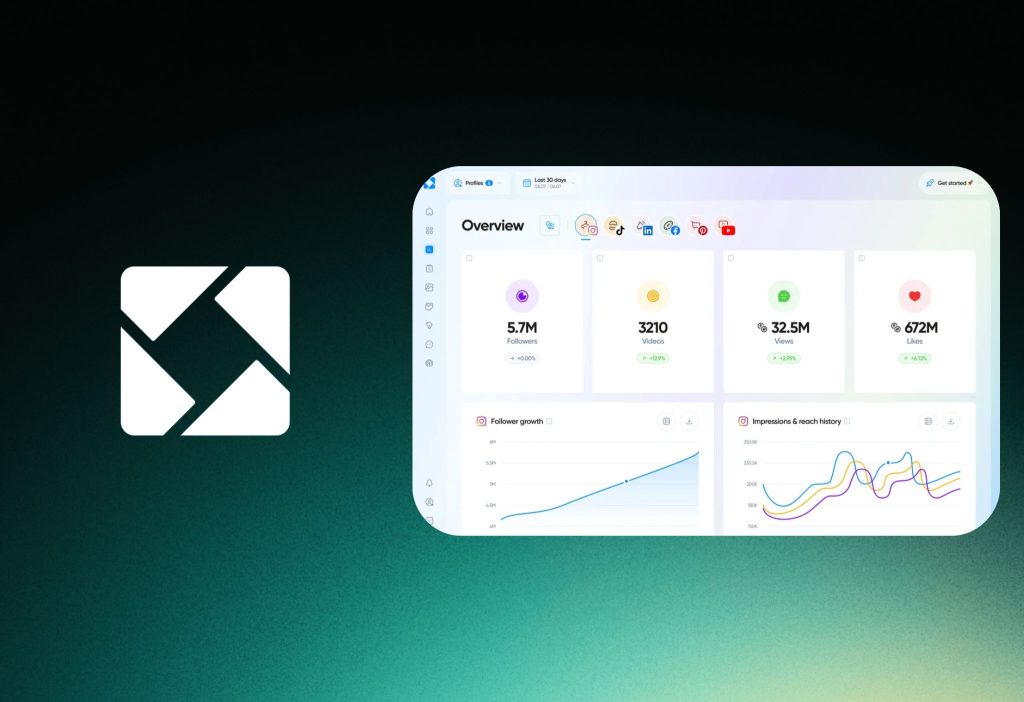
Iconosquare positions itself as “analytics-first social media management,” with competitor tracking, hashtag tracking, and inbox-style interactions in higher tiers. Interestingly, the Launch plan shows €33/month billed yearly on its pricing page.
Why it’s top in 2026
- Strong analytics + benchmarking features (competitors/mentions/hashtags)
- Built-in “best time to post” guidance and AI caption tools
- Scales into deeper campaign measurement with longer data retention
Quick setup: track competitors the right way
Go to Listening or Competitors.
- Click Add competitor
- Choose the profile per network
- Select metrics you care about (engagement rate, growth)
You should see side-by-side comparisons you can screenshot or report.
5) Buffer (best for simple, affordable analytics)
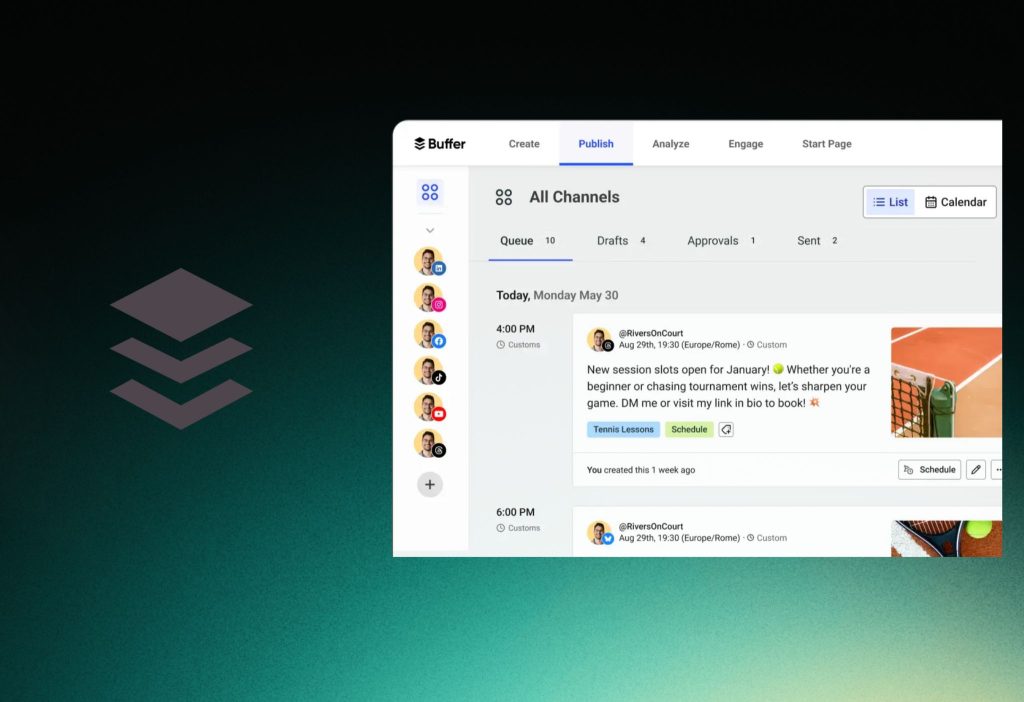
Buffer is ideal if you want clean publishing plus “good enough” analytics without enterprise complexity. Additionally, its pricing page shows Essentials at $5/month for 1 channel, and includes advanced analytics on paid plans.
Why it’s top in 2026
- Very low starting cost for paid tiers
- Simple analytics and scheduling that most small teams actually use
- Clear plan structure (Free, Essentials, Team)
Quick setup: get “what worked this week”
Go to Analyze (or Analytics) from the main nav.
- Select a channel (IG/TikTok/etc.)
- Choose date range (Last 7 days)
- Sort by top posts
You should see top-performing posts and basic insights you can act on quickly.
6) Keyhole (best for real-time hashtags, keywords, and listening)
Keyhole focuses on hashtag + keyword tracking and real-time metrics, especially for campaign tracking and social listening. Furthermore, its “Select a plan” page shows Team vs Enterprise capabilities like listening topics, posts volume, and reporting outputs.
Pricing reality check
- Some Keyhole pages don’t show clear prices, and you may need a demo or onboarding flow.
- Older Keyhole content mentions pricing starting around $89/month, but treat this as historical unless confirmed in your current checkout flow.
Quick setup: track a campaign hashtag
Go to Hashtag / Keyword Trackers.
- Click Create tracker
- Enter your hashtag + keyword variations
- Select timeframe and platforms
You should see a real-time dashboard you can use during the campaign.
Honorable mentions (if you want analytics + scheduling)
Additionally, if you’re not strictly “analytics-first,” these two can be very practical.
- Pallyy: budget-friendly scheduling plus analytics, grid preview, inbox, and clear plan pricing like $15/$25 tiers on the official pricing page.
- SocialBee: a publishing-focused tool that also pushes analytics + reporting, and it even published a fresh 2026 social media report (Jan 19, 2026) based on millions of posts.
FAQs (snippet-friendly)
1) Can I get good analytics with a cheap tool?
The answer is Yes. Buffer and Iconosquare can cover many SMB needs if you mainly track content performance and growth.
2) Do I need a “per seat” tool like Sprout Social?
The answer is No. If you don’t need advanced workflows, customer care, and deep reporting, a simpler tool can be enough.
3) Is Social Status better than spreadsheets for client reporting?
The answer is Yes. It’s designed to automate exports like PDF/PPTX so you don’t rebuild the same report every week.
4) Can Hootsuite export reports to PPT or PDF?
The answer is Yes. Hootsuite Standard describes exporting reports in formats including PDF or PPT.
5) Is Keyhole mainly for listening and hashtags?
The answer is Yes. Keyhole highlights hashtag/keyword trackers and account monitoring for campaigns and strategy.
Conclusion
To sum up, the “best” 2026 tool is the one that turns your weekly KPIs into a report you can ship in minutes—Social Status for reporting, Sprout for enterprise depth, Hootsuite for broad ops, Iconosquare for IG/TikTok, Buffer for simplicity, and Keyhole for real-time listening.
Moreover, read next: Best 7 Social Proof Apps for Shopify Store
If you tell me your team size + platforms + monthly budget, I’ll recommend one best-fit tool and a report template you can copy-paste.