A Shopify PayPal payment pending status means the buyer paid with PayPal but the money has not reached your PayPal balance yet, so Shopify cannot mark the order as paid. On Shopify, the most common cause is a PayPal account that was not verified when the order came in: Shopify’s Help Center says to verify the PayPal email address, after which the payment can take up to two business days to arrive. The other causes are an email mismatch between Shopify and PayPal, a buyer paying by eCheck (usually 4–7 business days to clear), and a PayPal review or hold.
In short:
- Pending for hours after a new PayPal setup: verify your PayPal email and reconnect PayPal in Shopify.
- Pending with an “eCheck” label in PayPal: wait for the bank transfer to clear.
- Money received but “On hold”: it is a PayPal hold, not a Shopify problem.
This guide explains, in order: what each pending status means, the four causes, a five-step fix, what you can and cannot do with a pending order, how to prevent pending payments and holds, and a short FAQ.
What “Payment Pending” Means for a Shopify PayPal Order
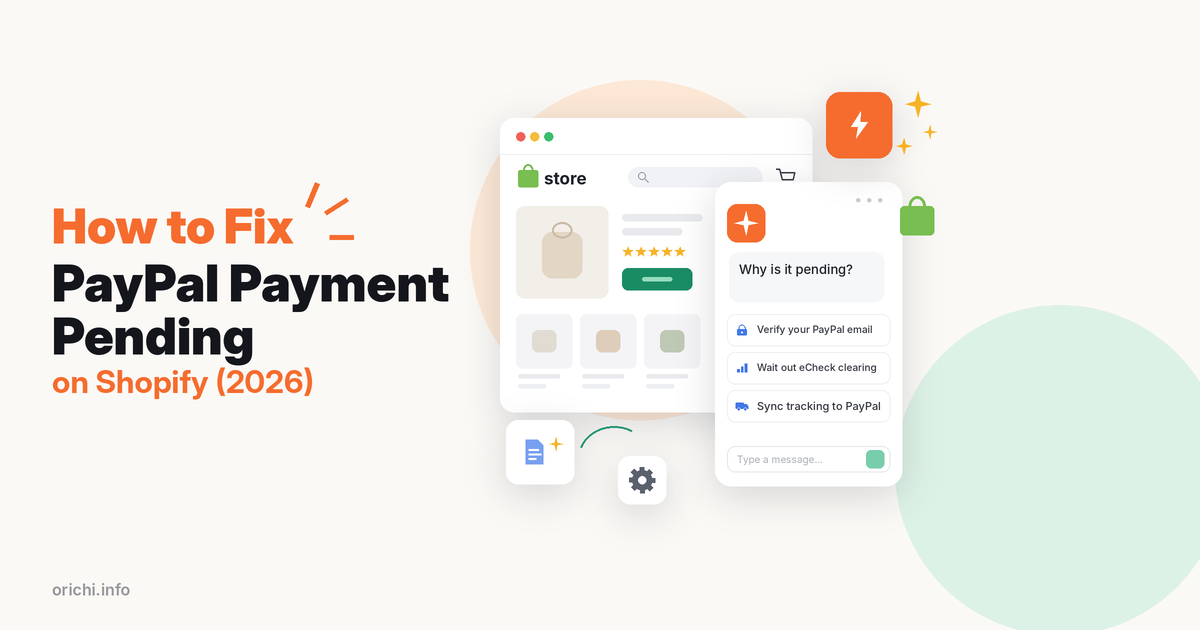
“Payment pending” means the payment exists but is not complete, and the same words can come from Shopify or from PayPal. Find out which system shows it before you fix anything, because each one has a different cause.
| Where you see it | What it means | Usual wait | First action |
|---|---|---|---|
| Shopify order: “Payment pending” | Shopify has not received a completed payment from PayPal | Expires after about a week if not completed | Check the matching transaction in PayPal |
| PayPal Activity: “Pending” | PayPal is reviewing the payment or waiting for the buyer’s bank | eCheck: up to 7 business days | Open the transaction and read the expected clearing date |
| PayPal Activity: “Unclaimed” | The receiving account has not accepted the payment | Canceled after 30 days | Verify the PayPal email and business account |
| PayPal balance: “On hold” | PayPal received the money but holds it for review or a dispute | Released 7 days after the order is marked Completed | Click “Know your options” under your PayPal balance |
Data checked on November 10, 2026 from PayPal’s payment status guide, PayPal’s hold help page and Shopify’s Help Center.
Why Shopify PayPal Payments Get Stuck on Pending: 4 Causes
Four causes explain almost every case: an unverified PayPal account, an email mismatch between Shopify and PayPal, an eCheck payment, and a PayPal review or hold. The first two are on your side and you can fix them today; the last two need time.
Cause 1: Your PayPal account was not verified
Shopify shows the error “payment is pending” when the payment went to a PayPal account that was unverified at the time the order was created (Shopify Help Center: PayPal common issues). The account must also be a business account; a personal account has to be upgraded in PayPal first.
Cause 2: Shopify and PayPal use different email addresses
Merchants in the Shopify Community report that payments stayed pending for days when the PayPal account used a different email from the Shopify login, or when the PayPal confirmation email had landed in spam. Adding the Shopify email to PayPal and then turning PayPal off and on again in Shopify released the payments in those threads.
Cause 3: The buyer paid by eCheck
When a buyer pays from a bank account, PayPal can send the payment as an eCheck. PayPal says eChecks usually take 4–7 business days to clear, weekends and holidays not included. If the bank declines, PayPal retries within 3 business days and cancels the payment after a second decline (PayPal Help Center: eChecks).
Cause 4: PayPal is reviewing or holding the payment
PayPal holds payments for new sellers, accounts that were dormant, sudden sales surges, changes in what you sell, higher-risk items such as electronics or gift cards, and unfinished identity checks. For goods and services, the funds are released 7 days after the order status is confirmed as Completed (PayPal Help Center: payment holds).
How to Fix a Pending PayPal Payment on Shopify in 5 Steps
There are five steps: read the status in PayPal, verify the account, match the emails and reconnect, wait out eChecks, then contact PayPal if nothing moves.
- Step 1: Read the status in PayPal. Log in to PayPal, open Activity and find the payment by amount and date. Note whether it says Pending, Unclaimed or On hold, and the expected clearing date if one is shown.
- Step 2: Verify your PayPal email and account type. Confirm the email address in PayPal and make sure the account is a business account. After verification, Shopify says the payment can take up to two business days to be deposited.
- Step 3: Match the emails and reconnect PayPal. Add your Shopify login email to PayPal if it is missing. Then in Shopify go to Settings > Payments, deactivate PayPal and activate it again.
- Step 4: Wait out eChecks and reviews. If PayPal shows an eCheck or a review, there is nothing to reconnect. Keep the order unfulfilled and watch the clearing date.
- Step 5: Contact PayPal with the transaction ID. If the payment is still pending after the clearing date, or a week passes with no date, contact PayPal support with the transaction ID and the Shopify order number.
If you only have time for one step, do Step 1: it tells you within a minute whether the fix is on your side (Steps 2–3) or a matter of waiting (Step 4).
What You Can and Cannot Do While an Order Is Pending
While a Shopify order shows “Payment pending”, Shopify blocks most changes so your records stay in sync with the payment provider. According to Shopify’s pending payments page, which covers non-card payment methods:
- Blocked: editing items, discounts or the shipping address; restocking; canceling; collecting payment manually; marking the order as paid.
- Allowed but risky: fulfilling. Shopify does not block it, but advises waiting until the status is Paid so you do not ship unpaid goods.
- Expiry: pending payments expire, typically after about a week. An unpaid order then changes to Expired; ask the provider whether the payment can still be captured before you cancel.
- Customer emails: when the payment succeeds, the buyer gets a confirmation; when it fails, the buyer gets an email with a Pay now link. You can preview both templates under Settings > Notifications.
Do not mark the order as paid to “unstick” it. Shopify’s PayPal troubleshooting page says to confirm the money has actually arrived first.
How to Prevent Pending Payments and PayPal Holds
Most pending payments are prevented at setup, and for holds PayPal points sellers to adding tracking and updating the order status. Use this checklist:
- Use a verified PayPal business account with the same email as your Shopify login.
- Place a small test order with PayPal after any change to your PayPal connection.
- Avoid sudden jumps in sales volume on a new PayPal account; PayPal lists them as a hold trigger. Our guide on why PayPal limits accounts and holds your money covers the other triggers.
- Send tracking numbers to PayPal for every shipped order, by hand in PayPal or with an app. Our guide on how long PayPal takes to verify tracking explains what happens after you add it.
Disclosure: Madgic, the team behind Orichi, builds Trustio PayPal Tracking Sync. We describe it using its public Shopify App Store listing, checked on November 10, 2026.
Trustio PayPal Tracking Sync sends the tracking number to PayPal automatically when you fulfill an order in Shopify. It is free, rated 5.0 from 3 reviews, and connects by logging in with your PayPal account. Tracking reaches PayPal within 1–2 minutes of fulfillment, orders from the last 60 days are synced when you install it, and if a carrier or number was entered wrong, correcting it in Shopify triggers a new sync. You can find it on the Shopify App Store.
Not the right fix if your payment is pending because of an unverified account or an eCheck: tracking does not change either of those. If you take PayPal through PayPal Wallet inside Shopify Payments rather than a connected PayPal account, the app works the same way: our developers confirm it syncs tracking for every PayPal-paid order, in every country. For setting up PayPal itself, see our guide to adding PayPal to Shopify.
FAQ
How long does a PayPal payment stay pending on Shopify?
After you verify your PayPal email, Shopify says the payment can take up to two business days to arrive. An eCheck usually takes 4–7 business days. A Shopify pending payment that never completes typically expires after about a week.
Should I ship an order while the PayPal payment is pending?
Shopify lets you fulfill it, but advises waiting until the status is Paid so you are not shipping goods you may not be paid for.
Why are only some PayPal orders pending?
If most PayPal orders clear and a few do not, the cause is usually on the buyer’s side: an eCheck from a bank account, or a payment PayPal is reviewing. Open each pending payment in PayPal Activity to see which.
Can I cancel a pending order?
Not while the status is Payment pending; Shopify blocks canceling until the status changes. If it expires, check with PayPal whether the payment can still be captured before you cancel.
Does adding tracking release a pending payment?
No. A pending payment has not reached your PayPal balance yet, and tracking does not clear an eCheck or an unverified account. Tracking matters later, for money PayPal has received and placed On hold: PayPal’s hold page links to adding tracking and updating the order status.
Shipping orders paid with PayPal every day? Install Trustio PayPal Tracking Sync free so every tracking number reaches PayPal minutes after you fulfill.