Fake Orders, Bot Abuse, and low Order Quality on Shopify are frustrating because they don’t just waste time—they break your numbers. You see traffic, checkouts, even “orders,” but revenue doesn’t follow, ads get worse, and operations become chaos. The good news: these problems are usually pattern-based, which means they’re diagnosable and fixable fast. In this guide, you’ll use one Quick Diagnosis Table to identify the exact issue, then apply the matching fix—without guessing.
Key Takeaways
The fastest root causes of Fake Orders, Abuse & low Order Quality usually fall into one of these patterns:
- Failed payments spike → often card testing or automated payment attempts.
- Abandoned checkout floods → checkout spam that crushes CVR and pollutes remarketing.
- Orders flagged medium/high risk → fraud risk is leaking into fulfillment.
- Ads performance collapses → tracking signals are polluted (fake/duplicate events).
- The fastest fix is to match the symptom to the fix using the Quick Diagnosis Table below—then validate with one metric change.
Shopify Fake Orders: Quick Diagnosis Table
| Symptom | Likely cause | How to confirm (5 minutes) | Fast fix |
|---|---|---|---|
| Sudden spike in failed payments | Card testing / bots | Many declines in short time windows; repeated patterns (emails, names, IPs) | Add velocity limits + block repeated attempts; raise friction only where bots enter |
| Abandoned checkouts explode, CVR “dies” | Checkout spam / add-to-cart abuse | Abandoned checkouts jump while revenue stays flat | Block high-frequency checkout behavior; stop bot traffic from becoming “signal” |
| Many fake accounts / form submissions | Form spam bots | New accounts/submissions spike; repeated email domains/patterns | Ensure human verification on forms; block patterns and repeat sources |
| Orders flagged medium/high risk | Fraud orders | Risk labels cluster on certain sources/products | Apply verification workflow before fulfillment; hold until verified |
| Ads performance collapses after attacks | Tracking pollution (fake/duplicate events) | Purchases/events rise but revenue doesn’t; CVR swings wildly | Sanity-check purchase events; dedupe + validate against paid orders |
Rule: Don’t “apply everything.” Pick the row that matches your symptom and execute only that fix first.
Find Your Leak (Traffic → Checkout → Payment → Fulfillment → Tracking)
If you want this solved quickly, your job is to locate the first point where reality diverges:
- Traffic: Do sessions spike from suspicious sources/regions/referrers?
- Checkout: Do checkouts rise without paid orders?
- Payment: Do declines surge in bursts?
- Fulfillment: Are risky orders being shipped?
- Tracking: Do ad platform events match actual paid revenue?
Once you identify the stage, the correct fix becomes obvious—and measurable.
Module 1: If you see payment spikes or checkout floods
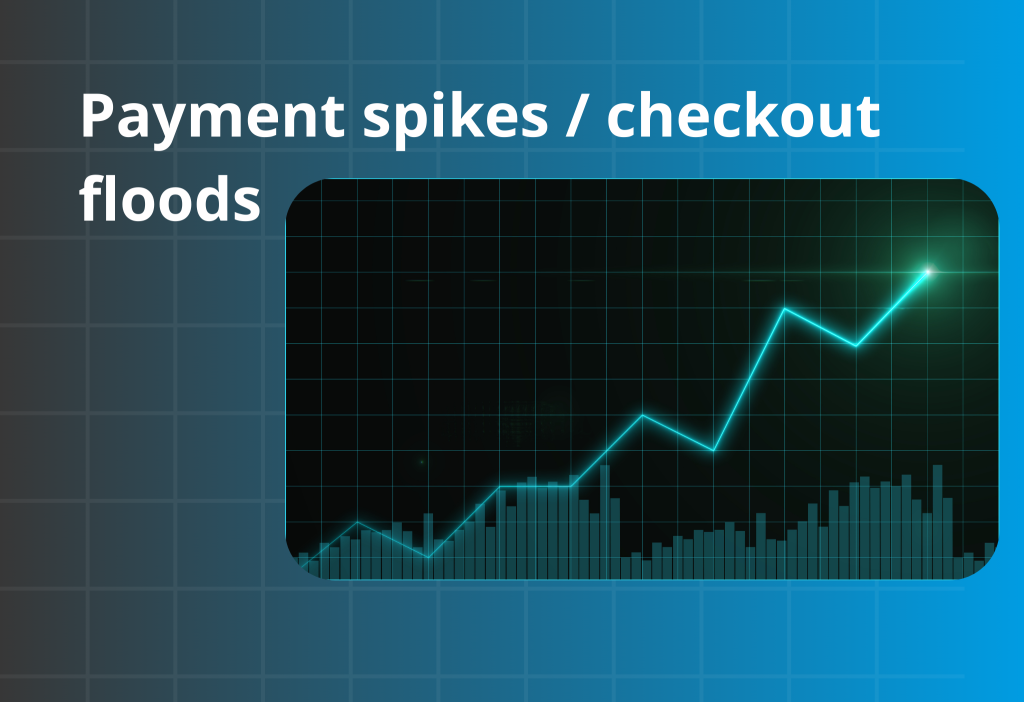
This module covers the two most common “fake orders” patterns: failed payment spikes and abandoned checkout floods. Both are usually automation-driven. The goal is to stop high-frequency behavior without hurting real shoppers, so you’ll focus on velocity controls and targeted friction.
Failed payments spike (card testing / bot attempts)
A failed-payments spike is rarely “just declines.” It often creates two hidden problems: (1) payment risk signals that can reduce authorization success for legitimate shoppers, and (2) polluted funnel events (checkout/purchase-like signals) that make ads optimize toward low-quality traffic.
Start by validating whether your “Purchase” tracking truly reflects paid orders (not checkout creation). Then compare, during the spike window: paid orders vs purchase events vs abandoned checkouts. If events jump but revenue doesn’t, your tracking is teaching ad platforms the wrong buyer profile—and future traffic quality often gets worse as optimization drifts.
What to check
| Step | What to do | What you’re looking for | If you see it, it usually means… |
|---|---|---|---|
| 1) Confirm it’s a spike | Compare last 24h to prior week | Sharp burst in declines | Automated attempts, not normal demand |
| 2) Look for repeats | Scan email/name patterns | Similar formats/domains, “random” names | Script-generated checkout attempts |
| 3) Identify entry points | Check what pages are hit most | Checkout/payment routes hammered | Bot targeting purchase flow |
How to fix it
1) Add velocity limits on repeat attempts
- Rate-limit repeated checkout/payment attempts from the same source.
- Block rapid retries that no human would do (e.g., multiple attempts in seconds).
- If you’re unsure, apply rules temporarily and monitor paid orders.
2) Block patterns, not people
- Block obvious scripted signatures (repeat domains, known bad referrers).
- Avoid blanket country bans unless the spike is entirely outside your selling regions.
3) Add a “secure checkout” note (reduces legit user confusion)
Microcopy you can paste near checkout/help:
- “To protect customers, suspicious payment activity may be temporarily blocked.”
- “If your payment fails, try again in a few minutes or use another method.”
How you know it worked: failed payments/hour drops quickly, while normal paid orders remain stable.
If your spike includes spam/fake events, prioritize clean, validated tracking (first-party signals + conversion API style setup) so ads learn from real paid outcomes. Use Orichi Facebook Pixel / OC Meta Pixels to keep purchase signals accurate during abuse periods.
Abandoned checkout floods (checkout spam)
Normal abandonment happens when real shoppers hesitate (shipping surprise, payment mismatch, distraction). Checkout flood is different: it’s high-volume, pattern-heavy, and often clusters around the same products, regions, or repeated session behaviors. The clearest signal is simple: abandoned checkouts spike dramatically while paid revenue stays flat—and you keep seeing the same SKUs over and over in abandoned checkouts.
To reduce floods without hurting real buyers, limit abnormal behavior at the edges: cap per-product quantity, set cart quantity/value thresholds where abuse appears, and apply region-based rules if floods come from non-target markets. This keeps the normal purchase path smooth while cutting off automated “mass checkout creation” patterns.
What to check
| Step | What to do | What you’re looking for | If you see it, it usually means… |
|---|---|---|---|
| 1) Compare checkouts vs revenue | Check trend lines side-by-side | Checkouts explode, revenue flat | Spam checkouts, not buyers |
| 2) Check product repetition | Look at items in abandoned checkouts | Same SKU repeated | Bots hitting a predictable endpoint |
| 3) Check session quality | Time on site, bounce patterns | Ultra-short sessions | Automated scripts |
How to fix it
1) Block high-frequency checkout creation
- Apply velocity controls to prevent rapid checkout creation from the same sources.
- Stop the flood first; don’t start redesigning pages.
2) Prevent bot traffic from becoming “optimization signal”
When checkouts are spammed, your funnel metrics lie. Your next step is to ensure bots don’t pollute analytics and remarketing audiences (Module 3).
3) Keep customer experience clean
Avoid harsh friction across all traffic. Use targeted controls on suspicious behavior instead of global barriers.
How you know it worked: abandoned checkouts/day returns to normal ranges and CVR stabilizes.
If floods look like bulk-like behavior or repeated checkout creation, use Orichi Quantity Breaks & Order Limit to enforce min/max limits by product, cart, and country—so bot-style volume patterns get blocked before they become “signal” that kills CVR.
Module 2: If orders are flagged medium/high risk
When medium/high-risk orders cluster, the real danger is inconsistency: one staff member fulfills, another cancels, and your loss rate becomes unpredictable. The fix is a repeatable SOP that makes decisions fast and defensible: define what must be verified, how long you wait, and what triggers cancellation/refund—then apply it the same way every time.
Here’s a practical SOP you can run immediately:
- Step 1 — Triage: If an order is flagged medium/high risk, do not fulfill yet. Tag it “Verify.”
- Step 2 — Verify: Request 1–2 quick proofs (billing ZIP/postal match, confirmation reply, or phone/SMS confirmation).
- Step 3 — Timebox: If the buyer doesn’t verify within 24 hours, cancel/refund (or auto-cancel based on your policy).
- Step 4 — Release: Only ship after verification is complete. No exceptions.
If your market uses COD, your SOP should include COD-specific controls because COD is a common target for low-intent and abuse behavior. Add rules like: hide COD for risky regions, add a COD fee to discourage low-intent orders, and restrict COD by cart value or shipping method so high-risk patterns don’t reach fulfillment.
For COD-focused risk control, use Trustio COD Fee Payment Method to apply rule-based COD filtering (e.g., show/hide COD by country/region, cart value, and other conditions) and reduce COD abuse while keeping legitimate shoppers supported.
Fraud screening + verification workflow
What to check
| Step | What to do | What you’re looking for | What it means |
|---|---|---|---|
| 1) Group risky orders | Filter recent medium/high-risk | Clusters by product/source/geo | A fraud pattern, not random |
| 2) Look for mismatch signals | Billing vs shipping, unusual behavior | Inconsistent details | Higher probability of fraud |
| 3) Check AOV sensitivity | Identify highest downside orders | Big carts from new customers | Verify before shipping |
How to fix it
1) Use a simple verification workflow (fast + non-hostile)
Pick one method and standardize it:
Email template (copy/paste):
Subject: Quick verification to process your order
Body:
“Hi {Name}, thanks for your order #{Order}. For customer protection, we need a quick verification before shipping.
Please reply with:
- The billing ZIP/postal code used for payment, and
- A screenshot of the order confirmation email in your inbox.
Once confirmed, we’ll ship immediately. Thanks!”
SMS template (copy/paste):
“Hi {Name}—reply YES to confirm you placed order #{Order}. This helps us prevent fraud.”
2) Hold fulfillment until verified (no exceptions for flagged orders)
- If verification is incomplete, don’t ship.
- Set a time window (e.g., 24 hours). No response → cancel/refund.
3) Add a clear policy line (reduces support load)
- “Some orders may require verification before shipping to protect customers.”
How you know it worked: fewer chargebacks/cancels and less time wasted fulfilling bad orders.
Module 3: If ads/analytics don’t match revenue
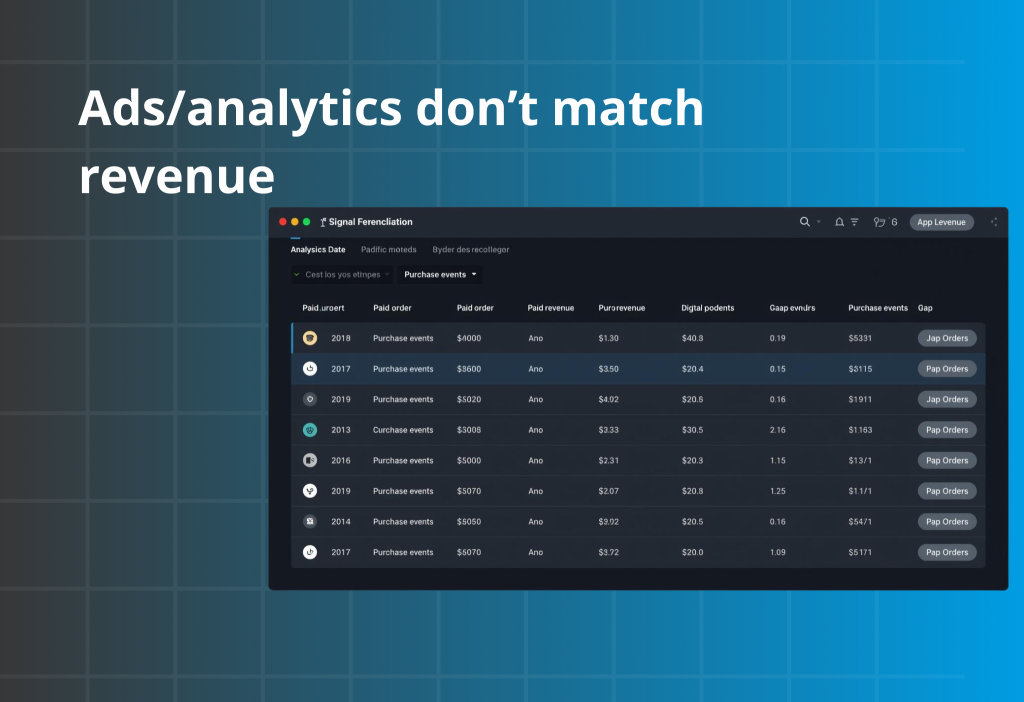
If ads performance collapsed after bot abuse, assume your signals are dirty until proven otherwise. Run a simple daily reconciliation for the same date range (last 1–3 days is enough to spot it):
- Paid orders count + paid revenue (Shopify)
- Purchase events count (pixel/ads platform)
If Purchase events > paid orders, you likely have duplication (double-firing) or fake purchase/spam events. If paid orders are flat but Purchase events spike, your ad platform is being trained on junk.
Next, isolate the pollution source by comparing event spikes by channel / campaign / source. Look for the one source that “over-explains” the mismatch (e.g., one campaign drives 70% of purchase events but only 10% of paid revenue). That’s your pollution pipeline. At that point, “more creative” won’t fix it—because delivery systems optimize based on the events you feed them, and dirty events keep attracting low-quality traffic.
If you need first-party validated events (and protection from fake purchase/spam events) so optimization is based on real paid outcomes, use Orichi Facebook Pixel / OC Meta Pixels as your core tracking layer to keep purchase signals accurate during and after attacks.
Clean tracking to protect optimization
What to check
| Step | What to do | What you’re looking for | If you see it, it means… |
|---|---|---|---|
| 1) Compare events vs paid orders | Cross-check daily totals | Events up, paid revenue flat | Fake/duplicate signals |
| 2) Check duplication | Look for double purchase fires | More events than orders | Dedupe is broken |
| 3) Inspect channel patterns | Identify where bad signals originate | One campaign/source dominates | Bot traffic or mis-tagging |
How to fix it
1) Purchase events must represent paid reality
- Ensure “Purchase” fires only on actual paid confirmation, not on checkout creation.
- Deduplicate purchase events so one order = one purchase signal.
2) Create a simple sanity dashboard
Track daily:
- Paid orders
- Purchase events
- Abandoned checkouts
- Failed payments
If any metric spikes without matching revenue, you’ve found pollution.
3) Isolate and exclude polluted sources
- If one campaign/source is driving the mismatch, pause or tighten it until signals are clean.
How you know it worked: event counts re-align with paid orders and ad performance stabilizes over the next few days.
90-minute checklist
Follow the row that matches your symptom:
| Symptom (match this row) | 90-minute checklist (in order) | What success looks like |
|---|---|---|
| Failed payments spiked | Identify burst window → apply velocity limits → block rapid retries → monitor paid orders | Failed payments/hour drops while paid orders stay stable |
| Abandoned checkouts flooded | Confirm revenue flat → block high-frequency checkout creation → remove bot traffic from “signal” | Abandoned checkouts return to normal range; CVR stabilizes |
| Fake accounts/forms spiked | Confirm patterns → enforce human verification on forms → block repeated sources/domains | Form submissions normalize; spam domains/source volume drops |
| Medium/high-risk orders increased | Group risky orders → run verification workflow → hold shipment until verified | Fewer cancels/chargebacks; fewer risky orders shipped |
| Ads collapsed after attacks | Compare events vs paid orders → fix dedupe/validation → isolate polluted sources | Purchase events align with paid orders; ads stabilize over days. |
FAQ
Do I need Shopify Plus to stop bots?
No. Plus can help for certain checkout-bot scenarios, but most stores can reduce abuse using velocity limits, pattern blocking, and clean verification workflows.
Will adding captchas hurt conversion?
It can if applied globally. That’s why you apply friction only where abuse happens (forms/accounts or suspicious traffic patterns), and keep the normal path smooth.
What’s the safest rule for risky orders?
If an order is flagged risky, don’t ship until verified. Consistency beats intuition.
Why did my ads get worse after bot attacks?
Because polluted events teach ad platforms the wrong “buyer profile.” Cleaning signals is often what restores performance.
Wrap-up
To fix Shopify fake orders and abuse fast, don’t chase random “anti-fraud tips.” Use the Quick Diagnosis Table: match your symptom, confirm it in 5 minutes, apply the corresponding fix, then validate with one metric change. Once bots are blocked, risky orders are verified, and tracking signals match paid reality, your store becomes predictable again—and order quality improves.
If you paste which row matches your store (failed payments spike, checkout flood, risky orders, or tracking mismatch), I’ll map it into a 7-day sequence using only the steps from that same table.