Viraly is a comprehensive social media management platform built to simplify scheduling, analytics, and growth workflows for creators, businesses, and agencies. The platform supports more than 10 social networks, including Instagram, TikTok, and LinkedIn, and the most recent 2026 improvements focus on stronger link-in-bio features and smoother team collaboration.

Welcome Experience and Onboarding
Viraly starts with a clean onboarding tutorial that helps new users set up the basics quickly. The onboarding flow introduces core actions such as connecting accounts, scheduling a post, and turning on analytics. Viraly positions itself as a “one-dashboard” solution for people who want to reduce tool switching and stop relying on spreadsheets to manage content.
Overview Viraly
Viraly combines multi-platform scheduling, performance tracking, customizable link-in-bio pages, and AI-driven content support in a single interface. The platform is designed for individuals and teams who want to plan, publish, and optimize content from one place while maintaining consistent output across multiple channels.
What Viraly Is
Viraly is a cloud-based social media scheduler with built-in analytics, team permissions, content recycling, and a link-in-bio builder. Viraly automates repeated tasks such as choosing better posting times and reposting evergreen content. Viralyalso includes AI tools that help generate captions, hashtag suggestions, and content ideas.
Read more: Triple Whale Alternatives: The Best Attribution & Analytics Tools
Viraly Features (Viraly Review)
Viralyis built as an all-in-one social media management platform for publishing, organization, analytics, and growth. It brings scheduling, content planning, and performance tracking into one cloud dashboard, so creators and teams can run multi-channel workflows without switching apps.
Multi-Platform Support

Viraly supports cross-platform publishing from a single workspace. You can plan and schedule content for Instagram, TikTok, LinkedIn, YouTube, X (Twitter), Threads, Facebook, and Pinterest, with additional support for newer networks like Bluesky and Mastodon. This setup helps keep campaigns consistent across channels while still allowing platform-specific execution.
Post Scheduling and Content Calendar
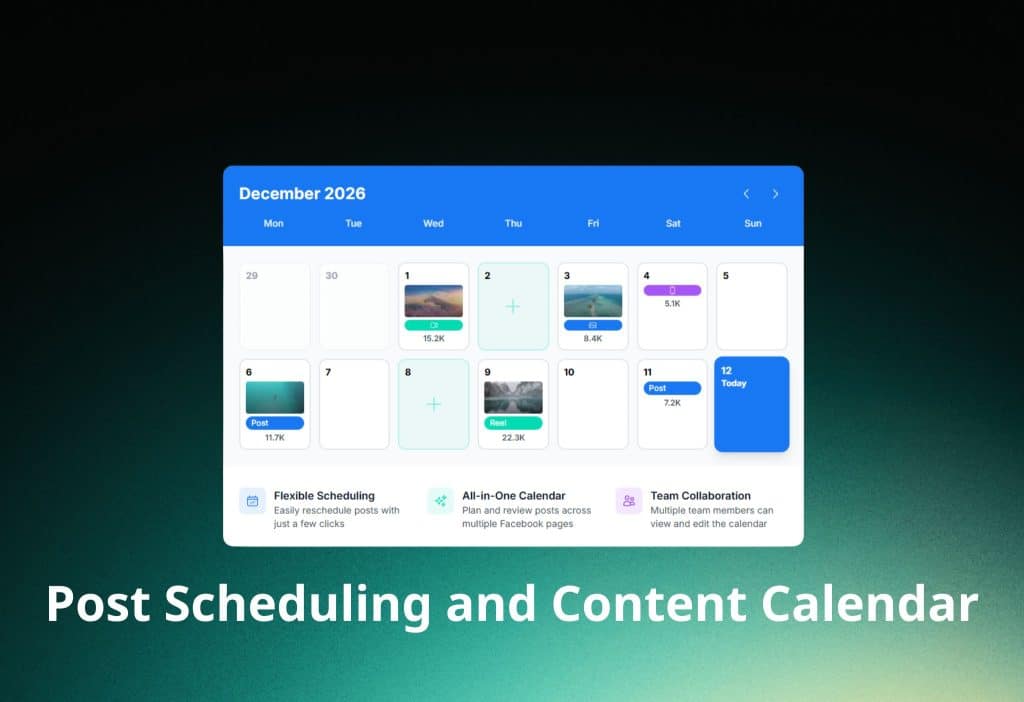
Viraly includes a scheduler designed for daily content operations. You can write posts, save drafts, and set publish times with clear status stages such as draft, scheduled, and published. This lifecycle approach makes it easier to manage volume and keep workflows predictable, especially when multiple stakeholders touch the same content.
Platform-Specific Publishing Controls

Viraly does not treat every platform the same. For Instagram, the composer supports common publishing requirements for feed posts, Reels, and Stories, including fields like location tagging and collaboration-related inputs. For X, the writing and scheduling flow fits the platform’s character constraints and posting style. For LinkedIn, Viraly.io supports business-focused formats, including document-style publishing workflows often used for professional content.
Post Composer Tools for Faster Publishing
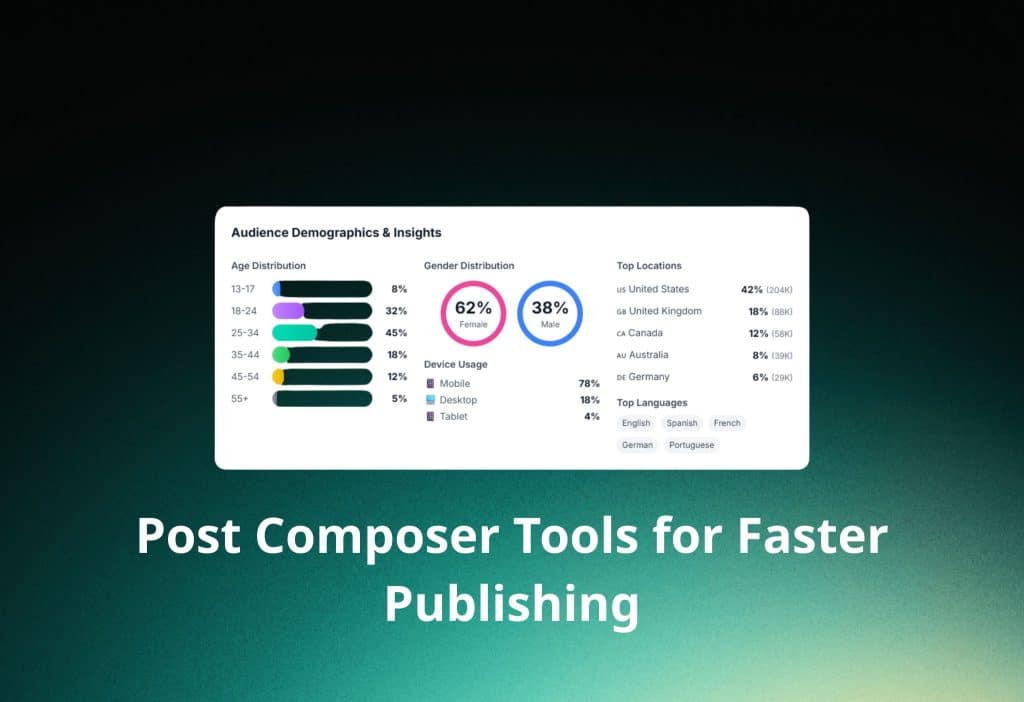
Viraly adds practical publishing controls inside the composer to reduce repetitive work. Features such as first-comment scheduling help creators follow platform best practices without manual follow-ups. Structured fields for tags, locations, and collaboration details improve consistency and reduce posting mistakes when content is published across multiple channels.
AI Assistance for Captions and Creative Speed
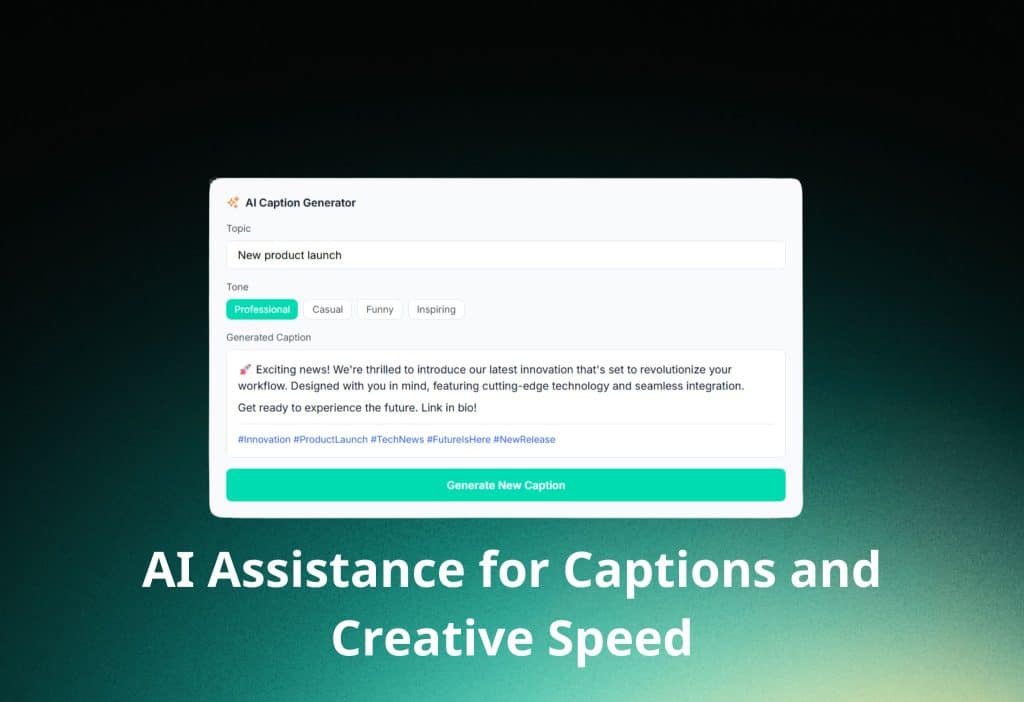
Viraly includes AI tools to speed up content production while keeping messaging aligned with your brand voice. The AI can generate captions, rewrite text in different tones, and adjust length for clarity and fit. It also supports idea expansion and caption variations, which helps teams publish consistently without rewriting everything from scratch.
Content Recycler for Evergreen Growth

Viraly offers a Content Recycler feature for evergreen reposting. You can set a repeat schedule, apply limits, and pause or resume cycles as needed. Caption variations can be added manually or generated with AI, which helps recycled content stay fresh and reduces the risk of repetitive posting across Instagram, TikTok, and other channels.
Idea Board Hub for Planning and Pipelines
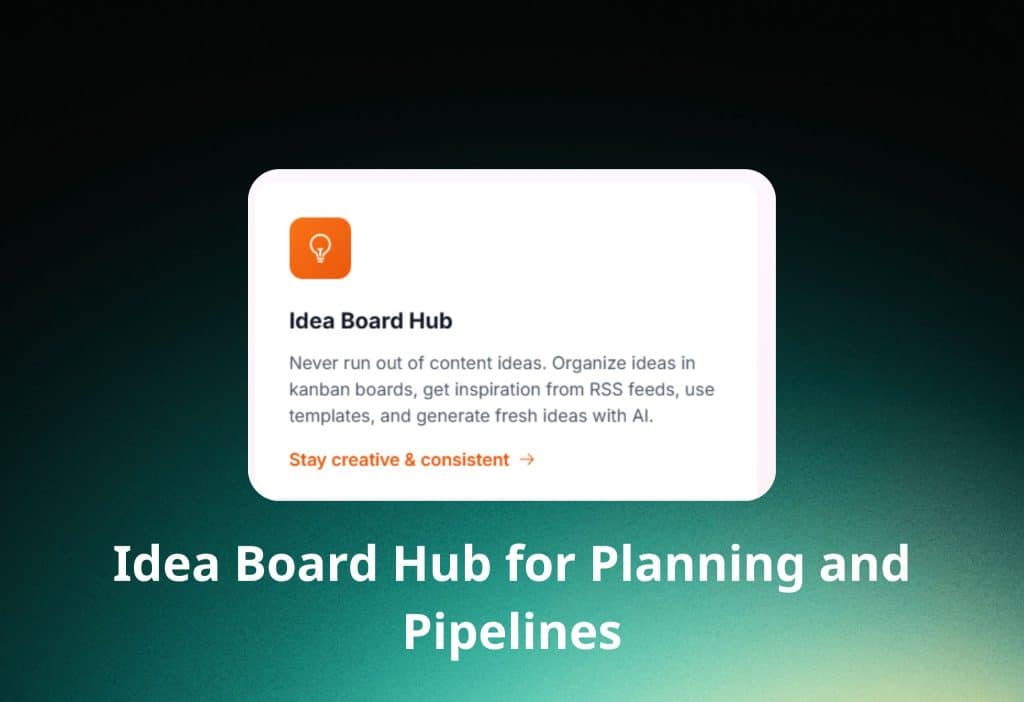
Viraly includes an Idea Board built for content planning and production flow. It works like a kanban pipeline and supports templates and RSS-based inspiration feeds. Teams can organize ideas by Social Sets, which keeps client or brand pipelines separated and makes planning scalable for agencies.
Media Library, Reuse, and Basic Editing
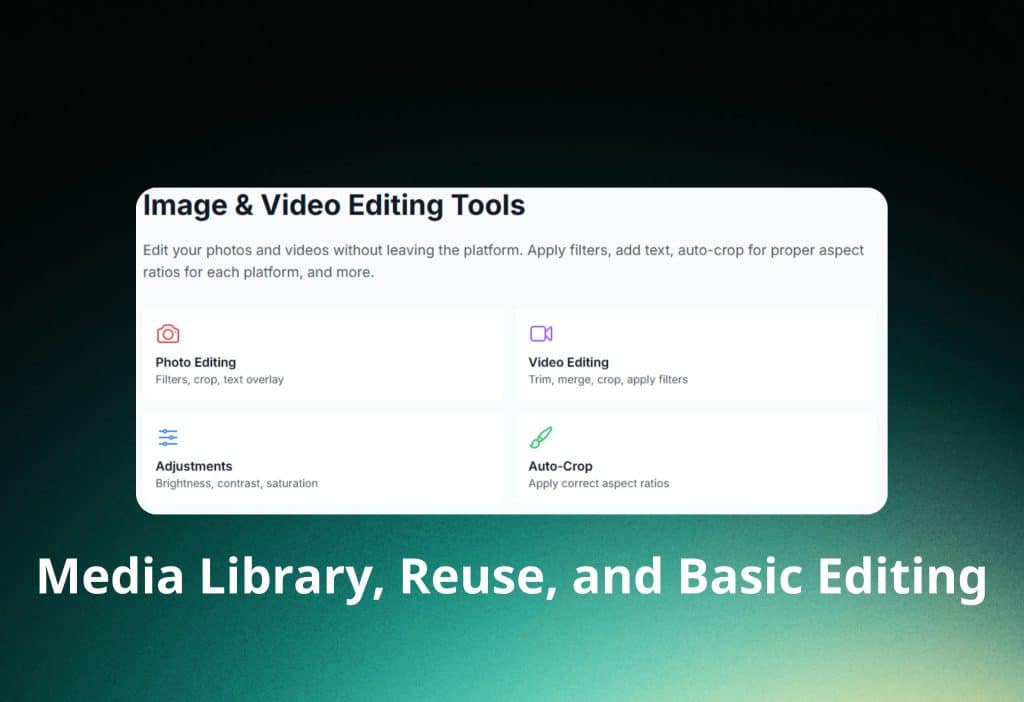
Viraly provides a Media Library for storing and organizing assets with collections, tags, notes, and searchable metadata. You can reuse the same images, videos, and files across multiple posts without re-uploading. The platform also offers basic editing tools and platform-friendly aspect ratio presets such as 9:16 for Reels, TikTok, and Shorts, and 4:5 for Instagram feed formats. Viraly also supports document-style assets for LinkedIn publishing, including PDF, PPTX, and DOCX within supported size limits.
Link-in-Bio Builder With Analytics and Tracking
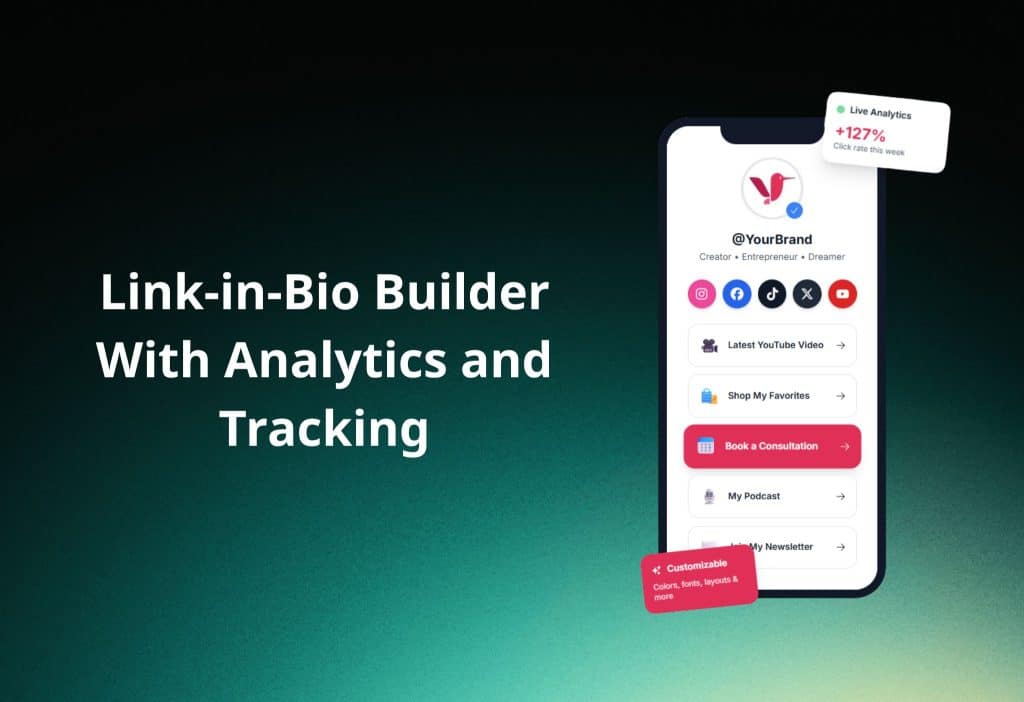
Viraly includes a Link-in-Bio product that lets you create customizable bio pages and measure performance. The system supports branded pages, custom domains, and tracking integrations for conversion measurement. Link analytics help you understand what drives clicks and how traffic behaves across campaigns and creator funnels.
Link Shortening With Click Analytics
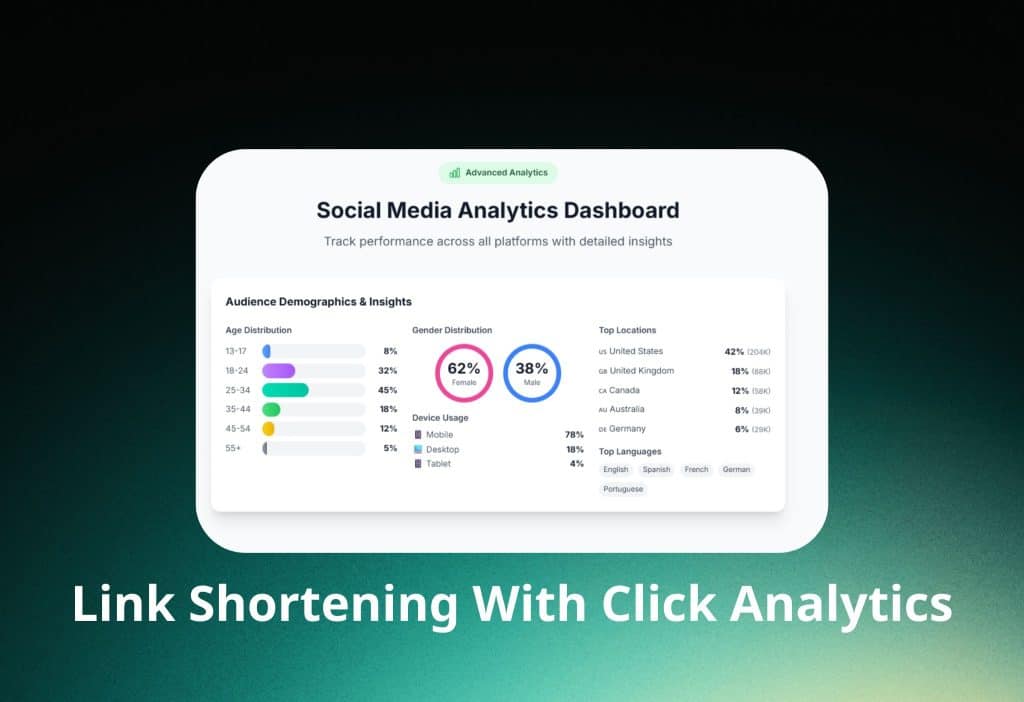
Viraly offers link shortening with click tracking to measure engagement beyond the social post itself. You can view click trends over time and analyze audience signals such as location and device type. This makes it easier to connect content distribution with traffic outcomes and optimize what you place in captions, profiles, and bio pages.
Team Roles, Social Sets, and Approval Workflows
Viraly supports collaboration through role-based access and permission controls. Social Sets help agencies separate brands and clients to reduce cross-account errors. Post approval workflows add review structure, letting creators submit content for approval, collect feedback, and publish only when required approvals are met. Approval rules can be configured to require all approvers or a minimum number, depending on how strict the workflow needs to be.
Integrations for Email, CRM, and Analytics

Viraly supports integrations that connect social publishing to broader marketing systems. Email and CRM integrations help route leads into tools like Mailchimp, Klaviyo, and HubSpot, while tracking integrations support performance measurement through systems like Google Analytics 4 and Meta Pixel. This interoperability helps teams link content activity to measurable outcomes such as sign-ups, clicks, and conversions.
Viraly introduced and improved multiple workflow upgrades during 2025–2026. These updates include link previews, location tagging, reel cover support, post approvals, a drag-and-drop calendar experience, media collections, and improved content organization. The platform’s 2026 direction emphasizes link-in-bio improvements and team workflow polish.
Pricing in 2026
Viraly. offers a Free plan that includes three profiles, ten posts per month, and one team member. Viraly also offers an Influencer plan priced at $19 monthly or about $15.80 per month when billed annually, with five profiles and up to 200 posts per month for one user. Viraly offers a Business plan priced at $49 monthly or about $40.80 per month annually, including fifteen profiles, 500 posts per month, and up to five team members. Viraly also offers an Agency plan priced at $99 monthly or about $82.50 per month annually, with fifty profiles, unlimited posts, and up to fifteen team members.
Viraly provides a free trial that does not require a credit card, a 30-day money-back policy, and about a 17% discount with annual billing. Viraly also mentions custom enterprise pricing for organizations that need unlimited scale.
Read more: Boost Your E-commerce Sales: A Complete Guide to Website Speed Optimization Tools
Pros and Cons in Real Use
Viraly is often praised for an intuitive interface, fast uploads, and a drag-and-drop calendar that can save time every week. Viraly stands out with content recycling that includes AI variations, which can outperform many competing tools that only support basic reposting. Viraly is also described as responsive in support, with proactive bug resolution supported by strong logging and feedback loops. Viraly tends to be viewed as affordable because it offers a free plan and link-in-bio features across all tiers.
Viraly currently lacks a full social inbox for replies and monitoring, even though it is planned for the future. As a newer tool, Viraly may also introduce small UI changes as the product evolves. Some users also report that post scheduling can feel slightly less straightforward than the recycling workflow, especially when managing complex publishing patterns.
Reviews and Reputation
Viraly is described as highly rated by users who value multi-account management and automated publishing, including reported 5.0/5 ratings on platforms such as GetApp. Viraly is also referenced by creators who highlight reduced workload as audiences grow, and some users point to smoother video scheduling for TikTok and Instagram as a practical advantage.
Some reviewers mention switching to Viraly because AI personalization speeds up posting and the team implements feedback quickly. Other commentary notes that founder-led iteration helps ship new features faster, including the expansion of the link-in-bio tool. Trustpilot-style feedback often emphasizes ease of use, fast support responses, and better organization for multi-brand workflows, with agencies noting time savings compared to older scheduling tools.
What Could Be Better
Viraly would benefit from adding a complete social inbox for replies, mentions, and monitoring, since this feature is not fully available yet. Viraly could also improve posting schedule visibility so users can access upcoming schedules faster without digging through views. For advanced teams, Viraly could expand enterprise-level reporting and add deeper AI strategy automation to support planning at scale.
Should You Use Viraly?
Viraly is a strong choice for creators and businesses that want affordable multi-platform scheduling, practical AI writing support, content recycling, and team collaboration. Viraly is especially attractive if link-in-bio pages and link analytics are important, and you want those features without high enterprise pricing.
Viraly may not be the best fit if the workflow requires a mature social inbox today, or if the organization needs advanced enterprise reporting and automation beyond the current feature set.
Install Link and Getting Started
Viraly offers a free plan with no credit card required, and users can sign up directly at https://viraly.io to begin scheduling and testing analytics immediately.