The Shopify Conversions API for Meta is a server-to-server connection that sends your store’s events, above all Purchase, straight from Shopify or an app to Meta, so ad blockers and closed browser tabs no longer erase them. The fastest setup needs no app: in your Shopify admin go to Sales channels > Facebook & Instagram > Settings > Data sharing settings, turn on customer data sharing and pick Enhanced or Maximum. Both levels add the Conversions API to the Meta Pixel; the Standard level uses the pixel alone.
Three facts decide whether your conversions API on Shopify works:
- Use the pixel and CAPI together. Meta keeps one event when the browser and server send the same event name and event ID within 48 hours.
- One sender per pixel. Two tools sending Purchase to the same pixel without a shared event ID is the most common cause of inflated purchase counts.
- Free app plans cap orders. On 5 Nov 2026 the free plans of three popular pixel apps tracked 5, 10 and 15 orders a month.
Below: what CAPI does compared with the pixel, the three ways to set it up, which way fits your store, how to test it, and fixes for the problems merchants report most.
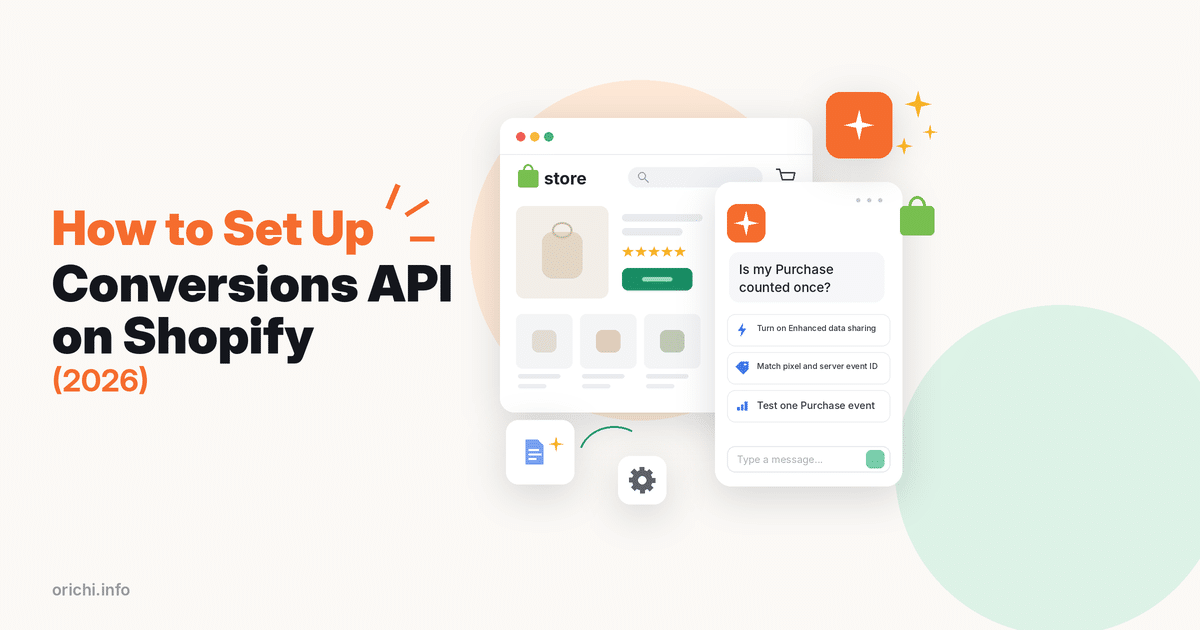
What the Conversions API Does on Shopify (vs the Meta Pixel)
The Conversions API (CAPI) sends events from a server to Meta, while the Meta Pixel sends them from the shopper’s browser, and Meta recommends running both so each covers the other’s gaps. The pixel sees the full browsing journey but can be blocked; CAPI cannot be blocked by the browser but only sends what the server knows.
| Point | Meta Pixel | Conversions API |
|---|---|---|
| Where it runs | Shopper’s browser | Shopify’s or an app’s server |
| Blocked by ad blockers? | Yes, it can be | No |
| Events on Shopify | PageView, ViewContent, Search, AddToCart, InitiateCheckout, AddPaymentInfo, Purchase | Purchase server to server (native Enhanced); apps can send more |
| Customer data for matching | Browser data | Name, location, email and phone when you share them |
| Shopify data sharing level | Standard, Enhanced, Maximum | Enhanced and Maximum only |
Data checked 5 Nov 2026 on the Shopify Help Center Facebook data sharing page.
CAPI does not replace consent. It changes how events travel, not what you are allowed to share, so your privacy policy and cookie banner still apply. It also cannot fix a wrong pixel ID, a wrong currency or a weak ad. And Shopify stays the record of real orders; Meta’s numbers include attribution windows and modeled results, so they never match Shopify exactly.
3 Ways to Set Up the Conversions API on Shopify
There are three ways to set up the Conversions API on Shopify: Shopify’s own Facebook & Instagram channel, a pixel tracking app, or a server-side Google Tag Manager container. Way 1 suits most single-pixel stores, Way 2 suits stores with several pixels or markets, and Way 3 suits teams with a developer and a custom checkout.
Way 1: Shopify’s Facebook & Instagram channel (no extra app)
The native channel is free and built by Meta and Shopify. Set it up in four moves:
- Install or open the Facebook & Instagram sales channel and connect your Facebook account, Business Manager and pixel.
- Go to Sales channels > Facebook & Instagram > Settings > Data sharing settings.
- Turn on Customer data sharing.
- Under Choose level, pick Enhanced (pixel + Conversions API) or Maximum (adds Meta’s newest ad technology, with the same customer data as Enhanced).
The trade-off: you get one pixel, Shopify’s event set and little control over rules per market or product.
Way 2: A pixel tracking app
A pixel app sends both browser and server events for you and adds controls the native channel lacks, such as several pixels, market or product rules and order-level reports.
Disclosure: OrichiCommerce builds OC Meta Pixel‑ Facebook Pixels. We compare it with other apps using public Shopify App Store data checked on 5 Nov 2026.
| App | Rating (reviews) | Free plan | First paid plan | Best for |
|---|---|---|---|---|
| OC Meta Pixel‑ Facebook Pixels | 5.0 (114) | 1 pixel + CAPI, 10 orders/month, 1 catalog feed | Lite $9.99/month: 3 pixels, 100 orders/month | Meta-only stores that want bot filtering and per-market pixels |
| Omega Facebook Pixel, Meta Ads | 4.9 (996) | 1 pixel, 1 CAPI, 5 orders/month | $20.99/month: unlimited pixels | Stores that want order journey and audience reports |
| Trackify Facebook Pixel,TikTok | 4.8 (399) | 1 pixel, 1 CAPI, up to 15 orders/month | $8.99/month: unlimited pixels and orders | Stores that also run TikTok or Snapchat ads |
Data checked 5 Nov 2026 on each Shopify App Store listing.
OC Meta Pixel‑ Facebook Pixels (by OrichiCommerce, listed since June 29, 2021, Built for Shopify) sets up multiple Meta pixels without code, sends Conversions API events, syncs a product catalog, and filters bot traffic, fake orders and non-consented events with its Ad Data Protection feature. To install it: open its Shopify App Store page, click Install, then add your pixel in the app’s setup screen and connect the Conversions API by pasting your Meta access token. The app does not deduplicate against Shopify’s Facebook & Instagram channel, so if the channel shares data for the same pixel, turn off the channel’s data sharing for that pixel first. Where others are stronger: Trackify’s free plan tracks 15 orders a month against our 10 and covers TikTok and Snapchat, and Omega has far more reviews and five interface languages. Extra Conversions API connections cost $4.99/month on OC Meta Pixel and $5.99/month on Omega.
Way 3: Server-side Google Tag Manager
A server GTM container (hosted by a provider such as Stape) gives full control over every parameter and custom event, but it needs GTM skills and careful testing. Pick it when you run a headless store, a custom or third-party checkout, or you send the same data to many ad platforms. You must create matching event IDs in the web and server containers yourself.
Which Setup Fits Your Store
Pick the simplest setup that covers your pixels, markets and checkout, because every extra sender is another chance to double count. Use this table as a starting point.
| Your store | Best way | Why |
|---|---|---|
| One pixel, standard Shopify checkout, standard events only | Way 1 (Enhanced) | Free, no order cap, Purchase goes server to server |
| Several pixels, brands or markets | Way 2 | The native channel connects one pixel; apps route events per pixel or market |
| Bot traffic or fake orders inflate results | Way 2 with bot filtering | Filters stop junk events before Meta optimizes on them |
| Meta plus TikTok or Snapchat | Way 2 (multi-platform app) or Way 3 | One tool keeps event IDs consistent across platforms |
| Headless store or third-party checkout | Way 3 | Native and app setups expect Shopify’s checkout |
Data checked 5 Nov 2026; order limits taken from the app listings above.
How to Check That the Conversions API Is Working
You check CAPI by placing a test order and confirming in Meta Events Manager that Purchase arrives from both the browser and the server and is counted once. Do it after every setup change and again before big sales.
- Turn off ad blockers and accept marketing cookies, then place a test order and note its number, time, total and currency.
- In Events Manager, open your pixel and find the Purchase event; it should show both Browser and Server as sources.
- Check that the value and currency match the Shopify order.
- Open Diagnostics and fix any warning about missing parameters or deduplication.
- Compare one week of Meta purchases with Shopify orders. A small gap is normal; Meta far above Shopify points to duplicates.
Meta’s deduplication guide explains the rule behind step 2: the pixel’s eventID must equal the server’s event_id, and the event names must match. Two server events with the same data are not merged, so a second server-side tool always doubles Purchase.
Common Conversions API Problems and Fixes
Most Shopify CAPI problems come from two senders on one pixel, leftover theme code or a rule inside Meta’s own tools. These are the cases merchants report most in public threads.
| Symptom | Likely cause | Fix |
|---|---|---|
| Meta shows far more purchases than Shopify (one thread: 44 vs 16 orders in a day) | Pixel and CAPI, or two apps, send Purchase without a shared event ID | Keep one sender per pixel; remove extra apps, custom pixels or GTM tags |
| Hundreds of Purchase events, zero orders | An Event Setup Tool rule turns page views into Purchase (events carry cs_est=true) | Delete the rule in Events Manager; let checkout send Purchase |
| AddToCart and Purchase missing although data sharing is on | Old pixel code or an old pixel ID left in the theme | Remove manual pixel code from theme files and check the pixel ID |
| Server events missing after a theme or app change | Uninstalled app or broken connection | Re-test with a test order after every change |
Data checked 5 Nov 2026 against Shopify Community and Reddit threads.
For deeper fixes, our guide to the Meta deduplication key warning walks through matching event IDs, and the list of common Facebook Pixel and Conversions API errors covers other Events Manager messages. If purchases are missing rather than doubled, start with Facebook pixel not tracking purchases on Shopify.
FAQ
Does Shopify have a built-in Conversions API?
Yes. The Facebook & Instagram sales channel uses the Conversions API at the Enhanced and Maximum data sharing levels.
Should I choose Enhanced or Maximum?
Both send the same customer data. Maximum adds Meta’s newest ad technology; check your privacy policy and consent setup before you pick it.
Do I still need the Meta Pixel if I use CAPI?
Yes. Meta recommends both, and the pixel sees browsing steps the server does not.
Can I use a pixel app and the native channel on the same pixel?
Not with OC Meta Pixel: it does not deduplicate against the channel, so turn off the channel’s data sharing for that pixel. With other apps, only if both send matching event IDs; otherwise choose one sender for that pixel.
Is the Conversions API free on Shopify?
The native channel is free. Apps have free plans with monthly order caps (5 to 15 orders on the apps above) and paid plans from $8.99 a month.
How long does Meta take to show server events?
Check with a test order in Events Manager. For counting, Meta merges a matching browser and server event only if both arrive within 48 hours of the first one.
Want several pixels and bot filtering on top of the Conversions API? Install OC Meta Pixel‑ Facebook Pixels free from the Shopify App Store, or read how to add a Facebook pixel to Shopify first.