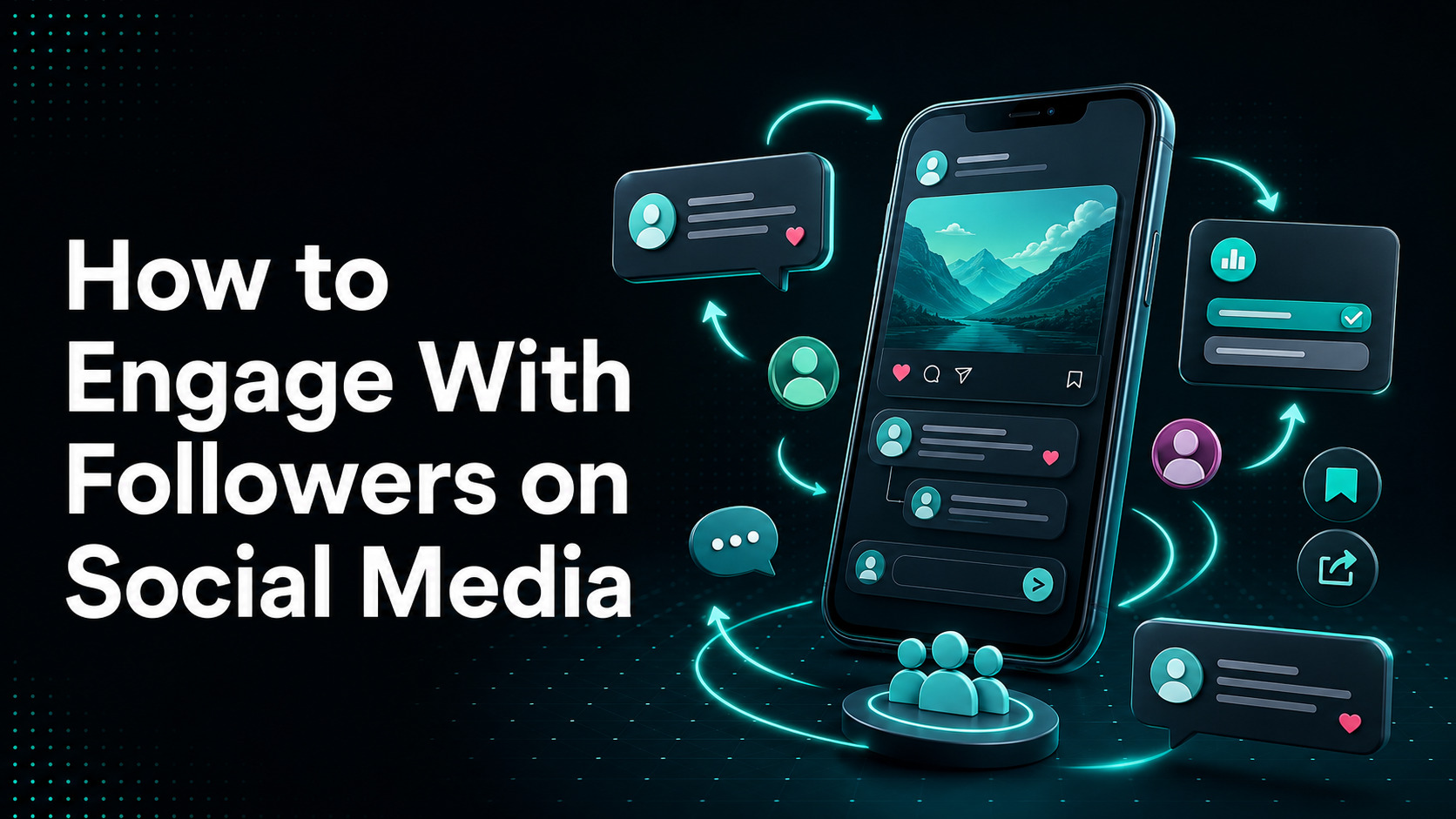
To engage with followers on social media, treat every post as the start of a conversation, not the end of a publishing task. Learn what your audience cares about, share content that helps them, ask focused questions, and reply in a way that gives people a reason to continue talking. Then use what you learn from those conversations to shape your next post.
The goal is not to collect as many likes as possible. Meaningful engagement can include a useful comment, a saved tutorial, a customer question in your DMs, a shared product review, or a click that leads to a store visit. The right signal depends on what you want the content to achieve.
Here are 12 practical ways to improve follower engagement:
- Learn what your followers care about.
- Give value before asking for attention.
- Ask focused, low-effort questions.
- Write replies that move the conversation forward.
- Move private or complex issues to direct messages.
- Use polls, Q&As, Stories, and live video.
- Turn audience questions into new content.
- Share customer content with permission.
- Show the people and process behind your brand.
- Join relevant conversations outside your own posts.
- Create recurring series and community rituals.
- Test one change at a time and repeat what works.
You do not need a large team or a complicated tool stack. A consistent 20-minute routine can be enough to listen, respond, and learn. This guide shows you how.
What Does It Mean to Engage With Followers on Social Media?
Social media engagement is the two-way interaction between your brand and its audience. It includes visible actions such as comments, replies, shares, saves, mentions, and reactions. It can also include private actions such as direct messages and customer-service conversations.
That makes engagement different from reach, follower count, and conversion:
| Metric | What it tells you | Example |
|---|---|---|
| Reach | How many people had a chance to see the content | 8,000 unique accounts saw a Reel |
| Followers | How many accounts chose to follow you | Your account has 12,000 followers |
| Engagement | How people interacted with your brand or content | Comments, saves, shares, replies, DMs |
| Conversion | Whether someone completed a business action | Email signup, product view, add-to-cart, sale |
These metrics can support one another, but they are not interchangeable. A post can reach many people and still create little conversation. A post can also receive only a few comments, yet answer the exact questions that help qualified buyers choose a product.
The best engagement strategy connects content with a clear audience need. A useful way to remember the process is:
Listen → Invite → Reply → Learn
- Listen for questions, concerns, preferences, and repeated language.
- Invite a relevant response with useful content and a focused prompt.
- Reply like a person, not an automated notification.
- Learn from the response and improve the next piece of content.
12 Ways to Engage Your Social Media Followers
1. Learn What Your Followers Care About
Start with evidence instead of assumptions. Review recent comments, DMs, mentions, customer-service questions, product reviews, search terms, and frequently asked questions. Look for patterns:
- What problem appears most often?
- Which words do customers use to describe it?
- What makes them hesitate before buying?
- Which product comparisons do they request?
- What do they want to learn after a purchase?
For example, a skincare brand may assume followers want polished product photos. Its comments may show that people actually want help layering products without irritation. That is a stronger content opportunity because it answers a real concern.
Social listening also helps you see conversations that do not tag your account. You can start manually with platform search and notifications, then explore these free social media monitoring tools if the volume becomes difficult to manage.
Keep a simple question bank. Each repeated question can become a post, video, Story, email, product-page update, or customer-support resource.
2. Give Value Before Asking for Attention
People are more likely to respond when the post has already helped, informed, entertained, or understood them. Before adding a call to action, ask: “Would this still be worth seeing if the audience did nothing next?”
Useful content may include:
- A short tutorial that solves one problem
- A before-and-after example with context
- A checklist people can save
- A clear comparison between two options
- A common mistake and how to correct it
- A customer story with a practical lesson
- A candid look at how something is made
An ecommerce brand selling travel bags could post a 20-second packing method, then ask, “Which item always takes up too much room in your bag?” The tutorial earns attention first; the question opens a relevant conversation second.
Avoid making every post a product pitch. Product content can be useful, but it should help people make a decision, use the item, or see whether it fits their situation.
3. Ask Focused, Low-Friction Questions
“What do you think?” is easy to write but often hard to answer. It gives the follower no clear starting point. A focused question reduces the effort needed to participate.
Compare these prompts:
| Broad prompt | More focused prompt |
|---|---|
| What do you think? | Which option would you use for a small kitchen: A or B? |
| Tell us your story. | What was your biggest concern before your first online sale? |
| Any questions? | What part of setting up a Facebook Pixel is still unclear? |
| What should we post next? | Should our next guide cover product photos or product descriptions? |
Good prompts are specific, relevant to the post, and safe to answer in public. They do not pressure people to reveal personal information.
Use questions selectively. Not every caption needs one. Sometimes a clear tutorial will earn saves and shares without a comment prompt, and those signals may better match the post’s purpose.
4. Write Replies That Move the Conversation Forward
A reply such as “Thanks!” acknowledges a comment, but it usually closes the conversation. When the comment deserves more, use this three-part framework:
Acknowledge → Add → Advance
- Acknowledge what the person said.
- Add a useful detail, answer, or perspective.
- Advance the conversation with a natural next question or action.
Here are a few examples:
| Follower comment | Weak reply | Stronger reply |
|---|---|---|
| “I always struggle with product photos.” | Thanks for sharing! | Natural light can make the fastest difference. Are you shooting with a phone or a camera? |
| “Does this work for a store with 50 products?” | Yes. | Yes. For 50 products, start with your top sellers so you can test the setup before applying it to the full catalog. Which platform is your store on? |
| “Mine arrived yesterday and I love it.” | Thank you! | We’re glad it arrived safely. What did you try first—the shoulder strap or the handle? |
| “This did not work for me.” | Sorry. | I’m sorry it did not work as expected. Tell us which step caused trouble, and we’ll help. If order details are involved, please send them by DM. |
You do not need to force a question into every reply. If the follower’s point is complete, a specific acknowledgment may be enough. The aim is a genuine exchange, not an endless comment chain.
A large Buffer analysis of nearly two million posts found that posts where accounts replied to comments were associated with higher engagement across several major platforms. That does not prove replies alone caused the increase, but it supports a sensible habit: do not publish and disappear.
5. Move Private or Complex Issues to Direct Messages
Public replies show that your brand is listening. DMs provide privacy and space for details. Use both, depending on the situation.
| Situation | Reply publicly | Move to DM |
|---|---|---|
| General product question | Yes | Optional |
| Simple correction or clarification | Yes | No |
| Order number, email, phone, or address needed | Briefly acknowledge | Yes |
| Billing or account details | Briefly acknowledge | Yes |
| Angry comment with a solvable service issue | Acknowledge calmly | Yes |
| Spam, threats, or abusive content | Moderate under policy | Do not continue privately unless appropriate |
When moving a case, do not post only “DM us.” Show that you understood the issue first:
“That delay sounds frustrating, and we want to check what happened. Please DM us your order number so our team can investigate.”
Once the issue is resolved, you can ask whether the customer is comfortable confirming the outcome publicly. Never share their private details yourself.
6. Use Polls, Q&As, Stories, and Live Video
Comments are not the only way people participate. Interactive formats give followers easier entry points:
- Polls help people choose between clear options.
- Question stickers and Q&As collect questions for future content.
- Stories support quick, less formal updates.
- Live video creates real-time access to a person, demonstration, or event.
- Short-form video can invite reactions through a problem, reveal, or comparison.
Match the format to the job. Use a poll to choose the next tutorial topic, not to settle a complex issue. Use live video for product demonstrations, expert interviews, launches, or office hours where follow-up questions improve the experience.
Prepare live sessions around one clear promise. Announce the topic, collect questions in advance, introduce the session quickly, and repeat important answers for people who join late. TikTok’s own LIVE best-practice guidance also recommends planning, promoting the session, and interacting with viewers in real time.
Strong visuals help these formats hold attention. If production is slowing your team down, compare these video editing apps for social media and choose the simplest tool that supports your workflow.
7. Turn Audience Questions Into New Content
Comments and DMs are a free source of content research. When one person asks a question, others may have the same concern without posting it.
Turn a useful question into:
- A direct answer in the comment thread
- A Story response within the same day
- A short video demonstration
- A carousel or checklist
- A longer blog guide
- An FAQ on the relevant product page
Credit the community without exposing anyone. You might say, “A few customers asked how these two sizes compare, so here is a side-by-side test.” If you want to show a username, screenshot, photo, or private message, ask for explicit permission first.
Close the loop by returning to the original comment and sharing the new resource. That shows followers that their questions shape what the brand creates.
8. Share Customer Content and Stories With Permission
User-generated content can make a brand feel less like a catalog and more like a community. It shows products in real settings and lets customers contribute their own ideas.
Good UGC may include:
- A customer photo or short video
- A product setup or styling idea
- A thoughtful review
- A before-and-after result with honest context
- A creative use your team did not anticipate
Always ask before reposting, especially when the original content includes a person, child, home, workplace, health result, or private message. Explain where the content will appear and how the creator will be credited. Permission to repost on Instagram does not automatically mean permission to use the same image in an ad, email, or product page.
Shopify merchants can also display Instagram and TikTok content on their store to connect social proof with the shopping journey. Curate carefully: choose content that answers a buyer question or shows a believable use case, not simply the posts with the highest like counts.
9. Show the People and Process Behind Your Brand
Followers can connect with a brand more easily when they can see the people, choices, and work behind it. You do not need to reveal confidential information or turn every employee into a creator.
Try content such as:
- Why the team chose one material over another
- How an order is packed
- A mistake that improved the process
- A team member answering a common customer question
- A realistic day during a launch
- The steps behind quality checks or product updates
Specific details build more trust than vague claims. “We care about quality” says little. A short video showing the three checks every item passes gives followers something concrete to understand and discuss.
Keep the tone natural to the people involved. Over-scripted “behind the scenes” content often feels like another advertisement.
10. Join Relevant Conversations Outside Your Own Posts
Engagement is not limited to people who visit your page. Follow relevant creators, customers, partners, industry voices, and community discussions. Add useful comments where your experience genuinely helps.
This does not mean placing promotional replies under popular posts. A strong contribution should make sense even if nobody clicks your profile.
For example, a home-organization brand could answer a creator’s question about storing seasonal items with one clear technique. A Shopify app team could clarify a common analytics term in a merchant discussion. In both cases, the brand participates as a knowledgeable community member.
Use social listening to find relevant conversations, but keep human judgment in the loop. Automated replies can easily miss context, repeat the same phrase, or appear on sensitive posts.
11. Create Recurring Series and Community Rituals
Consistency helps followers know how to participate. A recurring format lowers the creative burden for your team and gives the audience a familiar reason to return.
Examples include:
- Monday customer question
- Weekly product teardown
- Monthly live office hour
- Friday community feature
- “Choose our next test” poll
- A challenge with one useful action each day
Give the series a clear purpose and keep it flexible. If a weekly schedule produces weak, repetitive content, change the frequency. Consistency means keeping a useful promise—not posting on a rigid calendar at any cost.
A scheduling system can protect time for both publishing and replies. This guide to free social media scheduling tools can help small teams compare options. Remember that scheduling the post is only half the job; schedule time to respond as well.
12. Test One Variable and Repeat What Works
Do not change the topic, format, posting time, caption style, and call to action all at once. You will not know what affected the result.
Instead, run small tests:
- Ask a focused question on one tutorial and compare it with a similar tutorial without one.
- Test a carousel and short video that explain the same idea.
- Publish the same recurring series at two reasonable time slots.
- Compare product-only UGC with UGC that includes a customer tip.
- Try a short reply and an Acknowledge → Add → Advance reply on similar comments.
Keep the audience, topic, and business goal in mind when reviewing results. A post about a broad trend may earn more reach, while a product comparison may drive fewer but more qualified store visits.
Timing can affect who is available to respond, but there is no universal best hour for every account. Use your own analytics as the main guide. Platform studies, such as this analysis of the best times to post on TikTok, can give you a starting point for a controlled test.
How Engagement Tactics Change by Platform
The same audience need may require a different format and response habit on each network.
| Platform | Useful engagement formats | Good community habit | Metrics to watch |
|---|---|---|---|
| Reels, carousels, Stories, polls, Q&As | Reply to comments and Story responses; save repeated questions | Comments, shares, saves, Story replies, DMs, profile and site actions | |
| TikTok | Short video, stitches, duets, LIVE | Answer strong comments with a new video | Comments, shares, average watch time, completion, profile and site actions |
| Groups, video, live sessions, discussion posts | Moderate clearly and answer service questions | Meaningful comments, shares, group participation, messages, link actions | |
| Practical posts, documents, expert video, polls | Add thoughtful replies and join industry discussions | Comments from relevant people, reposts, saves, qualified profile or site visits | |
| YouTube | Long video, Shorts, live streams, Community posts | Pin useful comments and turn questions into future videos | Comments, returning viewers, watch time, Community interactions, clicks |
| X or Threads | Short observations, questions, reply chains | Participate in timely conversations without forcing a promotion | Replies, reposts, quotes, profile visits, relevant clicks |
Do not copy and paste the same execution everywhere. You can reuse the core idea, but adapt the opening, length, visual, and response pattern to how people use the platform. For a deeper example, Orichi’s TikTok marketing strategy guide explains how content and community behavior differ on TikTok.
A 20-Minute Daily Social Engagement Routine
A small brand can build a useful habit without staying online all day. Set one 20-minute block or divide it into two shorter sessions.
Minutes 1–5: Listen
- Check comments, mentions, tags, and priority DMs.
- Scan saved searches or monitoring alerts.
- Record one repeated question, objection, or phrase.
Minutes 6–15: Respond
- Answer time-sensitive customer questions first.
- Add useful replies to comments on recent posts.
- Move private cases to DMs when needed.
- Hide, report, or document content that violates your community policy.
Minutes 16–20: Participate and Learn
- Add one thoughtful contribution to a relevant external conversation.
- Save one follower question as a content idea.
- Note which recent post created the most meaningful response and why.
After an important post, launch, or live event, reserve an extra 15 to 20 minutes for early replies. This is good community service even without making claims about an algorithm boost.
If your account receives more messages than the team can handle, define priority levels and a realistic response-time promise. Fast but careless replies are not better than accurate ones.
How to Measure Meaningful Social Media Engagement
Start with the goal of the content. Then choose signals that show whether people took the intended action.
| Goal | Useful signals |
|---|---|
| Start a conversation | Relevant comments, replies, DMs, live questions |
| Create a useful resource | Saves, shares, watch time, completion rate |
| Strengthen community | Repeat commenters, returning viewers, UGC, mentions, sentiment themes |
| Support customers | Response rate, response time, resolved issues, repeated support questions |
| Drive business action | Qualified link clicks, product views, signups, add-to-carts, assisted sales |
You can calculate engagement rate in several ways. Hootsuite’s engagement guide describes common denominators including followers, reach, impressions, and views.
Engagement rate by followers
Total engagements ÷ followers × 100
Engagement rate by reach
Total engagements ÷ reach × 100
Engagement rate by impressions
Total engagements ÷ impressions × 100
Always state which formula you used. The same post can produce different rates under each method, so a number without its denominator is difficult to interpret.
There is no single “good engagement rate” for every brand. Results vary by platform, format, audience size, industry, goal, and calculation method. Build your baseline from comparable posts on your own account, then watch the trend. These social media analytics tools can help organize cross-platform reporting, while native tools often provide the most direct account-level data.
For a Shopify store, social engagement shows that people reacted; it does not show the full customer journey. Use consistent UTM parameters and store analytics to see what happens after a click, including product views, signups, add-to-carts, and sales. Compare those actions with comments, shares, saves, and DMs instead of treating likes as revenue. If you use paid and organic Meta traffic, a tool such as Orichi Facebook Pixel can support event tracking and audience setup.
Common Social Media Engagement Mistakes
Even a strong content calendar can underperform when the community habit is weak. Avoid these common mistakes:
- Posting and disappearing. Set aside response time when you schedule content.
- Using vague prompts. Ask a question people can understand and answer quickly.
- Forcing engagement bait. Facebook has long said it may demote posts that use engagement-bait tactics, such as asking people to react or comment in artificial ways. Focus on relevant participation.
- Buying followers or using fake-interaction services. Inflated numbers weaken audience data and do not create customer trust. Instagram also warns users to be careful with third-party apps that request account access or promise likes and followers.
- Copying the exact same post to every platform. Reuse the idea, then adapt the format and opening.
- Automating replies without context. Automation can route messages, but sensitive or unusual conversations need human review.
- Deleting fair criticism. Respond calmly and move account-specific details to a private channel. Moderate threats, hate, spam, or abuse under a clear policy.
- Arguing in public. Correct important misinformation once, provide evidence where appropriate, and know when to stop.
- Requesting private information in comments. Move order, account, payment, health, or contact details to a secure channel.
- Tracking only likes. Match metrics to the content goal and customer journey.
- Trying to be active everywhere. A small team often gets better results by serving one or two communities well.
- Reposting customer content without permission. Ask, explain the intended use, and credit the creator.
If engagement falls while follower losses rise, check whether content has become repetitive, promotional, inconsistent, or disconnected from audience needs. This guide explains more reasons why you may be losing Instagram followers.
FAQs
Should I reply to every social media comment?
Reply to genuine questions, useful feedback, service issues, and comments where your response can add value. A simple reaction may be enough for brief praise or repeated comments. You do not need to engage with spam, abuse, or obvious bad-faith arguments. Use a moderation policy so the team handles similar cases consistently.
How quickly should a business respond to followers?
Respond as quickly as your team can do accurately, especially for purchase and service questions. Set an internal priority order and publish a response-time expectation if messages are frequent. Do not promise 24/7 support unless you can provide it.
What type of content gets the most engagement?
There is no universal winner. Tutorials may earn saves, entertaining videos may earn shares, live sessions may generate questions, and customer stories may build trust. Define the action you want, test formats with similar topics, and compare results using the same metric.
What is a good social media engagement rate?
A useful rate is one that improves against your own baseline for comparable posts and supports the intended goal. Always identify the platform, content format, date range, and formula. Industry benchmarks can provide context, but they should not replace your account data.
Does more social engagement lead to more sales?
Not automatically. Engagement can increase attention, trust, learning, and customer support, but a sale also depends on the offer, product fit, price, store experience, and attribution path. Track both social signals and downstream store actions.
How can a small business engage followers with limited time?
Choose one primary platform, use a 20-minute daily routine, and build content from real customer questions. Create one recurring series and track one conversation metric plus one business metric. Expand only when the routine is sustainable.