Are you struggling to manage your social media marketing on your own? Not sure which tool to use?
This review covers one of our favorite social media management platforms on the market today.
Agorapulse helps you handle every aspect of social media marketing. We’ll focus especially on its publishing and inbox features.
What is Agorapulse?
Agorapulse is a complete social media management platform. It offers a budget-friendly alternative to Sprout Social. Like Sprout Social, Agorapulse delivers four key functions: publishing, inbox, monitoring, and reporting.
We’ll explore these features in detail shortly. First, here’s what Agorapulse offers:
Platform Support:
- YouTube
Key Features:
- Support for 40+ social media profiles
- Team plans with 8+ users
- Unlimited post scheduling plus bulk scheduling
- Content labels for tagging
- Social media calendar
- Advanced inbox with priority tagging, filtering, and automation
- Monitor mentions, keywords, and hashtags
- Post assignment and approval workflows
- Calendar sharing with external users and clients
- Social CRM tools including customer history, internal notes, user labels, and follower ranking
- Ad comment monitoring
- Reports on Facebook competitors and team performance
- Asset library for storing media
- Browser extension for quick sharing
Try Agorapulse Free
What Features Does Agorapulse Offer?
When you start using Agorapulse (even as a trial user), you’ll go through their setup wizard. This involves providing organization details and connecting your profiles.
Agorapulse supports:
- Facebook pages and groups
- Instagram business profiles
- Twitter profiles
- LinkedIn profiles and company pages
- YouTube channels
- Google Business profiles
Let’s explore the main features:
Dashboard
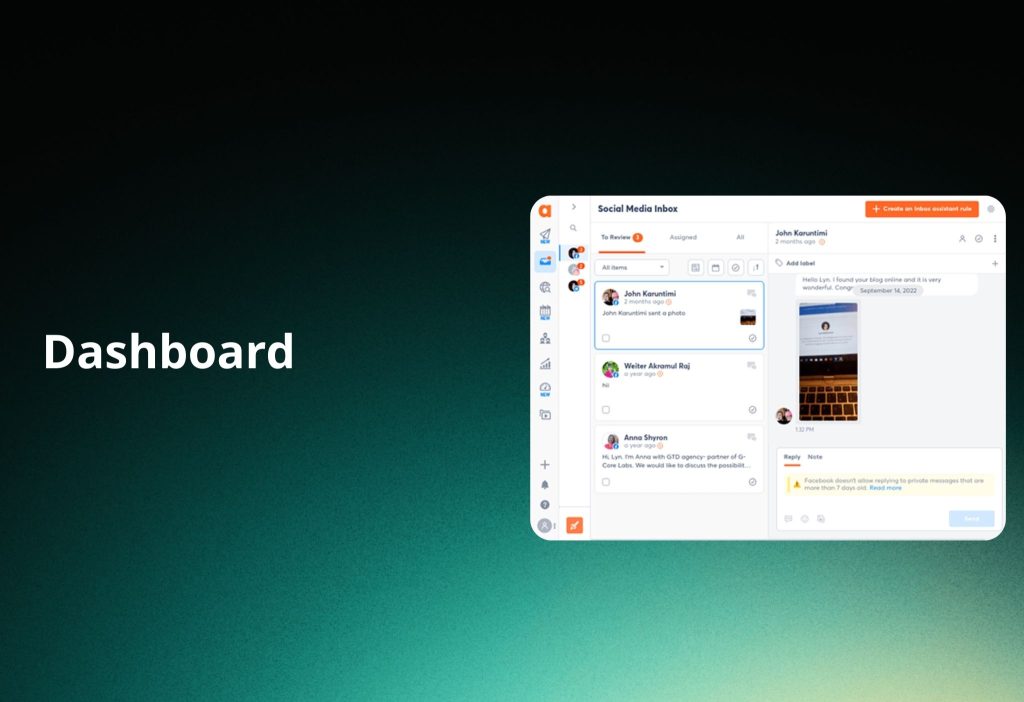
Agorapulse uses a clean, simple interface.
The thin left sidebar contains links to different sections plus quick-action buttons. These buttons let you compose posts, invite team members, add profiles, view notifications, and access support documentation.
A collapsible menu sits to the right of the main menu. This displays your connected profiles. You can select or deselect each one depending on which tool you’re using.
Different tools use different layouts.
One note: Agorapulse lacks a home screen or main dashboard. You can’t view a snapshot of recent mentions, scheduled posts, pending approvals, or performance metrics in one place.
Publishing
Agorapulse’s publishing tool has several parts. Let’s start with the compose function. Click the Publish button to see the tool’s interface overlay.
Agorapulse uses one of the simplest compose interfaces available. It has three panels:
- Left panel: Select which platforms to publish to
- Middle panel: Content editor
- Right panel: Previews (separate tab for each platform)
This layout makes it easy to schedule posts with the same message across multiple platforms while composing just one draft.
As you type, you see separate word count limits for each platform. This helps you optimize messages for each network.
You can edit individual messages in the preview panel. This beats Sprout Social’s compose tool, which requires separate drafts for different platform messages. With Agorapulse, you make these changes in the same interface.
Each tab shows platform-specific error messages. For example, when you add a link as your only attachment, you might see an error about Instagram image aspect ratios.
Quick-use buttons let you add:
- Emojis
- Links
- Images
- Videos
- Hashtag groups
Hashtag groups are collections you create and save within Agorapulse. When composing posts, you can insert all hashtags from a group with a few clicks.
Scheduling and Queuing Posts
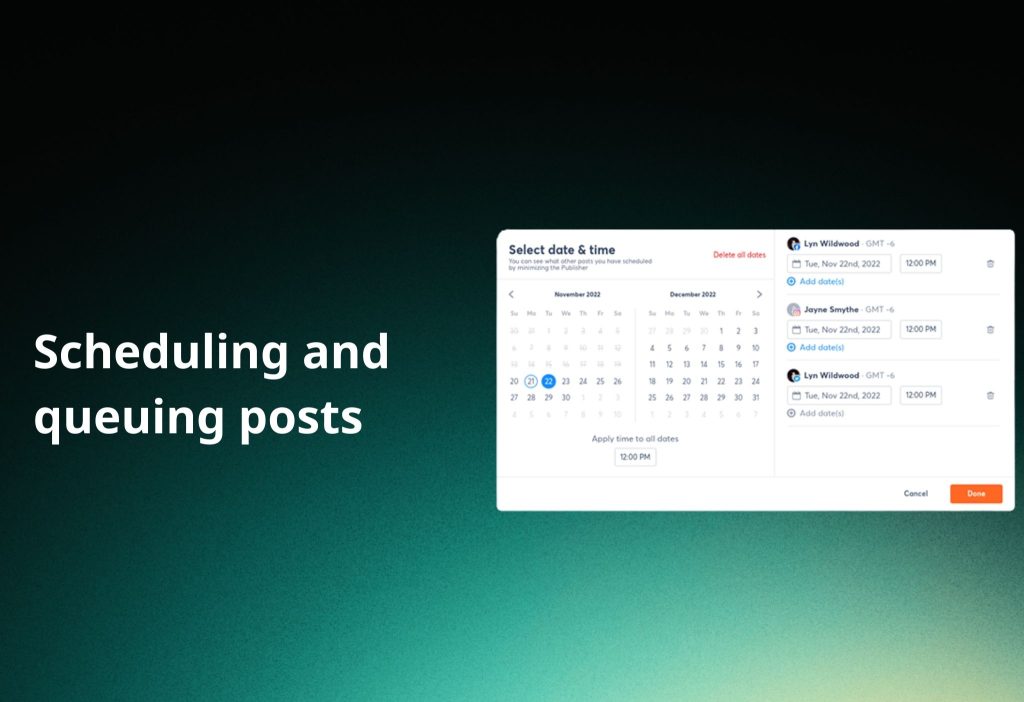
After composing your post, you have four options:
- Publish immediately
- Add to queue
- Schedule for later
- Assign as draft
The compose tool keeps scheduling and queuing as separate steps. This smart design prevents overwhelming users with too many options at once.
For scheduling, simply select a date and time.
Some platforms (Facebook and Instagram) let you schedule posts for additional time slots or republish them regularly.
You can assign labels to posts on both interfaces. Use labels for content types (blog posts, videos), internal categories, and more.
To queue a post, assign it to the top or bottom of the queue. Certain platforms allow re-queuing content, which works well for evergreen messages.
Publishing Lists
Agorapulse’s queue function lives in Publishing Lists. This section organizes posts into five categories:
- Scheduled
- Queued
- To Approve
- Assigned to Me
- Published
You can create different queue categories and assign color labels. For instance, create categories for blog posts, shared content, quotes, and more.
Select the days and times you want posts in each queue category to publish. Any post assigned to the queue follows its category’s schedule.
Publishing Calendar
The Publishing Calendar is a simple social media calendar showing all scheduled posts for the week or month.
You can schedule new posts from here and drag-and-drop posts to different dates.
Social Media Inbox
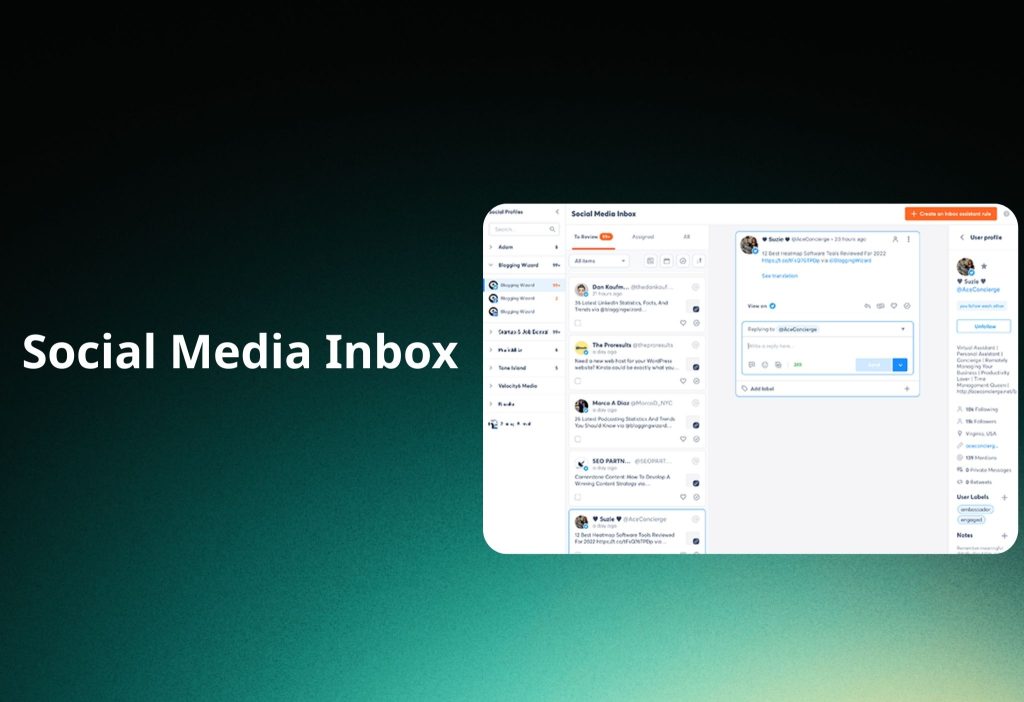
One of Agorapulse’s best features is social media inbox management. You can handle:
- Direct messages
- Comments
- Ad comments
- Reviews
The interface makes it easy to respond to messages and assign them to team members. The real power shows in the settings page.
The Inbox Assistant feature lets you set up rules for the app to follow regarding inbox items. It’s an auto-sort feature you control.
You create rules based on keywords in received messages. For example, create rules that automatically delete comments with offensive words.
Social Listening
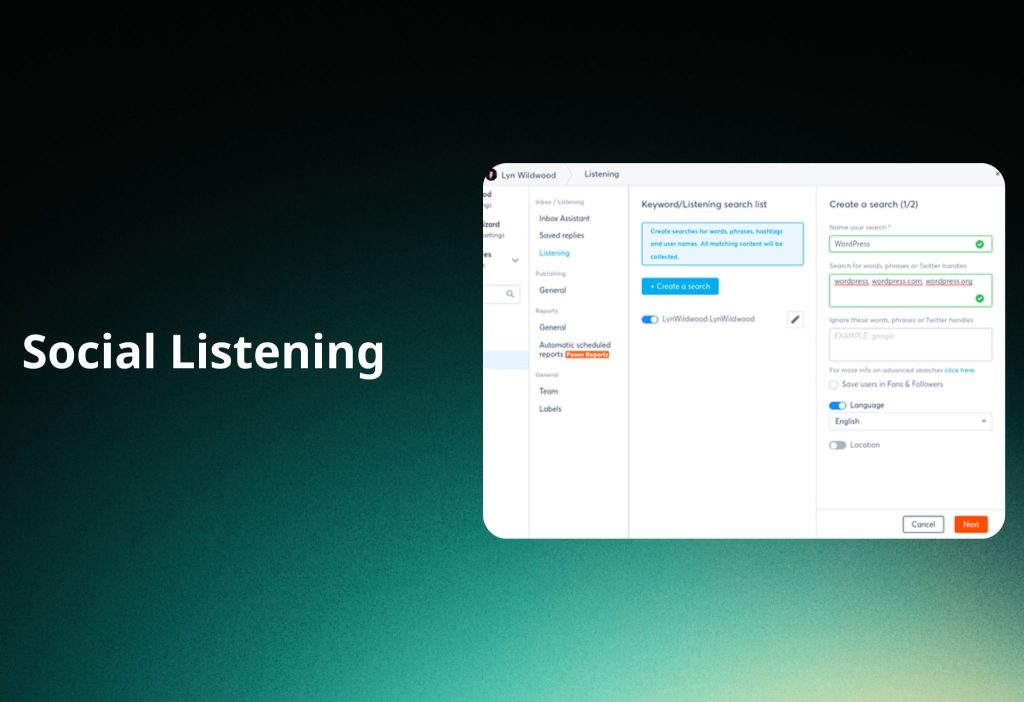
The settings page includes a Listening section for certain platforms (Instagram and Twitter). This lets you monitor mentions of specific keywords and phrases.
Your handles and website are added as keywords by default. You can monitor any keyword, website, or hashtag.
Enter words, phrases, or handles to track, then add ones to exclude. When tracking brand mentions, use this tool to automatically add users to your Fans & Followers list.
Language and location requirements are available.
Received messages appear on the main Social Listening dashboard.
Try Agorapulse Free
Agorapulse Pros and Cons
Pros
- Great overall interface
- Efficient social media scheduling workflow
- Excellent analytics and reporting (exporting reports as PowerPoint files is a nice touch)
- Well-designed team workflows
- Great support (fast responses, usually solves issues)
Cons
- Finding failed posts could be easier
- Wasted space in the inbox (important content gets scrunched)
- Settings pages could be easier to navigate
- The price (not quite Sprout Social level but getting there, with many more affordable alternatives available)
Agorapulse Pricing
Agorapulse offers a limited free forever plan for solo marketers. This plan supports:
- 3 social profiles
- 10 scheduled posts per month
- Content labels
- Basic inbox (no Twitter sync)
Three paid plans are available: Standard, Professional, and Advanced, plus a Custom plan for larger businesses and agencies.
Standard: €59/month/user (€49 annually)
- 10 social profiles
- Unlimited post scheduling
- Social inbox
- Publishing calendar
Professional: €99/month/user (€79 annually)
- All Standard features
- 5 additional social profiles
- Commenting
- Canva integration
- Listening tool
Advanced: €149/month/user (€119 annually)
- All Professional features
- 5 additional social profiles
- Content library
- Bulk approval and publishing
- Spam management
Custom: Request a quote
- All features
- 1-on-1 training
- Priority support
Agorapulse offers a free 30-day trial. Your trial shows “15 days” at first. You can renew once for another 15 days (30 days total).
Try Agorapulse Free
Agorapulse Alternatives
Given Agorapulse’s price point, it suits mid-large companies and enterprises best. Small businesses and content creators may want alternatives.
Here are suggestions:
Sendible – Best direct alternative to Agorapulse. All-in-one social media app with publishing, inbox, analytics, and reporting. More fairly priced than Agorapulse. Cheaper additional user accounts.
Pallyy – Best for content creators. Includes publishing, social inbox, analytics, link-in-bio tool, and more. Affordable for individuals. Free plan available.
SocialBee – Best for those primarily needing a social scheduler. Includes AI caption generator and AI Copilot that builds social strategies.
Agorapulse Review: Final Thoughts
Agorapulse is a solid all-in-one social media management tool. It balances features well and offers excellent support.
It helps you manage all social media marketing aspects more efficiently. It’s especially great for teams, giving you two users for the same price as Sprout Social’s base single-user plan.
The free plan exists but is quite limited for most users.
The main drawback? Paid plan pricing. Entry-level plans are expensive and get very pricey for teams. If that’s an issue, check out the alternatives mentioned above.
It’s not the most expensive tool available but ranks among the pricier options.